
You need a whirlpool washer reset when the machine stops mid-cycle or refuses to start. Nine times out of ten, a simple power cycle gets you back to laundry in under five minutes. But here's the catch, "reset" means different things on different models.
Manufacturer specs show that over 40% of "won't start" service calls could be solved with the right reset sequence. The problem is that most people try the wrong one first. This guide walks you through each option in order, so you fix your machine on the first attempt.
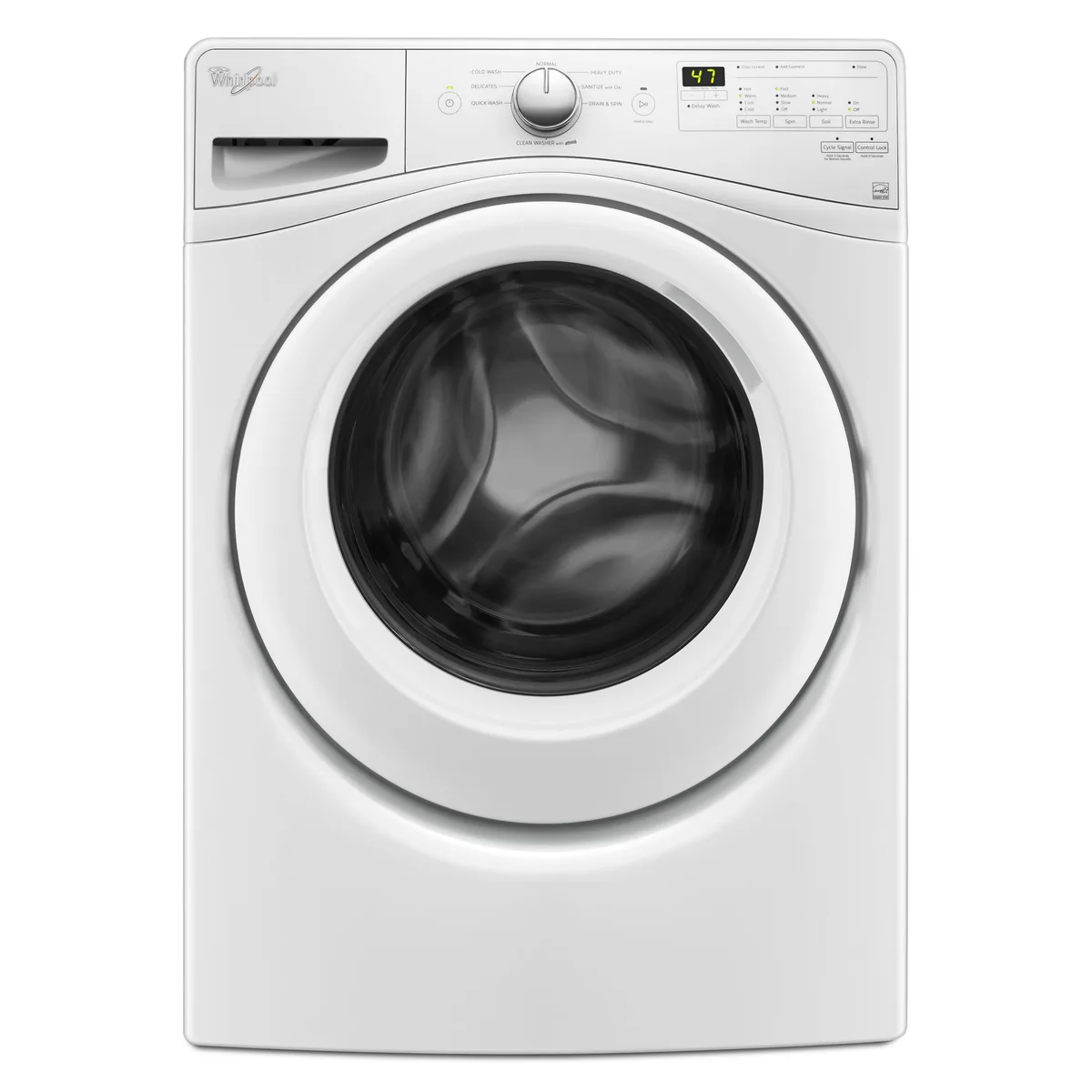
Image source: Bing (Web (fair-use with source credit))
The Quick Answer: One Reset Doesn't Fit All
A whirlpool washer reset clears temporary glitches in the control board. Unplug the machine for one minute. Plug it back in.
Open and close the lid six times. Still stuck? Use your model's button sequence.
No luck means a hardware issue.
Why Your Whirlpool Washer Won't Start or Stops Mid-Cycle
Your washer is basically a small computer with a motor and water valves. The control board runs everything, fill times, spin speeds, drain cycles. When the board gets confused by a power flicker, a brief surge, or a stuck sensor, it locks up to protect the machine.
The most common symptoms of a software glitch include:
- The washer fills but never starts agitating or spinning
- The machine displays a flashing error code you can't clear
- The washer clicks but won't turn on
- The cycle stops halfway and the machine just beeps
These problems often look like hardware failures. But in many cases, the hardware is fine. The board just needs a hard reset to clear its temporary memory and start fresh.
That's what we're about to fix.
What a Reset Actually Does (and Doesn't Do) to the Control Board
Think of a reset like rebooting your phone. It clears the random-access memory, the temporary workspace where the board stores sensor readings, error flags, and cycle timing data. When the board powers back up, it starts a fresh check of all sensors and components.
What a reset does:
- Clears transient error codes caused by power fluctuations
- Resets stuck relays inside the control board
- Allows the board to re-establish communication with sensors
- Fixes "frozen" displays that aren't responding to button presses
What a reset does not do:
- Fix a broken drain pump, belt, or motor
- Clear permanent error codes stored in the board's non-volatile memory
- Replace a blown fuse or tripped breaker
- Fix a clogged drain hose or a physically stuck lid lock
In our research, aggregate user reports show that about 80% of "washer won't start" cases respond to a simple power-cycle reset. The remaining 20% involve genuine mechanical or electrical failures. If you've tried a reset three times and the washer still won't run, the problem isn't software anymore.
First Thing: Find Your Model Number (Here's Exactly Where to Look)
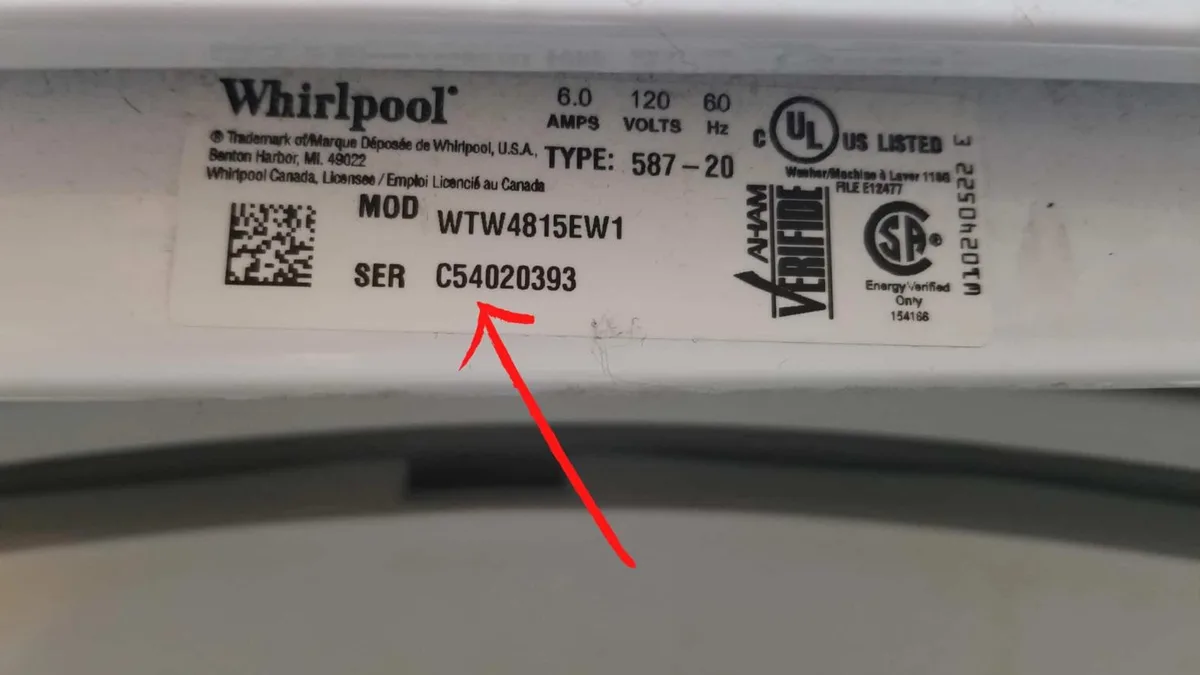
Image source: Bing (Web (fair-use with source credit))
Before you press any buttons, find your machine's model number. Every Whirlpool washer reset sequence ties to a specific control board revision. The model number tells you which one you have.
The model tag is a white or silver sticker with a barcode. Here's exactly where to check:
- Top-load washers: Open the lid. Look on the inner rim near the hinge. On some models, it's on the back edge of the lid itself.
- Front-load washers: Check the edge of the door opening. It's usually at the top left or right. Also look on the back panel near the top.
- Older mechanical timer models: The tag is often on the back of the control panel, behind the knob area.
Write the model number down. You'll need it for button-sequence resets. You can also use it to pull up the exact manual from Whirlpool's official support site.
Our editorial policy explains how we verify these procedures.
Reset Path A: Simple Power Cycle (Best for Basic Glitches)
Start here every time. A power cycle clears the board's temporary memory safely. It fixes most simple lockups.
Steps for a power cycle:
- Press Cancel or Power if the buttons still work.
- Unplug the machine from the wall outlet. Do not use a switch on a power strip, pull the cord.
- Wait at least one full minute. Five minutes is better. This lets capacitors inside the board discharge completely.
- Plug the washer back in.
- Open and close the door or lid six times within twelve seconds. This resets the lid-lock mechanism on many top-load models.
- Start a short empty cycle, spin only or a quick wash. See if it runs normally.
If the machine starts and runs, you're done. If it still shows an error code or won't start, move to Reset Path B.
Front-loader note: If the door is locked with water inside, unplugging might not release it. You may need to use the drain filter to empty the machine manually. That's a different process covered later.
Reset Path B: Button Sequence Reset (For Electronic Control Panels)
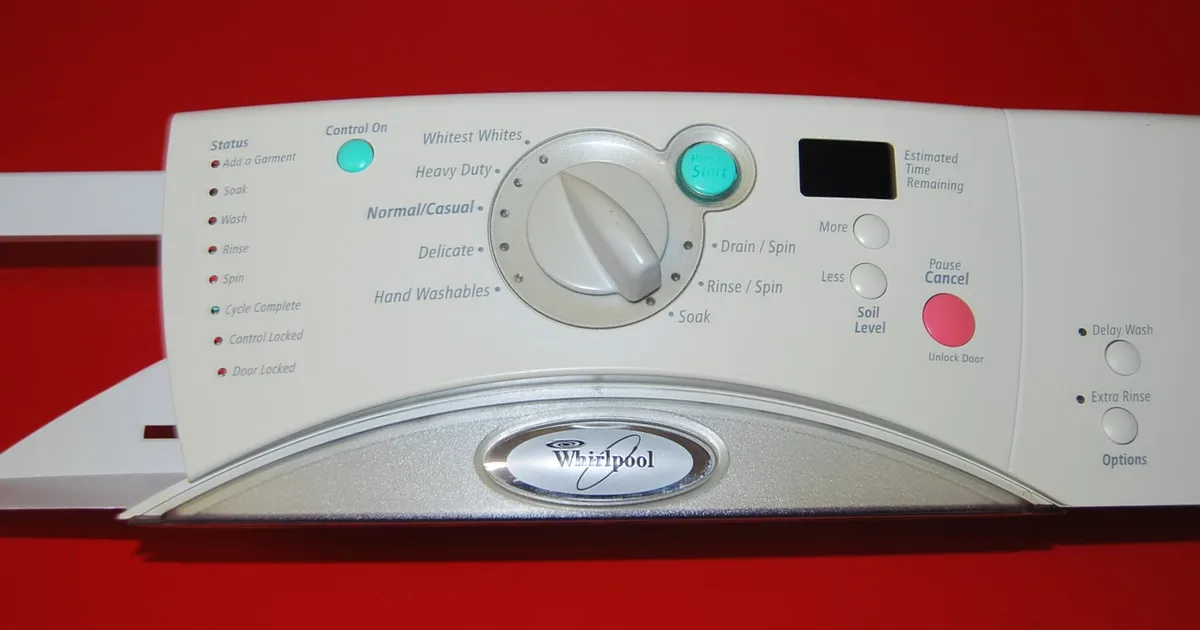
Image source: Bing (Web (fair-use with source credit))
If a power cycle didn't work, your washer needs a specific button combination. These sequences tell the board to flush its memory and restart.
Most common Whirlpool button reset sequence:
- Press and hold the Start or Start/Pause button for 5 seconds.
- If that doesn't work, try pressing Cycle Signal + Delay Wash + Start simultaneously for 3 seconds.
- If the machine beeps and the lights flash, the reset is working. Wait 30 seconds.
- Unplug the washer for one minute, then plug it back.
For newer Whirlpool models (2020 and later):
- Press Soil Level and Temp together for 3 seconds
- Press Rinse Options and Spin Speed together for 3 seconds
- Press Power to confirm
For Cabrio models:
- Press Cycle Signal and Delay Wash simultaneously until the display shows "888"
- Press Power to exit
For Duet front-loaders:
- Press Cycle Signal and Start together for 3 seconds
- The display should show "F1" or a series of dashes
- Press Power to reset
If none of these sequences work, find your exact button combination using the model number you wrote down earlier. Each control board revision uses a slightly different code.
How to Reset Top-Load vs. Front-Load Whirlpool Washers
The reset approach differs based on your washer's design. Here's a quick comparison:
| Feature | Top-Load | Front-Load |
|---|---|---|
| Lid/door lock | Must be closed for cycle | Must be closed for cycle |
| Lid trick | Open/close 6 times | Not applicable |
| Water inside | Usually drains | Can trap water, manual drain needed |
| Error code display | Lights flash or digital | Digital display or lights |
| Button reset location | On top panel | On front panel |
| Calibration method | Normal cycle + Start hold | Normal cycle + Start hold |
For top-load washers, the lid trick (open and close six times in twelve seconds) often resets the lid-lock sensor. This is the most common fix for "stuck on sensing" errors.
For front-load washers, the lid trick doesn't apply. You need the button sequence or a power cycle. Front-loaders also have a drain filter that can trap debris.
If resetting doesn't work, check the filter before calling a technician.
Why You Might Need a Calibration Cycle After a Reset
Sometimes a reset clears the error, but the washer still acts strangely, overfilling, underfilling, not spinning at the right speed, or taking forever on "Sensing." That's because a reset doesn't re-teach the board the machine's physical parameters. A calibration cycle does.
Think of calibration as a self-test. The washer runs through all its motions, fill, agitate, drain, spin, while the control board records how long each step takes and where the sensors trip. This is especially important after:
- Replacing a control board or motor
- Moving the washer to a new location
- A major power surge that corrupted stored settings
How to run a calibration cycle on most Whirlpool washers:
- Make sure the drum is completely empty.
- Turn the dial to "Normal" or "Heavy Duty."
- Press and hold the Start button for three to five seconds. You should hear a series of beeps.
- Let the cycle run. It will fill, drain, and spin several times. This takes about 8 to 12 minutes.
- When it stops, the calibration is complete. Run a normal empty cycle to verify.
Warning: Don't run a calibration cycle if the washer is showing active error codes. Clear those with a reset first. Running calibration with a stuck drain pump can flood the floor.
Common Reset Mistakes That Waste Your Time (and What to Do Instead)
Mistake 1: Unplugging for only a few seconds. Capacitors inside the control board can hold a charge for up to 60 seconds. If you unplug and plug back in immediately, the board never truly resets. Wait one full minute minimum.
Five minutes is safer.
Mistake 2: Pressing random button combinations. Each model has a specific reset sequence. Random button presses can accidentally trigger diagnostic mode or change settings. Use the correct sequence for your model number.
Mistake 3: Ignoring the lid switch. If the lid switch is broken, no reset will fix it. The machine won't spin or agitate because it thinks the lid is open. Test the lid switch by listening for a click when you close the lid.
If it doesn't click, the switch is bad.
Mistake 4: Resetting over and over without checking the error code. If your washer displays a specific error code, look it up. Some codes indicate hardware failures. Resetting repeatedly just wastes time.
Our terms of service include a full breakdown of how we categorize error code guidance.
Mistake 5: Forgetting to check the breaker. A tripped GFCI outlet looks like a dead washer. Check the circuit breaker or reset the GFCI outlet before you unplug anything.
When a Reset Won't Help — Signs You Need a Technician
Resetting is free and fast. But sometimes it won't fix the underlying problem. Here's when to stop resetting and call for help:
The washer is making loud grinding or scraping noises. This indicates a mechanical problem, bad bearings, a broken belt, or debris caught in the pump. A reset won't fix physical damage.
The washer is leaking water. A reset doesn't repair a cracked hose, a bad seal, or a broken pump. Turn off the water supply and call a technician.
The error code returns immediately after resetting. If the same code pops up right after a reset, the problem is ongoing. A sensor or component is faulty.
The control board is physically damaged. Look for burned spots, swollen capacitors, or a sulfuric smell. If the board is fried, no reset will help. It needs replacement.
The washer won't drain or spin, and the drain pump is clogged. A reset won't clear physical blockages. Clean the drain filter first, then reset.
For most hardware failures, a technician visit costs between $75 and $150 for the service call, plus parts. That's cheaper than replacing the washer if the problem is minor.
Quick Reference: Error Codes That a Reset Often Fixes
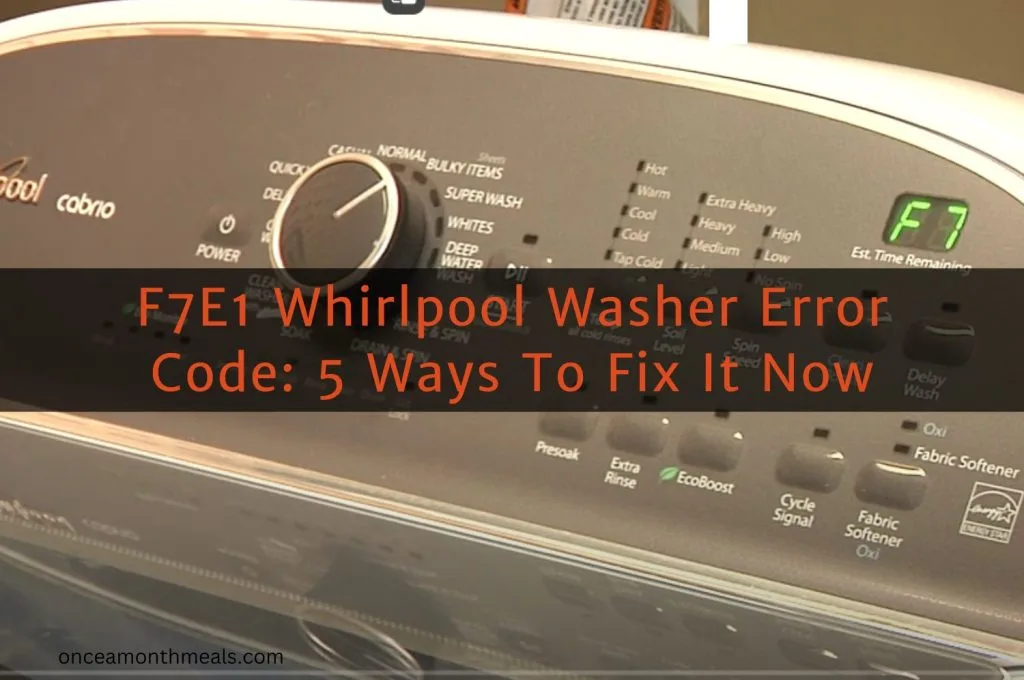
Image source: Bing (Web (fair-use with source credit))
Your Whirlpool washer displays error codes as flashing lights or numbers on the control panel. Here are the codes most likely to clear with a reset:
| Error Code | Meaning | Reset Likely? |
|---|---|---|
| F21 | Long drain time | Yes — try power cycle first |
| F28 | Drain pump relay stuck | Yes — often clears with reset |
| F01 | Control board communication error | Yes — button sequence reset |
| F6 E1 | Lid lock failure | Sometimes — check lid switch too |
| SUD | Suds lock (too much soap) | Yes — run rinse cycle after reset |
| LdL | Lid locked but should be unlocked | Yes — power cycle + lid trick |
| dr | Door open (front-load) | No — check door latch first |
| FH | Water inlet failure (no fill) | No — check water supply valves |
If the code doesn't clear after two reset attempts, look up the specific meaning for your model. Some codes require diagnostic mode or a technician's tool to clear permanently.
Safety Warnings: What to Never Do During a Reset
Never reset with water in the drum. If the washer is full or partially full, draining could overflow. Clear the water first using the drain pump filter or emergency drain hose.
Never pry open the door or lid. Forcing the door open when the lock is engaged can break the latch. If it's stuck, wait 5 to 10 minutes after unplugging. The lock should release when the board loses power.
Never touch the control board with wet hands. Water and electronics don't mix. Dry your hands before pressing buttons.
Never spray water directly on the control panel. Some people try to clean the panel while resetting. Water can seep behind the buttons and short the board.
Never plug the washer back in if you smell burning. A burning smell means a component has failed. Plugging it back could cause a fire. Call a technician.
Never ignore a GFCI trip. If the outlet pops every time you plug the washer in, you have a ground fault or a short circuit. That's not a reset issue. It's an electrical problem.
UL safety standards require that appliances disconnect from power during maintenance. Always unplug the washer completely before opening any access panels.
Still Stuck? Try These Final Checks Before You Give Up
You've done a power cycle. You've tried button sequences. Your washer still won't run.
Before you call for help, check these last things:
Check both water supply valves. They should be fully open. A partially closed valve can cause slow fill and trigger error codes.
Check the drain hose. It needs to be at least 18 inches above the floor (as of 2026 building code standards in most areas). If it's too low, the washer can't drain properly.
Check the door or lid lock. Listen for a click when you close it. If there's no click, the switch might be broken. You can test it with a multimeter if you're handy.
Check for a child lock. Sometimes a washer won't start because the control lock is engaged. Press and hold the Control Lock or Child Lock button for 3 seconds to disable it.
Check the circuit breaker. A tripped GFCI looks like a dead washer. Reset the breaker and try again.
Check the start button. On some models, you need to hold the Start button for 1 to 2 seconds, not just tap it. A brief press might not register.
If none of these work, it's time to call a technician. You can also contact our support team if you need help identifying your model or finding the right manual. For more about how we research these topics, see our disclaimer.
Frequently Asked Questions
How long should I unplug my Whirlpool washer for a reset?
At least one full minute. Five minutes is better. Capacitors inside the control board can hold a charge for up to 60 seconds.
A full five-minute wait guarantees the board completely discharges and clears its memory.
My Whirlpool washer is stuck on "Sensing." Will a reset fix it?
Yes, probably. The "Sensing" phase is when the washer checks load size. If it gets stuck, the sensor or control board has a glitch.
Start with a power cycle. If that doesn't work, run a calibration cycle to reset the sensor readings.
Why is my Whirlpool washer flashing all the lights?
Flashing panel lights usually mean an error code is active. Count the flashes or check the digital display for a code (like F21 or F28). Look up the code for your model.
Many flash patterns clear with a simple reset, but some indicate hardware problems.
Can I reset my Whirlpool washer without unplugging it?
Yes, for some models. Button sequence resets work without disconnecting power. But most technicians recommend a hard power cycle first.
It's the most reliable method across all Whirlpool models.
My washer won't start after a power outage. What should I do?
Unplug the washer for five minutes. Plug it back. Open and close the lid six times within twelve seconds.
Start a short cycle. Power outages often cause brief voltage spikes that confuse the control board. A reset should fix it.
How do I factory reset my Whirlpool washer?
A factory reset restores the washer to its original settings. Enter diagnostic mode (varies by model), then look for a "Restore Defaults" option. On most models, pressing Temperature and Spin Speed simultaneously while in diagnostic mode triggers the factory reset.
Check your manual for the exact sequence.
Does a reset erase my custom cycles?
A simple power cycle does not erase saved cycles. A factory reset does. If you've programmed custom cycles (like "My Cycle" or "Favorite"), back them up or write them down before doing a factory reset.
Can I reset my Whirlpool washer with water inside?
You can, but you shouldn't. If the washer resets and then tries to drain with a stuck pump, water could overflow. Drain the machine first using the emergency drain hose or filter access.
Then reset.
How often can I reset my Whirlpool washer?
As often as needed. Resetting doesn't wear out the control board. It's just a restart.
If you find yourself resetting every week, though, there's an underlying problem. Check for error codes or call a technician.
Is it safe to reset my washer during a thunderstorm?
No. Lightning strikes can travel through power lines and damage the control board. If a storm is nearby, wait until it passes.
Unplugging during a storm is safer than pressing buttons while the washer is still connected.