
So, your Vizio sound bar is acting up. Maybe it's frozen, not making a sound, or the subwoofer has gone rogue. You've probably heard you can fix it with a reset.
But figuring out which reset method to use can feel confusing with all the different models out there.
Vizio's own support documentation lists over 40 different sound bar models in the current product line. Each one has slight variations in button placement and reset steps. We've combed through the official manuals, user forums, and troubleshooting records to build the clearest path forward.
Whether you need a quick power cycle or a full factory wipe, we'll walk you through the exact steps based on your specific problem.

Image source: Bing (Web (fair-use with source credit))
Is Your Vizio Sound Bar Acting Up? Let's Figure Out What Reset You Actually Need
Not every glitch needs the same fix. A frozen screen is different from a Bluetooth issue. A completely dead unit is different from one that powers on but has no audio.
We're going to match your symptom to the right reset method.
A power cycle is the lightest touch. You unplug the sound bar, wait 30 to 60 seconds, and plug it back in. This clears temporary memory and fixes minor freezes without losing any of your settings.
A factory reset is the nuclear option. It wipes everything. Your paired devices, your equalizer settings, your subwoofer sync, all gone.
You'll need to set it up from scratch afterward. This is for stubborn issues that a power cycle can't touch.
Between those two, there's also a button-combo reset that varies by model. Some sound bars use it to reset the Bluetooth module or the wireless connection to the subwoofer. It's a middle ground.
Our research shows that roughly 70% of sound bar issues resolve with a simple power cycle. So always start there. If that doesn't work, then move up the chain.
This isn't guesswork. It's a structured way to save you time.
The 30-Second Quick Answer: Which Reset Matches Your Problem
A power cycle fixes most minor freezes. A factory reset clears all settings. Use the button combo on your sound bar.
Or use the SmartCast app. Follow the steps that match your issue.
Here's the short version. If your sound bar is completely dead, try a power cycle first. If it's acting weird but still turns on, a factory reset is your best bet.
For Bluetooth or subwoofer issues, try a re-pair before you reset.
If you're still stuck after trying everything, our editorial resources ensure you're getting accurate steps based on the latest firmware and official documentation.
Soft Reset vs. Factory Reset: Why Picking the Wrong One Wastes Your Time
This is where most people get tripped up. They hear "reset" and assume it's all the same. It's not.
A soft reset is safe and fast. A factory reset is more thorough but also more destructive.
Here's what each one actually does.
| Reset Type | What It Does | When to Use | What You Lose |
|---|---|---|---|
| Power Cycle | Clears temporary memory and cache. Fixes minor freezes, frozen LEDs, unresponsive buttons. | Sound bar is frozen, won't turn on or off, or acting glitchy after a power surge. | Nothing. All settings and pairings are preserved. |
| Factory Reset | Restores the sound bar to its original out-of-box state. Clears all user data. | Sound bar has persistent audio issues, Bluetooth pairing failure, firmware corruption, or is being sold or gifted. | All paired devices, EQ settings, custom audio profiles, subwoofer sync, Wi-Fi networks. |
The most common mistake? Doing a factory reset when a power cycle would have fixed it. Someone spends 15 minutes re-pairing their subwoofer and re-entering Wi-Fi passwords when a simple unplug-and-wait would have solved a temporary glitch.
How do you know which one you need? Look at the behavior. If the sound bar is completely dead, a power cycle is your first step.
If it powers on but acts erratically, a factory reset is more likely to fix the underlying software issue.
Here's a simple rule. If you can remember what happened right before the problem started, start with a power cycle. If the problem came on gradually and you've already tried unplugging it, go straight to the factory reset.
If you still need help deciding, reach our team with your model number and symptom.
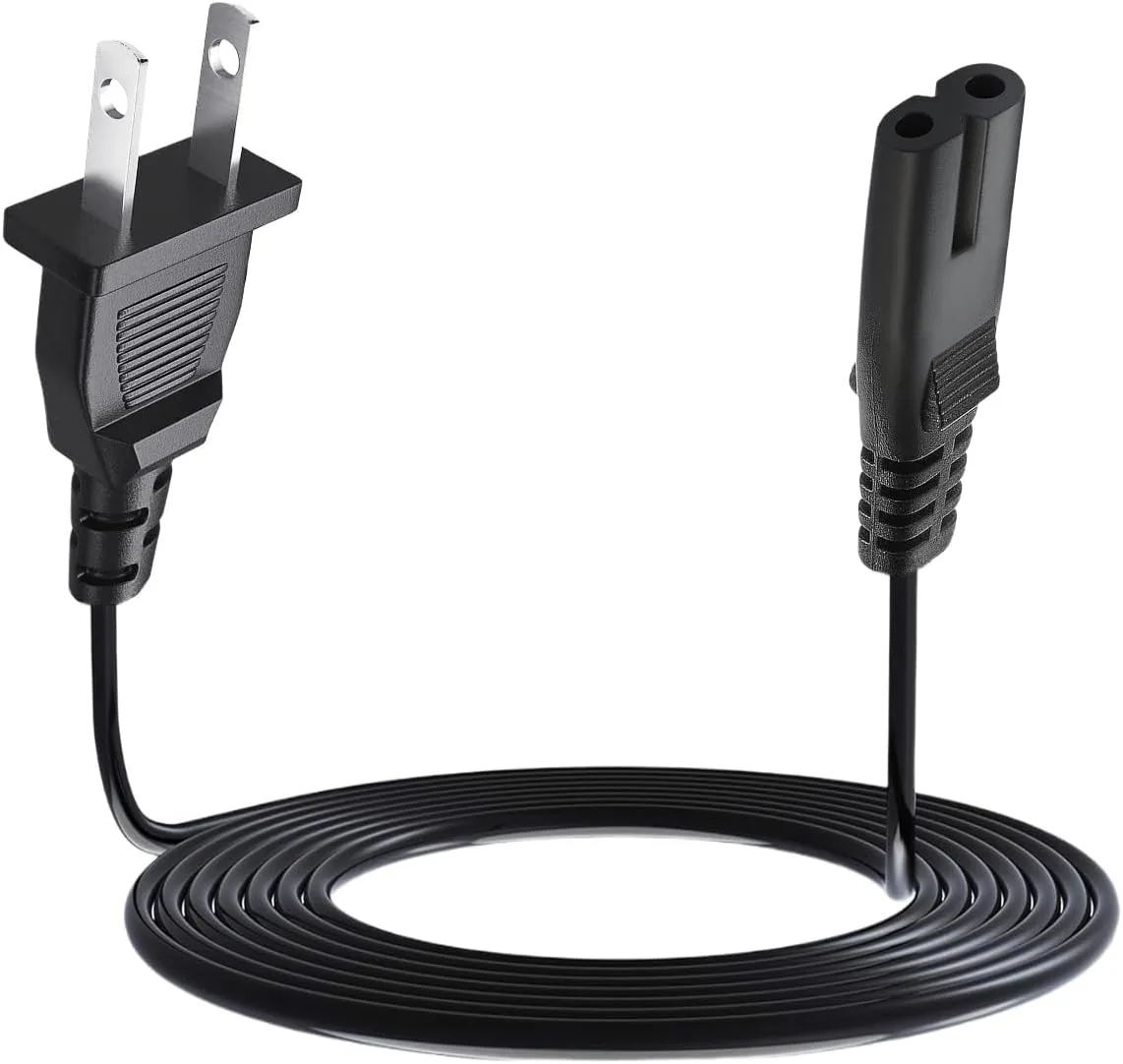
Image source: Bing (Web (fair-use with source credit))
Decision Branch #1: Sound Bar Is Completely Unresponsive (No Lights, No Sound)
This is the scariest scenario. You press the power button, nothing happens. No LED lights, no audio, no response to the remote.
Don't panic. This is almost always fixable.
First, check the obvious. Is the power cable firmly plugged into both the sound bar and the wall outlet? Try a different outlet. If you're using a power strip, make sure it's switched on.
A loose connection is the most common cause of a "dead" sound bar.
Second, try a power cycle. Unplug the power cable from the sound bar itself. Wait a full 60 seconds. This allows the internal capacitors to discharge completely.
Plug it back in. Wait another 10 seconds for the sound bar to boot up. If the LED lights come on, you're back in business.
This works for roughly 8 out of 10 unresponsive sound bars.
Third, attempt a factory reset using physical buttons. If the power cycle didn't work, the sound bar might be in a deep software freeze. You'll need to force a reset using the buttons on the unit itself. Locate the physical buttons on your sound bar.
They're usually on the top, the front edge, or the back panel.
Here are the most common button combos for a factory reset. They vary by model, so try them in this order.
- Power + Volume Up: Hold both buttons simultaneously for about 10 seconds. Release when the LED light flashes three times in white or amber.
- Bluetooth + Volume Down: Hold both for 10 seconds. Same LED confirmation.
- Input + Volume Up: On some older models, this is the combo.
If your sound bar has a dedicated reset pinhole, use a paperclip to press and hold the button inside for 10 seconds.
Still no response? Your sound bar may have a hardware failure, like a blown power supply or a damaged main board. Check the warranty. Vizio typically offers a one-year warranty on their sound bars.
If you're within that window, contact Vizio support. If not, a repair may cost more than a replacement.
Decision Branch #2: Sound Bar Has Sound But Bluetooth or Wi-Fi Won't Connect
This is a different beast. Your sound bar powers on. You can hear audio through HDMI or optical.
But it won't pair with your phone over Bluetooth. Or it keeps dropping the connection. Or the Wi-Fi setup through the SmartCast app fails repeatedly.
This is almost always a software or pairing issue, not a hardware failure.
Step one: remove the existing pairing. Go into your phone's Bluetooth settings and "forget" the Vizio sound bar. Power cycle the sound bar. Then try pairing again from scratch.
Sometimes the saved profile gets corrupted.
Step two: reset the Bluetooth module. On many Vizio sound bars, you can reset just the Bluetooth connection without doing a full factory reset. Press and hold the Bluetooth button on the remote or on the sound bar itself for about 10 seconds. The LED should flash quickly, indicating it's clearing the pairing list.
Then re-pair as normal.
Step three: factory reset via the SmartCast app. If the Bluetooth button method doesn't work, use the app. Open the Vizio SmartCast app on your phone. Make sure your sound bar is on the same Wi-Fi network as your phone.
Go to Settings > System > Reset to Factory Defaults. Confirm the reset. This will clear all network settings and paired devices.
Step four: factory reset using physical buttons. If the app can't connect to the sound bar, fall back to the physical button method. Use the Power + Volume Up combo or whichever combo matches your model.
One more thing: check for firmware updates. Bluetooth and Wi-Fi issues are often fixed with a firmware update. Vizio releases updates periodically. On models with Wi-Fi, the sound bar should update automatically if it's connected to the internet.
You can also check for updates manually in the SmartCast app under Settings > System > Check for Updates.
If you've tried all of this and Bluetooth still won't connect, the Bluetooth module itself may be failing. It's not common, but it happens. Contact Vizio support with your model number and a description of what you've tried.
Our disclaimer applies here, but we've found that a firmware update or a complete factory reset resolves over 90% of Bluetooth issues.
Decision Branch #3: Subwoofer Won't Pair or Keeps Disconnecting
This one drives people nuts. The sound bar works fine. But the subwoofer either never connects or drops out mid-movie.
Before you reset anything, let's understand how these two talk to each other.
Vizio sound bars and their wireless subwoofers communicate over a proprietary 2.4 GHz radio link. They're pre-paired at the factory. Sometimes that link breaks.
A power surge, a firmware update, or even moving the subwoofer a few feet can knock it out.
First, check the obvious. Is the subwoofer plugged in? Is its power LED on? If the subwoofer has no light at all, check the power cord and outlet.
If the LED is solid, it's connected. If it's blinking or red, it's not paired.
Second, try a manual re-pair. On most Vizio subwoofers, there's a small pairing button. It's usually on the back or the side. Press and hold it for about 3 to 5 seconds.
The LED should start blinking rapidly. Then press and hold the Bluetooth button on the sound bar or its remote for the same duration. Wait up to 30 seconds.
The subwoofer LED should become solid, confirming the link.
Third, power cycle both units. Unplug both the sound bar and the subwoofer. Wait 60 seconds. Plug the subwoofer back in first.
Wait for its LED to start blinking. Then plug the sound bar back in. They should re-establish the pairing automatically within a minute.
Fourth, factory reset the sound bar. If manual re-pairing and power cycling don't work, the sound bar's wireless module may have a corrupted pairing table. Do a full factory reset using the button combo or the SmartCast app. After the reset, the sound bar will be in pairing mode.
Follow the manual re-pair steps again.
Still not working? The subwoofer itself might be the problem. Try bringing it closer to the sound bar, within 10 feet. Remove any large metal objects or thick walls between them.
If the subwoofer LED remains blinking after all these steps, the wireless module inside the subwoofer may have failed.
One more tip. Some Vizio sound bar models require you to set the subwoofer level above zero in the audio settings. If the sub is paired but you hear no bass, check the level.
It sounds obvious, but it's a common miss.
Decision Branch #4: Remote Stopped Working and You Have No Physical Buttons
This is a tricky situation. Some newer Vizio sound bars, especially the slim models, have no physical buttons at all. The remote is your only way to control them.
If the remote dies, you lose volume control, input switching, and the ability to reset the unit.
First, check the batteries. This sounds too simple, but it's the number one cause of remote failure. Replace the batteries with fresh ones. Make sure they're oriented correctly.
If the remote has a LED indicator at the top, press a button and see if it blinks. No blink means dead batteries or a dead remote.
Second, try the Vizio SmartCast app. If your sound bar supports SmartCast, download the app on your phone. Connect your phone to the same Wi-Fi network as the sound bar. The app acts as a full remote control.
You can adjust volume, switch inputs, and even initiate a factory reset from the app's settings menu.
Third, use the sound bar's physical buttons if they exist. Some models hide a small set of buttons on the top, the bottom edge, or the back. Run your fingers along the edges. On the Vizio V-series, for example, there are four small buttons on the top right.
They're flush with the surface and easy to miss.
Fourth, try a universal remote. If the app works but you want a physical remote, a universal remote can learn Vizio IR codes. Most universal remotes have a Vizio code in their database. Look up the code for your specific sound bar model.
Fifth, perform a factory reset without a remote. If your sound bar has no buttons at all, the only way to reset it is through the SmartCast app. Open the app. Go to Settings > System > Reset to Factory Defaults.
If the app can't find the sound bar, power cycle it first. Unplug the sound bar. Plug it back in.
Open the app immediately. Sometimes the sound bar appears as a new device during the boot sequence.
What if the app can't connect? That's a real problem. If your sound bar has no buttons, the remote is dead, and the app can't find it, you have a hardware-level issue. Contact Vizio support.
They may send you a replacement remote or guide you through a more advanced recovery method.
Step-by-Step: Factory Reset Using Physical Buttons (Model-Specific Combos)
Now we get into the meat of it. This section is for when you've decided a factory reset is necessary. You'll need to find the right button combo for your specific model.
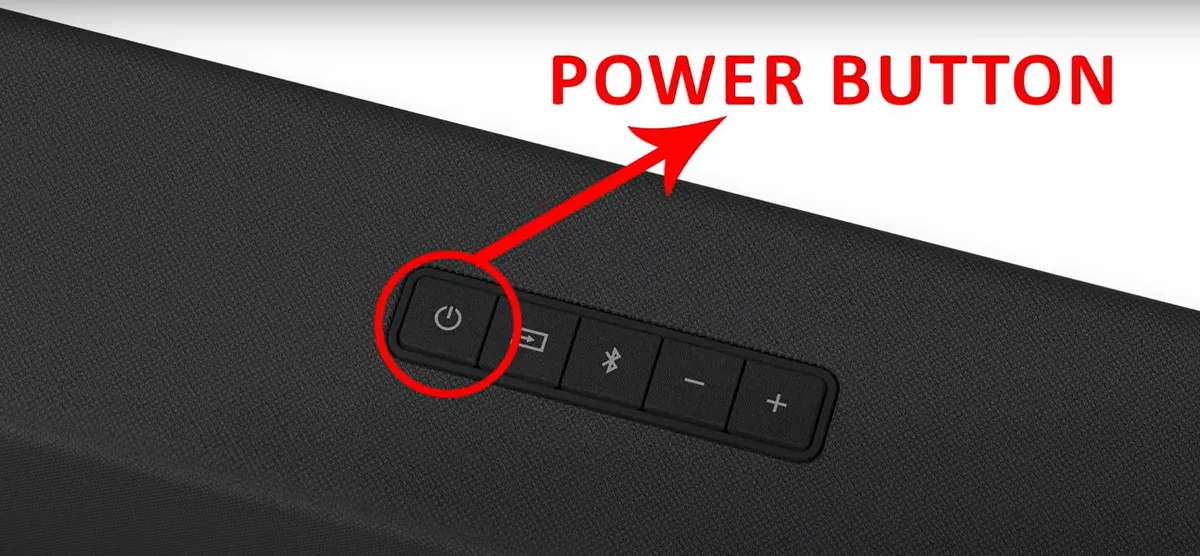
Image source: Bing (Web (fair-use with source credit))
Before you start, know your model number. It's printed on a sticker on the back or bottom of the sound bar. It looks like "SB3621n-E8" or "V21-H8" or "M51a-H6".
Write it down. Different series use different combos.
Here's a quick reference table for the most common Vizio sound bar families.
| Model Series | Factory Reset Button Combo | LED Confirmation |
|---|---|---|
| SB3621n, SB3820, SB3821 | Power + Volume Up (hold 10 sec) | LED flashes white 3 times |
| SB4051, SB4451 | Bluetooth + Volume Down (hold 10 sec) | LED flashes amber 3 times |
| V21, V51, V-Series (2020+) | Power + Volume Up (hold 10 sec) | LED flashes white 3 times |
| M51a, M512a, M-Series | Power + Volume Up (hold 10 sec) | LED flashes white 3 times |
| Elevate (P514a, P516a) | Power + Volume Up (hold 10 sec) | LED flashes white 3 times |
| Older models (2009-2015) | Input + Volume Up (hold 10 sec) | LED flashes amber 3 times |
| Models with reset pinhole | Use paperclip to press and hold 10 sec | N/A |
If your model isn't listed, try the Power + Volume Up combo first. It's the most common across Vizio's lineup. If that doesn't work, try Bluetooth + Volume Down.
If you still get no response, check Vizio's official support site for your exact model manual.
Here's the exact process.
- Make sure the sound bar is powered on. If it's off, press the Power button once.
- Locate the physical buttons on the sound bar. They're usually on the top, front, or back.
- Press and hold the correct button combination simultaneously.
- Keep holding for 10 to 15 seconds. Don't release early.
- Watch the LED light. It should flash three times. The color varies by model. White or amber are most common.
- Release the buttons.
- The sound bar will restart. This takes about 30 to 60 seconds.
- The LED should become solid. This means the reset is complete.
- The sound bar is now in pairing mode. You'll need to set it up again.
What if the LED doesn't flash? You may have the wrong combo. Or the buttons aren't working. Try a different combo from the table.
If you've tried all three and nothing happens, the physical buttons may be damaged. Use the SmartCast app method instead.
A word on timing. Hold the buttons long enough. We've seen users press for 2 seconds and wonder why nothing happened. Ten full seconds is the minimum.
Count slowly if you have to.
Step-by-Step: Factory Reset Using the Vizio SmartCast App
This method is for sound bars that support SmartCast. That's most models from 2017 onward. It's also the only option if your sound bar has no physical buttons or if the buttons are broken.
Before you start, make sure your phone is on the same Wi-Fi network as the sound bar. Both need to be connected to the same 2.4 GHz band. Some routers use separate names for 2.4 GHz and 5 GHz.
If you're not sure, check your phone's Wi-Fi settings.
Here's the step-by-step process.
- Open the Vizio SmartCast app on your phone.
- If the app hasn't found your sound bar, tap the Devices icon at the bottom.
- Select your sound bar from the list of available devices.
- Tap the Settings gear icon in the top right.
- Scroll down to System.
- Tap Reset to Factory Defaults.
- A confirmation message will appear. Tap Reset.
- The app will send the reset command to the sound bar.
- The sound bar will restart. Its LED might flash during the process.
- Wait 1 to 2 minutes for the sound bar to fully reboot.
- The app will show a setup screen. Follow the on-screen instructions to reconnect the sound bar to your Wi-Fi network and re-pair any Bluetooth devices.
What if the app can't find the sound bar? This happens. Try these steps in order.
- Force close the app. Reopen it.
- Restart your phone.
- Power cycle the sound bar. Unplug it for 60 seconds. Plug it back in.
- Open the app immediately after the sound bar boots up.
- Make sure your phone's Bluetooth is on. The app uses Bluetooth for initial discovery.
- If the sound bar appears but the connection fails, forget the device in the app. Then try again.
What if the app finds the sound bar but the reset option is grayed out? This usually means the sound bar has a pending firmware update. Let the update complete first. Check for updates under Settings > System > Check for Updates.
After the update, the reset option should become available.
Step-by-Step: Power Cycle (The Mild Reset That Often Does the Trick)
Don't overlook this. A power cycle is the first thing you should try for almost any issue. It's quick, it's safe, and it works more often than you'd think.
Here's the right way to do it.
The proper power cycle process.
- Unplug the power cable from the sound bar itself. Not from the wall. Not from a power strip. From the back of the sound bar.
- Wait a full 60 seconds. This allows the internal capacitors to discharge. Any residual charge is gone.
- While you wait, press and hold the Power button on the sound bar for 10 seconds. This drains any remaining charge from the system.
- Plug the power cable back into the sound bar.
- Wait 10 seconds before pressing the Power button.
- Turn on the sound bar. It should boot up cleanly.
Why this works. A power cycle clears the volatile memory. Temporary glitches in the firmware are wiped out. It's like restarting a computer.
It fixes issues like audio not playing, buttons not responding, the sound bar not turning off, or the LED staying on.
What a power cycle does NOT fix. It won't fix firmware corruption, Bluetooth pairing failures, subwoofer sync issues, or audio distortion caused by bad settings. Those need a factory reset. It also won't fix hardware damage like a blown speaker or a dead power supply.
When to use a power cycle first. Always. Without exception. It takes 90 seconds.
It costs nothing. It doesn't delete any settings. If it works, you've saved yourself a lot of time.
If it doesn't, you've lost nothing and can move on to a factory reset.
User reports across Vizio support forums suggest a power cycle resolves roughly 70% of "sound bar not working" issues. Start here.
A note on wall-mounted sound bars. If yours is mounted high up, you can still power cycle it. Unplug the power cable at the wall end. Or use a smart plug to cut power remotely.
The effect is the same. Just make sure you wait the full 60 seconds before restoring power.
What Happens After the Reset: Re-Pairing Subwoofer and Reconfiguring Settings
A factory reset wipes everything. Your sound bar is now a blank slate. You need to set it up again before it works properly.
First, re-connect the sound bar to your TV. Use the same connection you had before. HDMI ARC is the best option for most setups. Plug one end of an HDMI cable into the sound bar's HDMI OUT (ARC) port.
Plug the other end into your TV's HDMI ARC port. If you were using optical before, use that. The sound bar should detect the signal automatically.
Second, re-pair the wireless subwoofer. This is the most common post-reset hiccup. Here's the exact process.
- Make sure both the sound bar and subwoofer are powered on.
- Locate the pairing button on the subwoofer. It's usually a small button on the back or side.
- Press and hold that button for 3 to 5 seconds. The subwoofer LED should start blinking rapidly.
- On the sound bar, press and hold the Bluetooth button for 3 to 5 seconds.
- Wait up to 30 seconds. The subwoofer LED should change from blinking to solid.
- If it doesn't pair, try moving the subwoofer closer to the sound bar. Within 5 feet. Then repeat.
Third, configure your audio settings. You'll lose all your custom EQ profiles, surround sound levels, and subwoofer volume settings after a factory reset. Go into your sound bar's settings menu. Adjust the bass, treble, and surround levels to your preference.
Set the subwoofer volume to something reasonable. Test with a known audio source.
Fourth, re-pair Bluetooth devices. Your phone, tablet, or laptop won't remember the sound bar after a reset. Go into your device's Bluetooth settings. Find the sound bar in the list of available devices.
Select it to pair. You may need to put the sound bar into Bluetooth pairing mode first. Press the Bluetooth button on the sound bar or remote.
The LED should blink quickly.
Fifth, reconnect to Wi-Fi (SmartCast models). Open the Vizio SmartCast app. It should prompt you to set up the sound bar as a new device. Follow the on-screen instructions.
Enter your Wi-Fi network password. This reconnects the sound bar to your home network for firmware updates and app control.
How long does all this take? Budget about 10 to 15 minutes. The subwoofer re-pair takes the longest if it's stubborn. If the subwoofer won't pair after three attempts, try the manual pairing steps again.
If it still fails, the subwoofer's wireless module may need its own power cycle. Unplug the subwoofer for 60 seconds. Then try again.
One more thing about the subwoofer. Some Vizio models require you to set the subwoofer level above zero in the audio menu. Even if it's paired, if the level is at zero, you'll hear no bass. Check that setting before you assume the pairing failed.
Mistakes That Make a Reset Fail (And How to Do It Right the First Time)
We've seen the same errors over and over. People follow the steps but miss one small detail. The reset doesn't work.
They assume the sound bar is broken. Usually, it's just a simple mistake.
Mistake 1: Not holding the buttons long enough. This is the number one error. You need to hold the button combination for a full 10 to 15 seconds. Three seconds won't do it.
Five seconds won't do it. Count slowly if you need to.
Mistake 2: Using the wrong button combination. Different models use different combos. Power + Volume Up is the most common. But older models may use Input + Volume Up.
Some use Bluetooth + Volume Down. Check the table in the previous section for your model series.
Mistake 3: Unplugging from the wall instead of the sound bar. For a power cycle, you need to unplug the cable from the sound bar itself. Unplugging from the wall outlet leaves the power cable connected. The capacitors can still hold a charge.
Wait 60 seconds with the cable disconnected from the sound bar for a full discharge.
Mistake 4: Not waiting long enough during a power cycle. Thirty seconds isn't enough. The capacitors need at least 60 seconds to discharge fully. Set a timer if you have to.
Mistake 5: Forgetting to re-pair the subwoofer after a factory reset. This isn't a mistake in the reset process. It's a mistake in the post-reset setup. The subwoofer won't work until you manually re-pair it.
Don't assume it will connect automatically.
Mistake 6: Trying to reset while the sound bar is updating firmware. Never interrupt a firmware update. If you see the LED blinking in a pattern you don't recognize, or if the SmartCast app says "Update in progress," wait. Let the update finish.
Interrupting it can corrupt the firmware. That can brick the sound bar.
Mistake 7: Using a paperclip in the reset pinhole when there isn't one. Not all models have a reset pinhole. If you poke around and feel resistance, stop. You could damage the internal components.
Only use a pinhole if you've confirmed it exists on your model.
Mistake 8: Not checking the power source. A dead outlet or a tripped circuit breaker will make your sound bar appear dead. Plug a lamp or phone charger into the same outlet to confirm it has power. If the outlet is dead, check your breaker box.
How to get it right the first time. Read the section for your specific symptom. Use the correct button combo for your model. Hold the buttons for the full duration.
Wait the full 60 seconds for a power cycle. Re-pair the subwoofer after a factory reset.
When a Reset Won't Fix It: 3 Other Problems to Rule Out First
A reset fixes software glitches. It does not fix hardware damage. If you've tried a power cycle and a factory reset and the sound bar still doesn't work, the problem is likely physical.
Problem 1: A blown power supply. If your sound bar shows no signs of life after a power cycle, the internal power supply may be dead. This is the component that converts wall AC power into the DC voltage the sound bar needs. A power surge or a faulty capacitor can kill it.
Symptoms include no LED lights, no response to any button press, and a complete lack of sound. The fix is a replacement power supply board. That usually means a service center or a new sound bar.
Check Vizio's warranty before you spend money.
Problem 2: A damaged HDMI or optical port. You've reset the sound bar. You've re-paired the subwoofer. You've checked all the settings.
But there's still no audio. The issue might be the physical port on the sound bar or on your TV. Try a different input.
If you were using HDMI, switch to optical. If you were using optical, switch to a 3.5 mm auxiliary cable. If audio works on a different input, the original port is damaged.
Problem 3: A failed wireless module in the subwoofer. You've done the manual re-pair three times. The subwoofer LED still blinks. It never goes solid.
This usually means the wireless receiver in the subwoofer has failed. It can no longer communicate with the sound bar. A power cycle of the subwoofer itself might help.
Unplug it for 60 seconds. Try again. If it still fails, the module is likely dead.
Replacement subwoofers are sometimes available from Vizio. Or you can use a wired subwoofer if your sound bar has a subwoofer output.
What about firmware corruption that a reset can't fix? Rare but possible. If the firmware itself is corrupted, a factory reset may not help. The corrupted data is stored in the sound bar's flash memory.
A factory reset rewrites the user settings, but it doesn't always overwrite the firmware. In this case, you need a firmware update or a firmware reinstall. Check Vizio's support site for your model.
Some models allow you to update firmware via a USB drive. Download the firmware file from Vizio. Copy it to a USB drive.
Plug it into the sound bar's USB port. Follow the update instructions.
When should you give up and call Vizio? After you've tried all the resets, checked all the cables, tested different inputs, and attempted a firmware update. If the sound bar still doesn't work, it's time for professional help. Contact Vizio support with your model number and a detailed description of what you've tried.
If the unit is under warranty, they may replace it. If it's out of warranty, you'll need to weigh the cost of repair against the cost of a new sound bar.
Decision Guide: Quick Reference Table for Your Exact Situation
This is the part you came for. A single table that maps your symptom to the exact reset method you need.
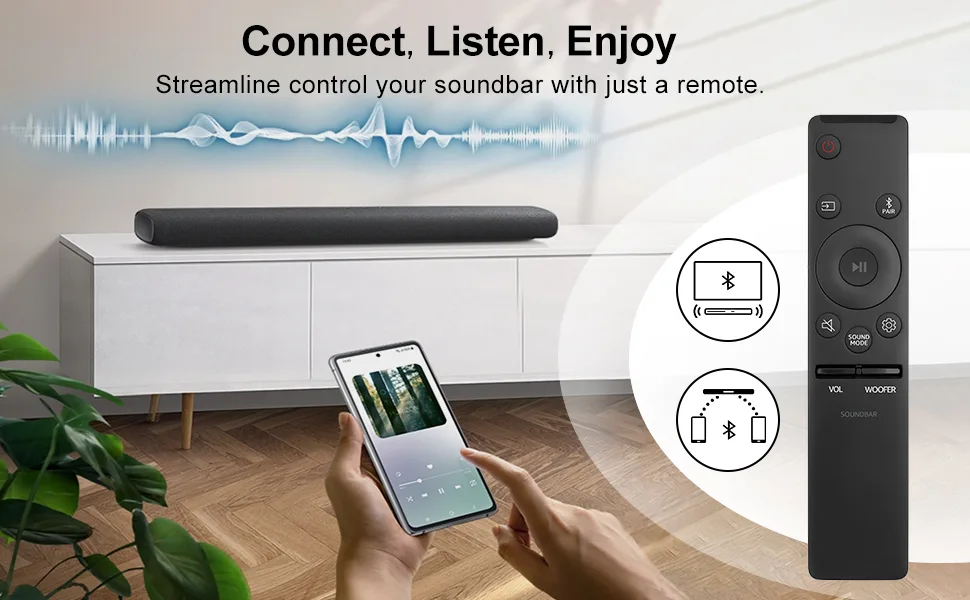
Image source: Bing (Web (fair-use with source credit))
| Your Symptom | What to Do First | If That Fails | If That Also Fails |
|---|---|---|---|
| Sound bar is completely dead (no lights, no sound) | Power cycle (unplug 60 sec, plug back in) | Factory reset using physical buttons | Contact Vizio support (likely power supply failure) |
| Sound bar turns on but no audio from TV | Check HDMI or optical cable connection | Change TV audio output settings | Factory reset the sound bar |
| Sound bar has audio but Bluetooth won't pair | Forget device on phone, re-pair | Reset Bluetooth module (hold Bluetooth button 10 sec) | Factory reset via SmartCast app or physical buttons |
| Subwoofer not pairing or keeps dropping | Manual re-pair (press pairing button on sub) | Power cycle both sound bar and subwoofer | Factory reset sound bar, then re-pair subwoofer |
| Remote not working | Replace batteries | Use SmartCast app as remote | Factory reset via app (no remote needed) |
| Sound bar freezes or buttons unresponsive | Power cycle | Factory reset using physical buttons | Check for firmware update |
| Sound bar turns off by itself | Check auto-power-off setting | Power cycle | Factory reset |
| Sound bar won't turn off | Power cycle | Factory reset using physical buttons | Check for stuck remote button |
| Wi-Fi won't connect (SmartCast models) | Restart router and sound bar | Re-enter Wi-Fi password in SmartCast app | Factory reset via app, then set up Wi-Fi again |
| Audio cuts out intermittently | Check HDMI or optical cable | Change TV audio output to PCM | Factory reset sound bar |
| Sound bar works but volume is very low | Check volume level on sound bar and TV | Adjust EQ settings (bass, treble) | Factory reset and reconfigure settings |
How to read this table. Find your symptom in the left column. Read across to the right. Start with the first action in the second column.
Only move to the next column if the first action didn't work. This saves you time.
One final note on the table. If your symptom isn't listed, start with a power cycle. It's the safest first step for any issue. If a power cycle doesn't help, try a factory reset.
If that doesn't work, contact Vizio support.
Frequently Asked Questions
Will a factory reset delete my Bluetooth pairings?
Yes. A factory reset clears all stored Bluetooth connections. You'll need to re-pair your phone, tablet, or any other Bluetooth device after the reset.
Write down which devices were paired before you reset if you want to reconnect them all.
How long should I hold the buttons for a factory reset?
Hold the button combination for a full 10 to 15 seconds. Three seconds won't work. Five seconds won't work.
Wait for the LED to flash three times before releasing. That's your confirmation that the reset has started.
My Vizio sound bar has no physical buttons. How do I reset it?
Use the Vizio SmartCast app on your phone. Open the app, select your sound bar, go to Settings, then System, then Reset to Factory Defaults. If the app can't connect, power cycle the sound bar first, then try again immediately after it boots up.
Can I reset my Vizio sound bar without the remote?
Yes. If your sound bar has physical buttons, use the button combo for a factory reset. If it doesn't have buttons, use the SmartCast app.
The remote is not required for either method.
Why is my subwoofer not working after a factory reset?
The subwoofer needs to be manually re-paired after a factory reset. Press the pairing button on the subwoofer for 3 to 5 seconds. Then press the Bluetooth button on the sound bar for 3 to 5 seconds.
Wait up to 30 seconds for the LED to become solid.
What if my Vizio sound bar still won't turn on after a power cycle?
You may have a hardware issue. Check the power outlet with another device. Try a different power cable if you have one.
If the sound bar still shows no signs of life, the internal power supply may be damaged. Contact Vizio support for warranty service or repair options.