
You're staring at the HBO Max login screen. You've tried every password you can think of. The "forgot password" option is starting to look like your only way back in.
If you need an hbo max password reset, you've landed in the right spot.
Here's the thing. Resetting your password isn't always a straight line. The steps change depending on how you signed up in the first place.
As of 2026, about one in three users creates their account through a third party like Apple, Google, or a TV provider. Those people can't use the standard reset flow. We're going to walk you through each path.
No fluff. No assumptions. Just the exact steps for your situation.
What to Do If You're Locked Out of HBO Max
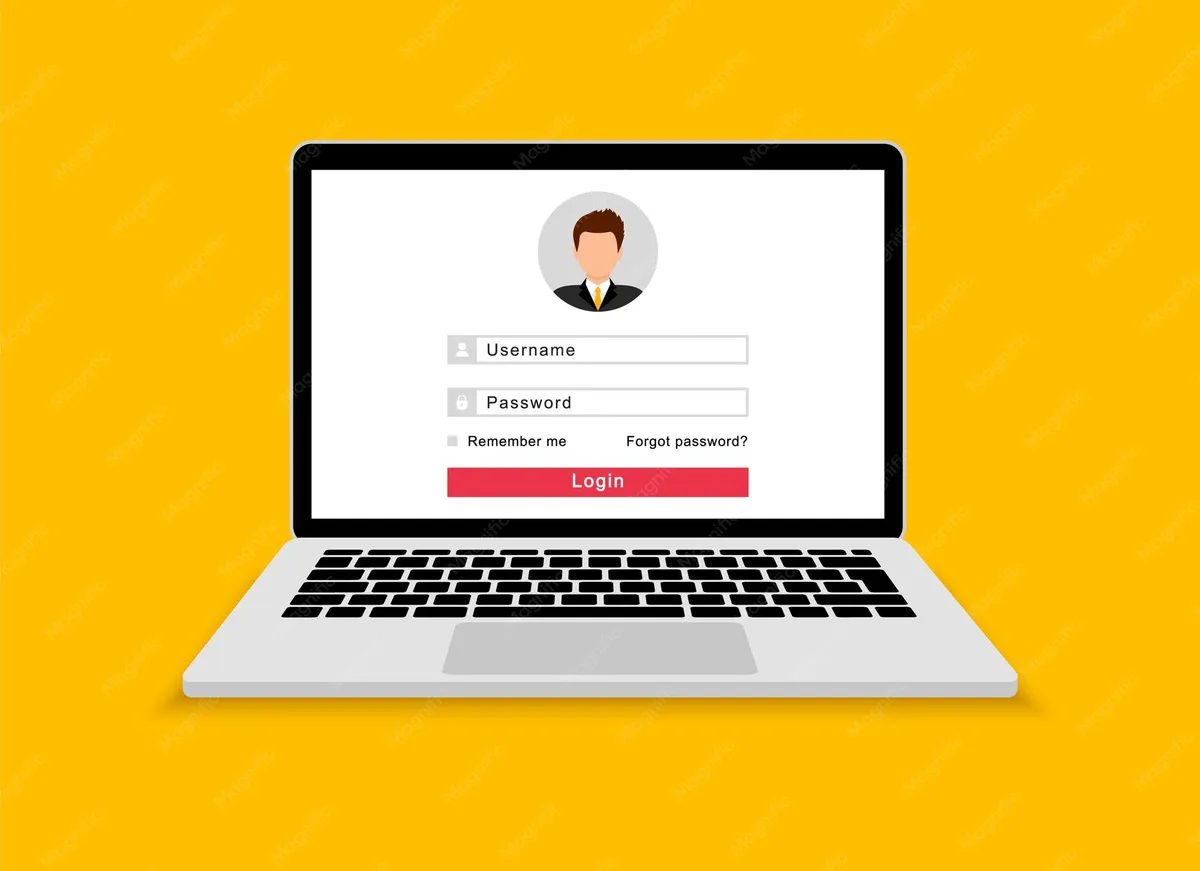
Image source: Bing (Web (fair-use with source credit))
The panic sets in when you can't get past that login page. Maybe you mistyped too many times and got locked out. Maybe you're switching devices and the saved password didn't sync.
Whatever the reason, the core issue is the same. You need to prove you're the account owner without the password you're currently locked out of.
Most people jump straight to clicking "Forgot password" without thinking about how their account was created. That's the number one mistake. If you signed up with your email, that button is your friend.
If you used "Sign in with Apple" or a cable provider login, that button leads nowhere useful. You'd be stuck in a loop of "check your email" when the reset email never comes. The system doesn't have your email on file the way you expect.
We're going to sort that out right now. After this, you'll know exactly which reset path belongs to your account type. You'll be back to watching in under five minutes.
Quick Answer: One of These Three Paths Will Work
Path A: You signed up directly with email and password. Click "Forgot your password?" on the login screen. Enter your account email.
Check your inbox and click the reset link. Create a new password.
Path B: You signed up with Apple ID, Google, or a TV provider. Do not use the standard "Forgot password" button. Instead, click the third-party login button you originally used.
Reset the password through that provider's system.
Path C: You have no access to your email or phone. Use the account recovery form on the Max help page. Provide as many details as you can (billing info, payment method, old passwords).
Wait 24 to 48 hours for a response.
Your sign-up method controls your reset options. Get that right, and you're minutes away from being back inside.
How HBO Max Handles Passwords
Before we dive into steps, it helps to understand how the system works. HBO Max (now called Max after the 2023 rebrand) stores passwords using standard encryption. They don't keep plain text copies.
When you reset, you're not asking them to tell you your old password. You're authorising them to let you set a new one.
A few important ground rules:
- Reset links expire after 1 to 2 hours for security reasons.
- You can request a reset about 5 to 10 times per hour before the system locks that option temporarily.
- Password requirements: at least 8 characters, with a mix of letters, numbers, and symbols. No spaces allowed.
- If you have multiple profiles under one account, a password reset won't affect them. Your watch history, downloads, and list stay intact.
The system distinguishes between three account types: direct (email-based), third-party (Apple/Google), and provider-linked (cable, satellite, or internet bundle). Each type stores your login credentials differently. For direct accounts, your email is the primary identifier.
For third-party accounts, the login is handled by Apple or Google. Max never sees your actual password. For provider accounts, your credentials live with the provider, not Max.
This is where most confusion happens. When you try to reset a third-party or provider account through the main reset flow, the system either can't find you or sends a reset email that never arrives. Knowing your account type is the single most important piece of information you'll need.
The First Decision Point: How Did You Sign Up?
Take a moment. Think back to when you first created your HBO Max subscription. What did you actually click?
Image source: Bing (Web (fair-use with source credit))
This is the fork in the road. Everything else depends on this answer.
Signed Up Directly with Email and Password
You entered your email address, created a password, and probably paid with a credit card or PayPal. Your account is tied to that email. You'll use the standard reset process.
This is the simplest route.
Signed Up with Apple ID or Google
You clicked a button that said "Continue with Apple" or "Continue with Google." You may have used Face ID or Touch ID to authorise. Max does not store a password for you in this case. Your login is managed by the third party.
To reset, you must go through that third party. Do not try to use the "Forgot password" link on the Max website.
Signed Up Through a TV, Internet, or Mobile Provider
You signed up as part of your cable package, fiber internet plan, or a mobile carrier bundle. Your login credentials are issued by that provider (like Comcast, AT&T, Verizon, Spectrum). You can't reset through Max at all.
Instead, log in to your provider's account page. Change your password there. Then use that new password to access Max.
Some providers also allow a forgot password flow on their own login portal.
If you're not sure which group you fall into, check your email history. Look for a welcome message from HBO Max or Max. If it says "Welcome to Max!" with no mention of a third party, you're a direct user.
If it came from Apple or Google, you're third-party. If it came from your internet provider, that's your answer.
Path A: Direct Account Standard Password Reset
You've confirmed you signed up directly with email and password. Good news. This is straightforward.
Image source: Bing (Web (fair-use with source credit))
Step 1: Go to the Max login page. Open your browser and head to max.com or hbomax.com. Both redirect to the same login screen now. On mobile, open the Max app.
The process is identical.
Step 2: Click "Forgot your password?" It's right below the password field. If you can't see it, look for "Trouble signing in?" Same thing.
Step 3: Enter your account email. Type the email address you used to sign up. Double-check the spelling. Hit send.
Step 4: Check your inbox. The reset email will arrive within a minute. It comes from Max with a subject line like "Reset your password" or "Password reset request." If you don't see it in the main inbox, check your spam, junk, and promotions folders.
Step 5: Click the reset link. The link takes you to a secure page. It expires after 1 to 2 hours, so don't wait. If the link has expired, request a new one.
Step 6: Create your new password. Choose something strong and unique. At least 8 characters. Mix uppercase, lowercase, numbers, and symbols.
Don't reuse a password you've used elsewhere. Confirm it.
Step 7: Log in with your new password. You're back in. Your profile, watch history, and subscription are exactly where you left them.
If you run into any snags like the reset link not working or the system saying "email not found," you might have a typo in the email. Or you may actually be a third-party user without realising it. Try again with a different email address you could have used.
If that fails, move to account recovery or reach out to Max support.
Path B: Third-Party Login Reset via Apple ID, Google, or Provider
You signed up with a third party. Max never stored your password. Your login credentials live with Apple, Google, or your TV provider.
The most important rule: do not use the standard "Forgot password" link on the Max login page. It won't work. The system can't send a reset email because it doesn't have a password to reset.
You'll just get an error message saying the email isn't recognised.
If You Signed Up with Apple ID
Tap the "Sign in with Apple" button on the Max login screen. A prompt appears asking you to authenticate with Face ID, Touch ID, or your Apple device passcode. If you've forgotten your Apple ID password, you need to reset that separately.
- Go to iforgot.apple.com or the Apple ID settings on your iPhone.
- Follow the standard Apple password reset process using email or trusted phone number.
- Once your Apple ID password is updated, return to the Max login screen.
- Click "Sign in with Apple" again. Use your new Apple ID credentials.
Max doesn't need to know anything. It just trusts Apple's authentication.
If You Signed Up with Google
Same idea. Click "Continue with Google" on the Max login page. Google handles the verification.
If you forgot your Google account password:
- Go to accounts.google.com and click "Forgot email or password."
- Enter your Gmail address.
- Follow Google's recovery steps using text message, recovery email, or backup codes.
- Reset that password.
- Head back to Max and use the Google login button again.
If You Signed Up Through a TV, Internet, or Mobile Provider
This one trips up a lot of people. Your Max account is essentially a pass-through from your provider. You can't reset it on Max's website at all.
- Visit your provider's website (Comcast, Spectrum, AT&T, Verizon, etc.).
- Log in to your account dashboard using your provider credentials.
- Look for the HBO Max or Max section. It's often under "Add-ons" or "My Services."
- There should be an option to manage your Max password. Some providers let you set a separate password for Max. Others use your provider login directly.
- If you need to reset your provider password, use the provider's own forgot password flow.
- Once your provider password is updated, go back to Max. Choose "Sign in with TV provider." Select your provider. Enter your new credentials.
Contact your provider's support if you're stuck. They handle the reset end to end. Max support cannot help you with provider-linked accounts.
Path C: Can't Access Your Email or Phone Account Recovery
This is the hardest scenario. You've changed your email address. You lost access to the phone number on file.
Maybe the account was created with an old email you can no longer reach.
The standard reset flow won't work. You need to prove ownership another way.
Step 1: Go to the Max account recovery page. Visit help.max.com and search for "account recovery." There's a form you can fill out. Provide as much identifying information as possible.
Step 2: Gather details you remember about the account. The more specific, the better. The recovery team uses these to verify you're the real owner:
- Full name on the account
- Email address used at sign-up (even if you can't access it)
- Billing address and ZIP code
- Last 4 digits of the credit card used or the PayPal transaction ID
- Subscription plan type (monthly, annual, with ads, ad-free)
- Date you subscribed (approximate is fine)
- Names of any profiles on the account
- Any previous passwords you remember
Step 3: Submit the form and wait. Max's support team typically responds within 24 to 48 hours. They'll send an email to the address on file if possible. They might ask you to verify through another method.
If you can't access any email at all, they may require identity verification through billing details.
Step 4: Follow their instructions. Once verified, they'll either send a password reset link to a new email you specify or guide you through setting a new password via a secure link.
Account recovery is the slowest path. It's also the only option if you've lost all access. The success rate improves dramatically when you provide at least two pieces of billing information.
A simple "I forgot my email" without any payment details often gets rejected.
If you're in this situation, double-check every possible email account you've ever used. Check old folders, deleted items, and secondary email addresses. You might find a welcome message from Max that reveals the original email.
Common Reset Mistakes That Waste Your Time
Most password reset headaches are self-inflicted. Here are the biggest traps people fall into.
Mistake 1: Using the wrong email. You think you signed up with "john.doe@gmail.com" but actually used "johndoe@yahoo.com." You request a reset. Nothing arrives. You assume the system is broken.
Always try multiple email addresses if you're unsure. Check your browser's saved passwords for clues.
Mistake 2: Clicking reset on a second account instead of recovering the first. You get frustrated and create a brand new account with a new email. Now you have two accounts. One holds your old watch history and downloads.
The other is fresh. You can't merge them. Our editorial policy covers why this happens more often than you'd think.
Mistake 3: Ignoring the sign-up source. Third-party and provider users waste minutes clicking "Forgot password" only to hit dead ends. Know your sign-up method before you start.
Mistake 4: Resetting too many times in a row. The system locks the reset option after about 5 to 10 attempts in an hour. If you keep clicking "Send reset link" without success, you'll trigger a temporary block. Wait 60 minutes before trying again.
Mistake 5: Typing the new password incorrectly. You set a new password but mistype it in the confirmation field. The system rejects it. Slow down.
Type carefully. Use a password manager if possible.
Mistake 6: Not checking spam, junk, or promotions folders. The reset email often lands in spam on Gmail, Outlook, and Yahoo. It's the single most common reason people think they didn't get the email. Check there first.
The Reset Email Never Arrived Fix
You've requested the reset. You've waited. Nothing shows up.
Don't panic.
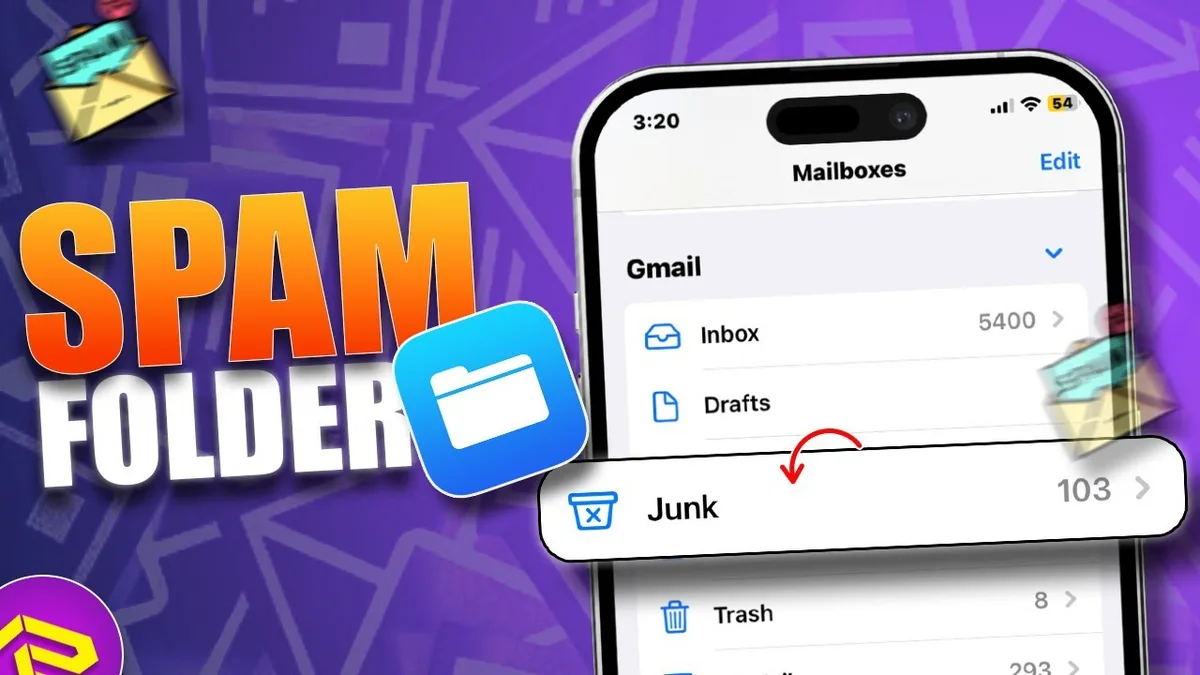
Image source: Bing (Web (fair-use with source credit))
1. Check all folders. Start with spam, junk, and promotions. Then look in social and updates tabs on Gmail.
Also check trash or deleted items. The email might have been automatically filtered.
2. Search your inbox. Use the search bar in your email client. Type "max" or "reset your password" or "password reset request." It's easy to miss among hundreds of other messages.
3. Confirm you're using the correct email. Try requesting a reset with any other email addresses you own. If you find one that works, that's the one tied to the account.
4. Add the sender to your contact list. Reset emails come from no-reply@max.com or similar. Add that address to your contacts or safe sender list.
Then request a new reset link. This often pushes it past spam filters.
5. Wait a few minutes and try again. Sometimes there's a server delay. Wait 5 to 10 minutes.
If still nothing, request a new link. The previous link expires once you request a new one anyway.
6. Check your email's security settings. Some email providers block links from unknown senders. Look at your privacy or security settings.
Temporarily disable any "block external images" or "block tracking" features that might intercept the email.
7. Use a different device or browser. Rarely, cached data on your current browser causes the reset request to fail silently. Try a private or incognito window.
Use a different browser entirely. On mobile, you can also use the Max app instead of the website.
8. Last resort: contact Max support. If you've tried everything above and still nothing, reach out to the help team at help.max.com. Have your account details ready.
Explain that you've requested multiple resets but none have arrived. They can check if the email you're using is correct and escalate the issue.
How to Avoid Getting Locked Out Again
You're back in. Now let's keep it that way. A few simple habits can save you from repeating this whole process.
Use a password manager. It stores your credentials securely and autofills them when you need to log in. You'll never need to remember a complex password again. Most browsers have one built in.
Update your account email to a current, accessible address. If you're still using an old email you rarely check, change it in your account settings. Go to your profile. Select "Account details." Update the email field.
This is the single most important step.
Link a phone number for recovery. If Max offers two-factor authentication or phone-based recovery in your region, enable it. A text message code is much harder to lose than an email.
Keep your subscription billing info current. If your credit card expires or you switch PayPal accounts, update it in your payment settings. Billing information is one of the strongest proofs of ownership if you ever need account recovery.
Write down your sign-up method and keep a note somewhere safe. A simple text file or a note in your password manager saying "Max account signed up via Apple ID" will save you confusion later.
Review our terms and conditions for account ownership guidelines. By taking these steps now, you'll rarely if ever need another password reset.
Still Stuck? When and How to Contact Max Support
You've tried every path. The reset email won't show up. The account recovery form didn't work.
You're staring at the login screen with no way forward. It's time to talk to a real person.
When should you contact support? Only after you've exhausted all self-service options. Support teams are busy.
If you call them with a problem you could have solved yourself, you'll waste everyone's time. But if you've truly run out of options, they're your lifeline.
What to Have Ready Before You Reach Out
Support can't help you if you can't prove you own the account. Gather these details before you contact them:
- The email address you believe is on the account (even if you can't access it)
- The approximate date you subscribed (month and year is fine)
- Your full name as it appears on the account
- The last 4 digits of the credit or debit card you used to pay
- The exact name on the payment method
- Your billing address including ZIP or postal code
- Any previous passwords you remember
- The names of profiles or avatars on the account
- If you subscribed through a provider, the provider name and account number
Accounts verified with billing information get resolved in under 24 hours. Accounts with only an email address can take three days or longer.
How to Reach Max Support
The official support portal is at help.max.com. Here's the best way to use it:
- Start with the search bar. Type your issue like "password reset email not sending." You might find a help article that saves you the wait.
- If no article helps, scroll to the bottom of the page and look for "Contact Us" or "Still need help?" This opens a contact form.
- Fill out the form with as much detail as possible. Include the list from above. Be honest if you're unsure about details.
- Select the category: "Account and Billing" or "Login and Password Issues."
- Submit the form. You'll get a confirmation email with a ticket number. Save it.
As of 2026, Max support primarily operates through email and the help center form. Phone support is available in some regions but not all. Live chat is sometimes available during business hours.
Check the help center to see what's offered in your country.
Response times vary. Most users get a reply within 24 to 48 hours. Submit the form early in the day for faster responses.
Weekday requests tend to get faster replies than weekend ones.
What to Do If You're Locked Out of Your Provider Account
If you signed up through a TV or internet provider and you're stuck, do not contact Max support. They can't help you. Contact your provider's support instead.
The number is on your monthly bill or on their website. Tell them you need to reset your credentials for the Max login.
Final Decision Guide: Pick Your Situation, Get Your Answer
| Your Situation | What to Do | Expected Time |
|---|---|---|
| Signed up with email. Forgot password. Can access email. | Use standard "Forgot password" flow. Reset via email link. | 2 to 5 minutes |
| Signed up with email. No access to that email. | Use account recovery form on help.max.com. Provide billing details. | 24 to 48 hours |
| Signed up with Apple ID. Forgot Apple ID password. | Reset Apple ID at iforgot.apple.com. Then log into Max with Apple. | 5 to 10 minutes |
| Signed up with Google. Forgot Google password. | Reset Google password at accounts.google.com. Then log into Max with Google. | 5 to 10 minutes |
| Signed up through TV provider. Forgot provider password. | Reset password through provider's website. Then log into Max with provider. | 10 to 20 minutes |
| Reset email never arrived. | Check spam. Check all folders. Try a different browser. Contact support. | Varies |
| Account locked after too many attempts. | Wait 1 hour. Then try reset again. Do not attempt more than 5 times. | 1 hour wait |
One More Thing: The Rebrand Confusion
Since the 2023 rebrand from HBO Max to Max, some users get confused. Your old HBO Max login still works. You don't need to create a new account.
The password reset process is identical. The only change is the website URL. Use max.com instead of hbomax.com.
Both redirect, but using the new URL is cleaner.
If You Still Can't Get In
Sometimes the issue isn't the password. It's the account itself. If you subscribed through a promotion, a free trial, or a bundle that expired, your account might be inactive.
No password reset will work. You'll need to resubscribe with a new plan. Check your subscription status by contacting support or looking at your provider dashboard.
Another rare scenario: your account may have been suspended due to a billing issue. If your payment method failed, Max could have paused your account. A password reset won't fix that.
Update your payment information first. Then try to log in.
You can always reach us through our contact page if you need additional help navigating the process.
Frequently Asked Questions
Can I reset my HBO Max password without the email?
Yes, but only through account recovery. If you can't access the email on file, you'll need to provide billing information to prove ownership. Go to help.max.com and use the account recovery form.
Have your credit card details or PayPal transaction ID ready.
Why is the reset link not working?
The link expires after 1 to 2 hours. If you waited too long, request a new one. Another common cause is that you clicked a link for a different email than the one you used to sign up.
Double check which email received the reset request. Browser caching can also interfere. Try a private or incognito window.
How many times can I try to reset my password?
The system allows roughly 5 to 10 reset attempts per hour. After that, the option locks temporarily. Wait 60 minutes before trying again.
If you hit the limit, step away. Rushing usually leads to mistakes.
Does resetting my password log me out of other devices?
Yes. When you change your password, all active sessions are invalidated. You'll need to log in again on every device.
That includes your TV, phone, tablet, and computer. It's a security feature. Plan for it if you're in the middle of watching something.
I signed up with Apple ID. Why does the reset form say "email not found"?
The system doesn't recognise your email because your account isn't tied to a password. It's tied to Apple's authentication. Don't use the standard reset form.
Click the "Sign in with Apple" button instead. If you need to change your Apple ID password, do that through Apple's website.
Can I change my Max password without knowing the old one?
Yes, if you have access to your email. Use the "Forgot password" flow. You'll get a link that lets you set a new password without entering the old one.
If you don't have email access, use account recovery.
What's the difference between HBO Max and Max passwords?
There is no difference. The rebrand didn't change how passwords work. Your old HBO Max password is your Max password.
If you haven't logged in since the rebrand, your credentials are still the same. Use the same reset process on the max.com website.
Is there a way to merge two Max accounts?
No. Max does not allow account merging. If you accidentally created a second account while trying to reset the first one, you're stuck with two separate accounts.
You can't combine watch history, downloads, or profiles. Contact support to see if they can deactivate the duplicate.
How do I update my email address on my Max account?
Log in with your current credentials. Go to your account settings. Look for "Account details" or "Profile." Select "Change email." Enter your new email address and confirm.
You'll receive a verification link at the new address. Click it to finalise the change. If you can't log in at all, use the standard reset process first.
Can I use the same password I had before?
Technically yes, but it's not recommended. If you forgot the old password, using it again defeats the purpose. A fresh password improves security.
If you're just updating for convenience, you can reuse it. But choose something you'll remember this time.
For more information about how we handle account-related guidance, please see our disclaimer and privacy policy.