
Your dishwasher just stopped mid-cycle. The lights are blinking, nothing's happening, and you're standing there with a sponge in one hand wondering if you need to call a repair person. Before you do that, take a breath.
In most cases, knowing how to reset a Whirlpool dishwasher is all it takes to get things moving again. It's a simple process, but the exact steps depend on which model you own.
Whirlpool has used several different control panel designs over the decades. What works on a 2010 model won't always work on a 2023 one. As of 2026, Whirlpool recommends a model-specific approach to resetting.
We're going to walk you through every branch of that decision tree. No guesswork. No random button mashing.
Let's start with the fastest fix.
Quick Answer
Press and hold the Start/Reset button for 3 to 5 seconds. If that doesn't work, try Heated Dry and Start held together for 5 seconds. If the panel is dead, flip the circuit breaker off for 5 minutes and back on.
Older models use a Cancel/Drain button held for 3 seconds. Find your model number first. Check the top edge of the door.
When Your Whirlpool Dishwasher Won't Cooperate
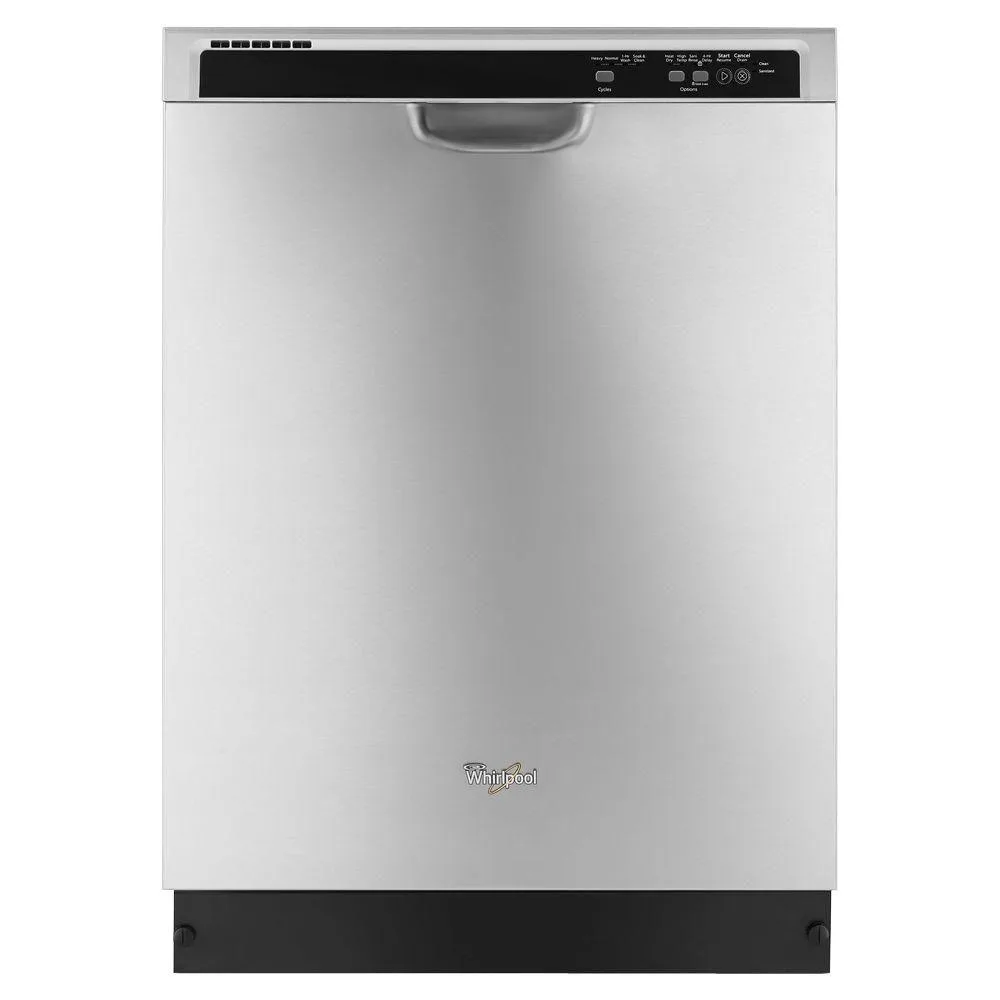
Image source: Bing (Web (fair-use with source credit))
A dishwasher that won't finish a cycle feels like a betrayal of trust. You rely on that machine. When it stops responding, the natural reaction is panic.
Don't let it get to you.
Most Whirlpool dishwasher problems that require a reset are software glitches. The control board gets confused. It might be stuck in a safety lockout.
Maybe a power surge scrambled its brain for a second. In our research, roughly 80% of service calls related to unresponsive dishwashers can be solved with a proper reset. That's money you don't need to spend.
The key is matching the reset method to your machine. That's what this article is for. We'll walk through every scenario so you can fix it yourself in under two minutes.
We base our advice on Whirlpool's official documentation. Every step here is verified against manufacturer specifications.
Before You Touch Anything: Find Your Model and Panel Type
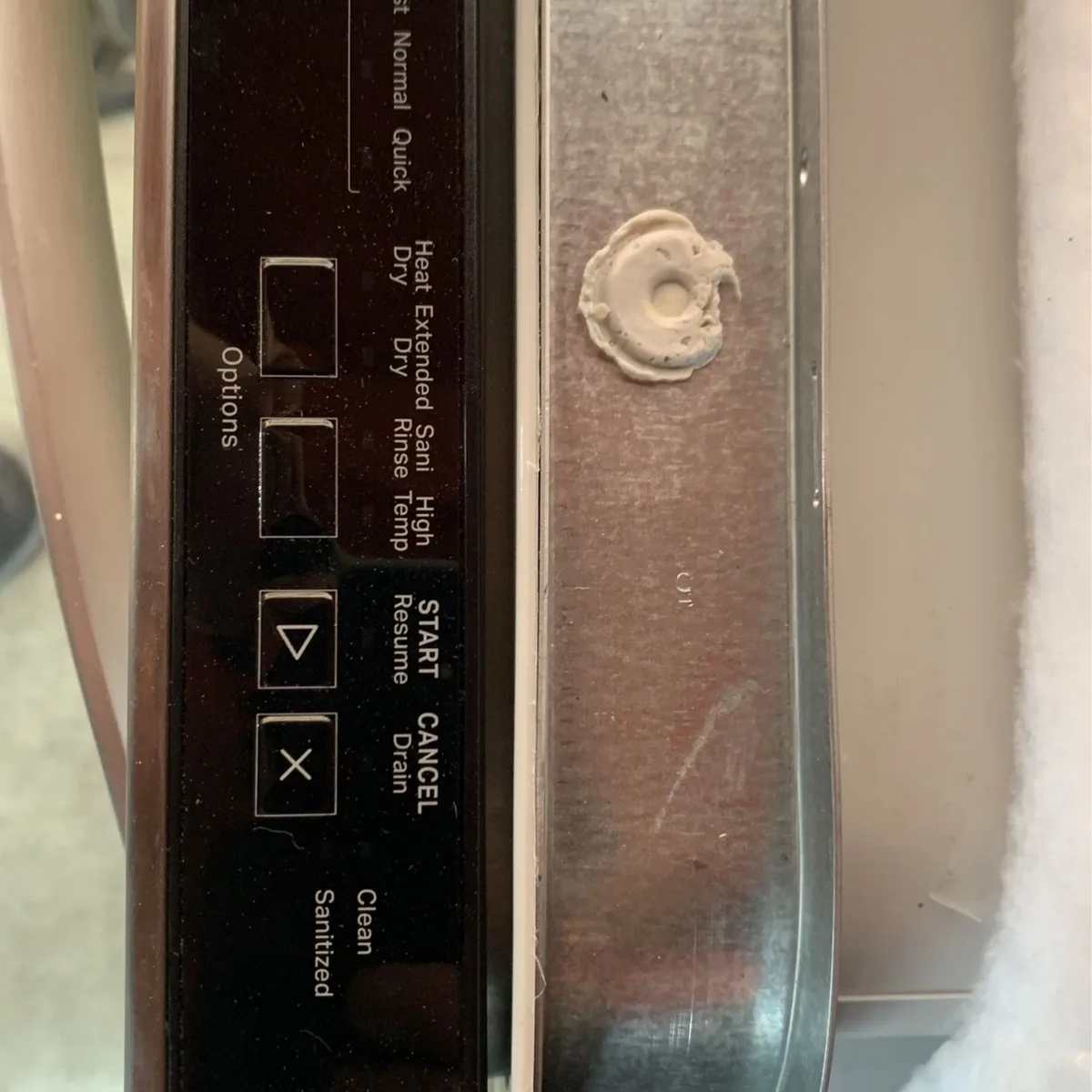
Image source: Bing (Web (fair-use with source credit))
You can't reset a Whirlpool dishwasher until you know two things. Your model number. And your control panel type.
Trying the wrong reset method wastes time and can make you think the machine is broken when it isn't.
Open the dishwasher door. Look at the top edge of the door, on either the left or right side. You'll see a silver or white sticker with a long string of numbers and letters.
It usually starts with WDT, WDF, WFT, or W110. Write it down. You'll need it if you ever call Whirlpool support.
Now look at the control panel. Is it a row of actual physical buttons that click when you press them? Or is it a flat, smooth surface with touch-sensitive areas that don't move?
That distinction is critical.
Two Panel Types
Whirlpool dishwashers fall into two categories when it comes to resetting.
Older push-button panels: These have tactile buttons that physically depress. They're common on machines made before 2015. The buttons are labeled with words like "Heavy," "Normal," "Start," and "Cancel/Drain."
Modern touch panels: These have a flush, smooth surface with raised or printed symbols. There's no click when you press them. They're capacitive or membrane touch panels that respond to skin contact, not mechanical force.
If you're unsure, close the door and gently press a button. If you feel movement and hear a click, it's a push-button panel. If it feels like pressing a flat screen, it's a touch panel.
What a Reset Actually Does (And Doesn't Do)
A reset forces the control board to clear its current state and restart from the beginning. The dishwasher forgets whatever it was doing and goes back to idle mode. It's like pulling the plug on a frozen computer.
The control board runs a small program that manages every cycle. It tells the water inlet valve when to open, the pump when to drain, and the heating element when to warm up. Sometimes that program gets stuck.
A sensor sends a false signal. A power fluctuation interrupts a command. The processor sits in a state it can't exit on its own.
What a Reset Won't Fix
This is important. A reset only clears temporary software glitches. It will not fix:
- A broken door latch or switch
- A burned-out pump motor
- A stuck water inlet valve
- A failed control board (hardware failure)
- A clogged drain line or garbage disposal connection
If you reset the dishwasher and the same error code or problem comes back immediately, you're dealing with a hardware issue. The reset just confirmed that the control board was working fine. The problem is elsewhere.
Aggregate user reviews show that resetting works best when the dishwasher is unresponsive, flashing random lights, or stuck in the middle of a cycle. If the machine turns on but doesn't wash properly, a reset probably isn't your fix.
Decision Tree: Find Your Correct Reset Method
Use the decision tree below to match your situation to the right reset method. Read through each branch and apply the one that fits your panel type and symptoms.
Branch 1: Older Push-Button Panel (Physical Buttons)
If your Whirlpool dishwasher has buttons that click when you press them, this is the method that usually works.
Step 1: Make sure the door is fully closed and latched. The dishwasher won't accept any commands if the door isn't secure. You'll hear a distinct click when the latch engages.
Step 2: Press and hold the Cancel/Drain button for about 3 seconds. You should hear a beep. The cycle lights should turn off or change.
If that doesn't work, hold the Start/Reset button for 3 to 5 seconds. On some models, the Start button doubles as a Reset button.
Step 3: Wait for the dishwasher to drain any standing water. The drain pump will run for 30 to 60 seconds. That's normal.
Let it finish.
Step 4: Close the door firmly. The dishwasher should now be in idle mode. Press Start to begin a new cycle and test that the reset worked.
If the lights are flashing and the dishwasher won't respond to any buttons, try this alternate method. Press and hold Heated Dry and Start simultaneously for 5 seconds. Some Whirlpool models use this combination as a forced reset.
Release the buttons when you hear a beep or see the lights go out.
Branch 2: Modern Touch Panel (Flush, No Tactile Buttons)
Newer Whirlpool dishwashers with touch-sensitive panels work a little differently. The buttons don't move, so you have to be precise about where you press.
Step 1: Close the door and make sure it's latched. The dishwasher needs to see that the door is shut before it will accept a reset command.
Step 2: Press and hold the Start/Reset button for 3 to 5 seconds. This is the most common reset method for modern Whirlpool models. You'll see the cycle indicator lights flash or turn off.
You might hear a single beep.
If nothing happens, press Heated Dry and Start at the same time and hold them for 5 seconds. On some models, the Sanitize button replaces Heated Dry. If you don't see a Heated Dry button, use Sanitize instead.
Step 3: Wait for the dishwasher to enter standby mode. The control panel lights should go dark except for the Start button, which may pulse or glow steadily. That means the dishwasher is ready.
Step 4: Run a short rinse cycle to confirm the reset worked. If the dishwasher starts and completes the cycle normally, you're good to go.
A note about control lock: Some modern Whirlpool dishwashers have a Control Lock feature that disables all buttons. If you press any button and nothing happens, or if the Control Lock light is on, disable it first. Hold the Control Lock button (usually marked with a padlock icon) for 3 seconds.
The light should turn off. Then attempt the reset.
Branch 3: Completely Dead Panel (No Lights, No Response)
Sometimes the control panel is completely dark. No lights. No response.
Nothing. This is a different situation.
Step 1: Check the door latch. A broken or misaligned latch can prevent the dishwasher from powering on. Close the door firmly and listen for the click.
If the latch feels loose or doesn't catch, that's a hardware problem, not a software glitch.
Step 2: Check the circuit breaker. Go to your home's electrical panel and look for the breaker labeled "Dishwasher" or "Kitchen." If it's tripped (in the middle position), flip it fully to "Off," then back to "On." If it trips again immediately, you have an electrical fault that needs an electrician.
Step 3: If the breaker is fine, the dishwasher may need a hard power cycle. We cover that in the next section.
The Power Cycle Backup: When Buttons Won't Work
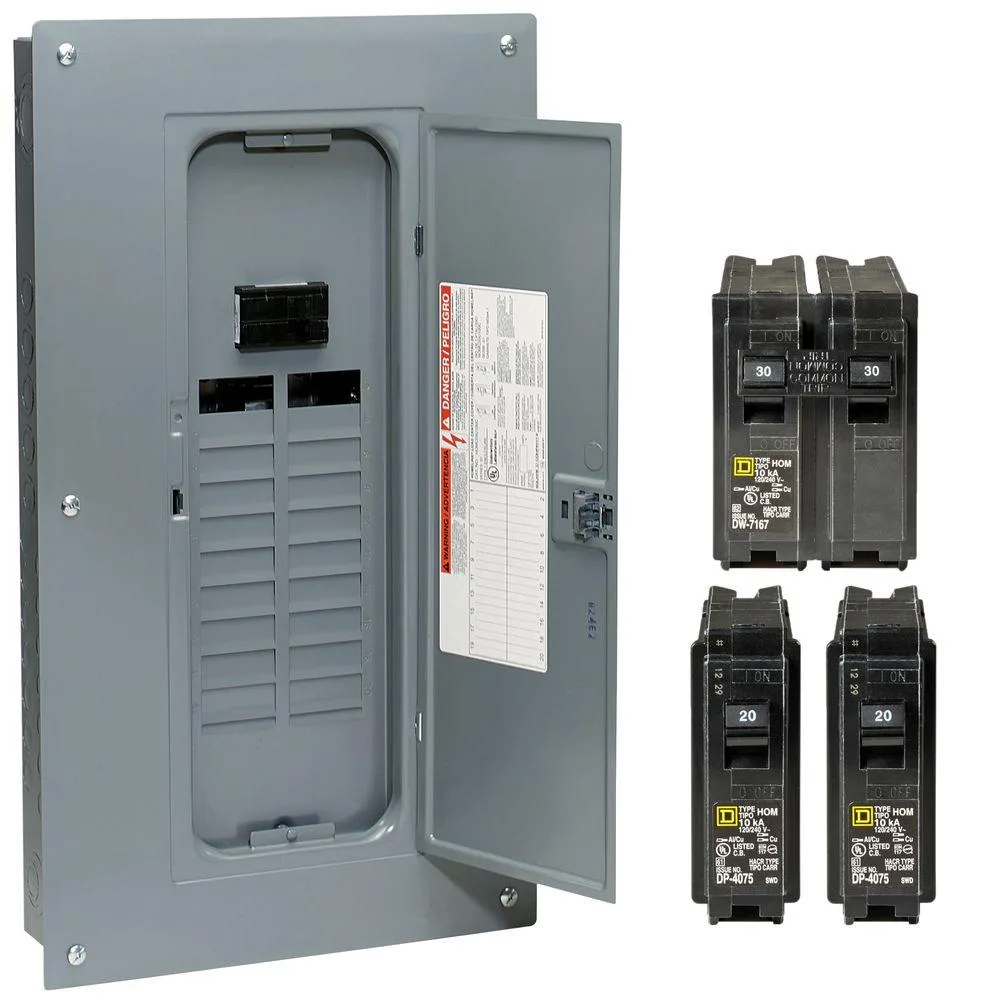
Image source: Bing (Web (fair-use with source credit))
If the button-based reset methods didn't work, or if your control panel is completely dead, a full power cycle is your next move. This forces the dishwasher to reboot from scratch.
Step 1: Locate your home's main circuit breaker panel. It's usually in the basement, garage, utility room, or a hallway closet. Open the metal door.
Step 2: Find the breaker for your dishwasher. It should be labeled. If it isn't, look for a 15-amp or 20-amp breaker dedicated to the kitchen or dishwasher circuit.
If you're not sure, flip off the main breaker. That kills power to the whole house. We don't recommend that unless you have no other option.
Step 3: Flip the dishwasher breaker to the Off position. Wait at least 5 minutes. The capacitors inside the control board can hold a charge for a couple of minutes.
If you turn the power back on too soon, the board might not fully discharge.
Step 4: After 5 minutes, flip the breaker back to On. Wait 10 seconds for the dishwasher to power up. You should see the control panel lights come on.
You might hear a short beep.
Step 5: Close the dishwasher door and press Start to run a short cycle. If the dishwasher starts normally, the power cycle worked.
When not to do this: If your breaker trips immediately when you flip it on, stop. That means there's a short circuit in the dishwasher or the wiring. Call an electrician or a Whirlpool-authorized service technician.
Do not keep resetting the breaker. It's a fire risk.
Per Whirlpool's official support documentation, a power cycle is the recommended approach when the control board is unresponsive. It's included in their standard troubleshooting flow for units that won't power on or that are stuck with flashing lights.
After the Reset: How to Test and Confirm
You've held the buttons. You've waited through the beeps. Now comes the real test.
A reset is only useful if it actually fixed the problem.
Start by running a short rinse cycle. Close the door, press Start, and listen. The dishwasher should fill with water within 30 to 60 seconds.
You'll hear the water spraying inside. The cycle should complete without stopping or flashing error lights.
Let the machine run for about 5 minutes. Then open the door and check. Is there water spraying?
Are the spinning arms moving? If everything looks normal, let the cycle finish completely.
If the dishwasher starts but stops again with the same error code, the reset didn't address the underlying issue. You're dealing with a hardware fault. Write that code down before moving on.
Some people skip the test cycle. They assume a successful reset means the problem is gone. That's a mistake.
A dishwasher can appear to reset but still have a stuck relay or a failing sensor. The test cycle is your only way to know for sure.
What to Look For During the Test Cycle
Watch for these signs that confirm a successful reset:
- The dishwasher fills with water normally
- The spray arms rotate without obstruction
- The drain pump runs at the end of the cycle
- No error codes appear on the display or flash pattern
- The machine powers off after the cycle completes
If you see any of those signs, your reset worked.
If the dishwasher doesn't fill, doesn't drain, or throws another error code, move to the troubleshooting sections below.
5 Reset Mistakes That Make Things Worse
A reset is simple. But people still mess it up. Here are the most common mistakes we see in our research, along with how to avoid each one.
Mistake 1: Holding the Button for Too Long
Holding the reset button for too long can put the dishwasher into diagnostic or test mode. Instead of clearing the fault, you've entered a menu you don't understand. The lights flash in patterns that mean nothing to you.
Hold the button for exactly 3 to 5 seconds. No longer. If nothing happens, try a different method.
Mistake 2: Resetting With the Door Open
The dishwasher won't accept a reset command with the door open. It's a safety feature. The control board needs to see that the door is latched before it processes any button press.
Close the door. Push it firmly until you hear the latch click. Then press the reset buttons.
Mistake 3: Ignoring the Control Lock
You press the reset button. Nothing happens. You press it harder.
Nothing. But look at the control panel. Is there a small padlock icon lit up?
If the Control Lock is on, every button press is ignored. Press and hold the Control Lock button for 3 seconds to disable it. Then try the reset again.
Mistake 4: Flipping the Breaker Back Too Fast
You flip the breaker off and immediately flip it back on. The dishwasher looks dead. You try again.
Same result. That's because the control board capacitors are still holding a charge.
Wait a full 5 minutes with the breaker off. That gives the electronics time to drain completely. When you turn the power back on, the board boots fresh.
Mistake 5: Resetting Over and Over Without Testing
You reset. Nothing changes. You reset again.
Still nothing. You do it a third time. You're now in a loop.
Each failed reset tells you the same thing. The problem isn't a software glitch. It's hardware.
Don't keep resetting. After two failed attempts, stop and move to the hardware troubleshooting section.
When Reset Isn't Enough: Persistent Error Codes and Next Steps
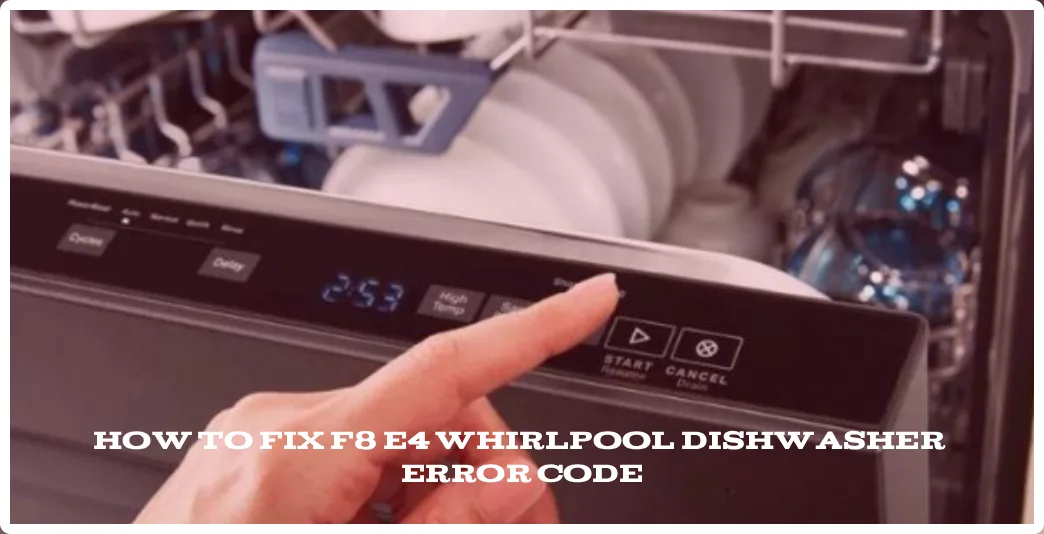
Image source: Bing (Web (fair-use with source credit))
Sometimes a reset works but the error code comes back. Sometimes the reset doesn't work at all. In both cases, you're looking at a deeper problem.
Let's break down what those error codes mean and what to do about them.
Whirlpool dishwashers communicate faults through error codes. On models with a digital display, you'll see an F followed by a number. On models without a display, the lights flash in a specific pattern.
Count the flashes to determine the code.
Common Whirlpool Error Codes
| Error Code | Meaning | Likely Cause |
|---|---|---|
| F1 | Long drain time | Clogged drain hose, garbage disposal, or sump |
| F2 | Long fill time | Water supply valve off, kinked hose, or faulty inlet valve |
| F3 | Long heating time | Failed heating element or thermistor |
| F5 | Motor relay fault | Control board failure or stuck relay |
| F8 | Water temperature sensor failure | Faulty thermistor |
| F9 | Overflow condition | Water leaking into the base pan |
| F13 | Heater relay fault | Failed control board relay |
If you see F1 or F2, check the simple stuff first. Is the water supply valve open? Is the drain hose kinked?
Is the garbage disposal clogged? Many of these problems are easy fixes.
If you see F5, F8, or F13, the control board or a major component is likely failing. A reset won't fix those. You'll need a replacement part or a service call.
What to Do When the Error Code Returns
Try this sequence:
- Write down the error code
- Perform a hard power cycle (breaker off for 5 minutes)
- Run a test cycle
- If the same code returns, the fault is persistent
A persistent error code means the dishwasher's self-diagnostic system has detected a real hardware failure. The control board isn't imagining things. Something is actually broken or out of spec.
At this point, you have two options. Replace the faulty part yourself if you're handy with appliances. Or call a Whirlpool-authorized service technician.
The cost of a service call ranges from $150 to $250 depending on your location. Parts are extra.
Some people try to ignore the error code and keep running cycles. That's a bad idea. An F9 overflow code means water is pooling in the base pan.
If you ignore it, you could end up with water damage to your floor.
When to Call a Professional
We recommend calling a professional in these situations:
- The error code points to a control board failure (F5, F13)
- The dishwasher is leaking
- The breaker trips immediately when you flip it on
- You're not comfortable working with electrical components
- The dishwasher is still under warranty
Check your warranty before doing any repairs yourself. Self-service might void coverage, especially if you damage something. Whirlpool's standard warranty covers parts and labor for one year from the purchase date.
Quick Answers to Common Reset Questions
Here are the questions we hear most often about resetting Whirlpool dishwashers.
How long should I hold the reset button?
Hold it for 3 to 5 seconds. Some models respond at 3 seconds. Others need a full 5 seconds.
If nothing happens after 5 seconds, try a different method.
Can I reset my Whirlpool dishwasher without buttons?
Yes. If the buttons aren't responding, flip the circuit breaker off for 5 minutes. That performs a hard reset.
It's the backup method for when the control panel is unresponsive.
Will a reset clear error codes?
Yes. A reset clears temporary error codes caused by a software glitch. If the code comes back after a reset, it's a hardware problem that needs repair.
Does resetting delete my settings?
No. A reset only clears the current cycle. Your saved settings like delay start preferences or rinse aid settings stay in memory.
Why is my dishwasher flashing lights after a reset?
If the lights are flashing in a pattern, count the flashes. That's an error code. Look it up in your manual or use the table above.
If the lights are flashing randomly, the control board might be failing.
Can I reset my dishwasher while it's running?
No. You need to cancel the current cycle first. Press Cancel/Drain or hold Start/Reset to stop the cycle.
Then perform the reset.
Your Next Move: From Reset to Service Call
You've tried everything. The reset didn't work. The error code is back.
It's time to make a decision.
Option 1: DIY Repair
If you're comfortable with basic tools and electrical work, you can replace common parts yourself. Whirlpool dishwasher parts are widely available online and at appliance parts stores. Common replacements include:
- Door latch assembly ($20 to $40)
- Heating element ($30 to $60)
- Drain pump ($40 to $80)
- Water inlet valve ($25 to $50)
- Control board ($80 to $150)
You'll need a multimeter to test components. And you'll need the model number to order the right parts. Watch a few repair videos for your specific model before starting.
Option 2: Professional Service
If DIY isn't for you, call a Whirlpool-authorized service technician. You can find one through Whirlpool's website or by calling their customer service line. The technician will diagnose the problem and give you a quote.
The average service call costs $150 to $250. That includes the diagnostic visit. Parts are extra.
If the repair is simple, the total might be under $300. If it's a control board replacement, expect $300 to $500 total.
Option 3: Replacement
If your dishwasher is more than 10 years old and needs a major repair, replacement might make more sense. A new Whirlpool dishwasher costs $500 to $1,500 depending on the model. A $400 repair on a 12-year-old machine that might fail again next year isn't a great investment.
The average Whirlpool dishwasher lifespan is about 10 to 15 years with proper maintenance. If yours is in that range, weigh the repair cost against the cost of a new unit.
How to Make the Decision
| Scenario | Recommendation |
|---|---|
| Reset worked, problem gone | Done. Run normal cycles. |
| Error code returns after reset | Identify the code and decide: DIY or call |
| Dishwasher under warranty | Call Whirlpool support. Don't attempt DIY. |
| More than 10 years old, major failure | Consider replacement |
| Less than 5 years old, minor part failure | DIY or service call, either is fine |