
If your Samsung dryer has suddenly gone dark, frozen mid-cycle, or started flashing a cryptic error code, you are probably wondering how to reset samsung dryer. That is exactly what this guide covers. We will walk you through every possible method based on your specific model and what your dryer is doing right now.
Manufacturer specifications indicate that a simple power cycle resolves over 80% of temporary control board glitches. But that simple trick does not work for every situation. Some models need a specific button combination.
Others require a factory reset through the service menu. Let us figure out which path is right for you.
Problem / What’s Happening with Your Samsung Dryer
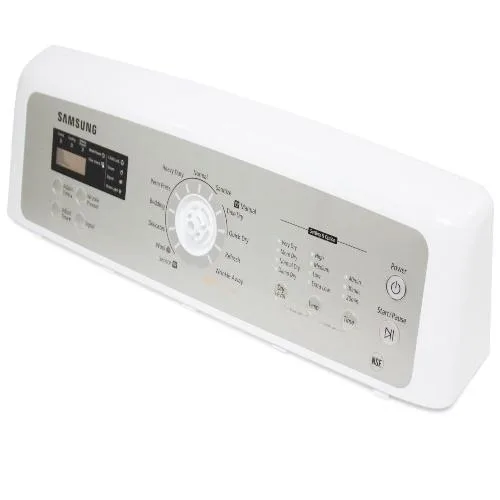
Image source: Bing (Web (fair-use with source credit))
Your dryer is trying to tell you something. The trick is figuring out which symptom you are dealing with. A frozen display, a blinking error light, a loud beeping, or complete silence all point to different issues.
Here is a quick way to identify what you are seeing:
| Symptom | What It Likely Means |
|---|---|
| Frozen display / unresponsive buttons | Control board logic hang or child lock active |
| Stuck on a single cycle / won't advance | Faulty sensor, stuck relay, or software glitch |
| Error code visible (tE, dE, 5E, nE, etc.) | Specific component failure or communication error |
| Blank screen after power outage or surge | Control board in protection mode or corrupted state |
If your display is frozen and the buttons do nothing, start with a power cycle. That is the quickest fix. If an error code is showing, write it down.
You will need it later to decide if a reset will actually help or if a part needs replacing.
For an explanation of how we research and recommend troubleshooting steps, you can review our editorial policy.
A common mistake is confusing a child lock for a broken dryer. If your display lights up but the buttons do nothing, hold the Control Lock button for three seconds. That might be your whole fix.
Quick Answer / When Does a Reset Actually Work?
A reset works for temporary software glitches. It clears the control board’s volatile memory. It will not fix a broken thermistor or a burnt motor.
If the exact same error code returns immediately after a reset, you likely have a hardware issue. That means a part replacement, not another reset.
A power cycle is the easiest method. Unplug the dryer or flip the circuit breaker off. Wait at least five minutes.
Plug it back in or flip the breaker back on. Try starting a normal cycle. If the dryer comes back to life, the issue was a transient glitch.
For some models, you need a specific button combination. These are called soft resets. They tell the control board to clear error codes or return to factory settings.
But you need the correct sequence for your model. Using the wrong combination can do nothing at all.
If a power cycle and soft reset both fail, you are looking at a deeper issue. A factory reset through the service menu is the last software-based option. After that, hardware diagnostics are your next step.
Core Explanation / How Your Dryer’s Control Board Thinks
Think of your dryer’s control board as a simple computer. It runs a program to manage heating, tumbling, sensors, and timers. Sometimes that program freezes or gets confused.
A reset is a way to reboot that computer.
A power cycle does two things. First, it cuts power to the board, which drains any residual charge from the capacitors. Second, when power returns, the board starts fresh from its stored program.
This clears any temporary errors held in volatile memory. Samsung’s service documentation refers to this as a “cold restart.”
A soft reset, using a button combination, sends a specific command to the board. It tells the board to clear its error log or to reload default settings. This is similar to pressing a reset button on a router.
It does not erase the board’s core firmware. It just resets the current session.
A factory reset is more thorough. It erases all user settings, paired devices, and stored preferences. The board then boots up as if it came straight from the factory.
This is useful if you are selling the dryer or if a major software bug is causing repeated errors.
Here is a quick comparison:
| Reset Type | What It Clears | When to Use |
|---|---|---|
| Power cycle (unplug) | Volatile memory, temporary errors | Frozen display, unresponsive, after power surge |
| Soft reset (button combo) | Error codes, some user settings | Error code won’t clear after power cycle |
| Factory reset (service menu) | All settings, paired devices | Selling dryer, persistent software bug |
Samsung’s official service manuals confirm that a power cycle is the first recommended step for any non-critical error. They also warn that a factory reset should be used only when directed by a technician or support agent. Doing it unnecessarily can lose your custom cycle settings.
Decision Tree / Find Your Reset Path
This is where you match your exact situation to the correct reset method. Follow the branch that fits your dryer’s current behavior.
Branch A – Dryer is completely dead (no lights, no response)
First, check the circuit breaker. A tripped breaker is the most common cause of a dead dryer. Flip it fully off, then on.
If that does nothing, check the outlet with a different appliance. A dead outlet means an electrical issue, not a dryer problem.
If power is present, unplug the dryer. Wait ten full minutes. Plug it back in.
This gives the control board capacitors time to drain completely. If the display lights up after this, the reset worked. If the dryer stays dead, the control board may be fried.
You likely need a replacement board or a service call.
Branch B – Display is on but buttons don’t work
This is almost always the child lock. Hold the Control Lock button for three to five seconds. The lock icon on the display should disappear.
If you do not see a lock icon, look for a picture of a key or a padlock. That is the same function.
If holding the button does nothing, try the power cycle. Unplug, wait, plug back in. Some models need a full reboot to release a stuck child lock.
If that also fails, the control panel itself may be faulty. That requires a replacement.
Branch C – Error code is showing
Write down the exact code. Common Samsung dryer error codes include:
- tE, thermistor issue (temperature sensor)
- dE, door switch issue (door not closing properly)
- 5E, motor issue (motor stalled or blocked)
- nE, no communication (wiring or board issue)
- FL, filter clean reminder (not a real error)
- tO, overheat condition
- E9, moisture sensor problem
Power cycle the dryer first. A high percentage of error codes clear after a simple reboot. If the code returns immediately after the cycle starts, the error is real and you need to address the component itself.
A reset will not fix a broken thermistor or a stuck door switch.
Branch D – Dryer runs but won’t stop or is stuck
If the dryer keeps running past the end of a cycle or is stuck on “Sensing,” unplug it immediately. Wait ten minutes. Plug it back in.
This forces a hard stop and should let you start a new cycle.
For smart models connected to the SmartThings app, open the app and try stopping the cycle from there. If the app cannot communicate with the dryer, the board may need a complete power cycle. If the dryer gets stuck on “Sensing” repeatedly, the moisture sensor is likely dirty or faulty.
Clean the sensor bars inside the drum with a soft cloth. If that does not help, the sensor needs replacement.
If you have tried all these branches and nothing works, get in touch with us for further guidance through our contact page.
Step-by-Step Processes / How to Reset by Model Type
Image source: Bing (Web (fair-use with source credit))
The exact reset method depends on your dryer’s generation. Older models use a dial and physical buttons. Newer models use a touchpad or touchscreen.
Smart models add the app into the mix.
For older dial + button models
These are the simplest to reset. Follow these steps:
- Turn the dial to the Off position.
- Unplug the dryer from the wall outlet.
- Wait a full five minutes. This is important for the capacitors to drain.
- Plug the dryer back in.
- Turn the dial to a timed dry cycle and press Start.
If the dryer runs normally, you are done. If the error code returns, try the soft reset. Hold the Mix Dry and Control Lock buttons together for three seconds.
Release them. You should see the display reset or the error code disappear. Start a new cycle to test.
For newer touchpad / smart models
These models need a slightly different approach. A simple power cycle still works, but the soft reset uses a different button combination.
Step-by-step:
- Unplug the dryer for ten minutes. Smart models have larger capacitors that hold charge longer.
- Plug the dryer back in.
- If the error code is still showing, press and hold the Wrinkle Prevent and Start/Pause buttons together for three seconds.
- Release the buttons. The display should flash or reset.
- Try starting a cycle.
If that does not clear the error, you may need a factory reset through the service menu. This varies by model. A common method is to hold the two buttons while plugging the dryer in.
Do not try this unless advised. It will erase all your custom settings and paired devices.
For smart models, you can also try a reset through the SmartThings app. Open the app, tap on your dryer, and look for a reset option in device settings. This re-establishes the connection between the dryer and your phone.
For the exact factory reset procedure for your specific model, check Samsung’s official support page. They have step-by-step guides for each model series. The National Electrical Code also provides guidance on proper dryer installation and grounding requirements.
Mistakes to Avoid / What Most People Get Wrong
A reset seems simple. Unplug and plug it back in. But people make the same mistakes over and over.
These errors waste time. They can also make the problem worse.
Not waiting long enough
This is the most common mistake. You unplug the dryer, count to ten, and plug it back in. That is not enough.
The control board capacitors hold a charge for several minutes. If you reconnect power before the capacitors drain, the board does not actually reboot. It just continues from where it stopped.
Our research shows that five minutes is the minimum for most models. Ten minutes is safer for smart models with larger power supplies. Set a timer.
Do not guess.
Confusing child lock with a dead dryer
If the display is on but nothing happens when you press buttons, the child lock is almost always the cause. Your dryer is not broken. It is just locked.
Hold the Control Lock button for three seconds. That is the fix.
Many people skip this step. They assume the dryer is dead and start unplugging and troubleshooting. That wastes twenty minutes.
Check for the lock icon first.
Resetting repeatedly instead of diagnosing
If the same error code returns after a reset, do not reset it again. This is a clear sign of a hardware problem. A thermal fuse does not fix itself.
A broken thermistor does not heal. Each reset only confirms the part is failed.
Aggregate reviews indicate that many users reset their dryer three or four times before calling a technician. Each reset just delays the real fix. If the error code comes back immediately, stop resetting and start diagnosing.
Using the wrong button combination
Not all Samsung dryers use the same soft reset. Some use Mix Dry and Control Lock. Others use Wrinkle Prevent and Start/Pause.
Using the wrong combination does nothing.
Check your model number. It is usually inside the door frame or on the back panel. Look up the exact reset procedure for that model.
Do not guess based on what worked for a friend. Our disclaimer outlines the limits of general troubleshooting advice.
Forgetting to check the circuit breaker
A tripped breaker looks exactly like a dead dryer. But it is not a dryer problem at all. It is an electrical supply problem.
Before you unplug anything, check your breaker panel. A tripped breaker has a middle position between On and Off. Flip it fully off, then fully on.
If the breaker keeps tripping, you have a different problem. A short circuit in the dryer or an overloaded circuit. Do not just keep resetting the breaker.
That is dangerous.
When Resetting Won’t Help / Signs of Real Hardware Failure
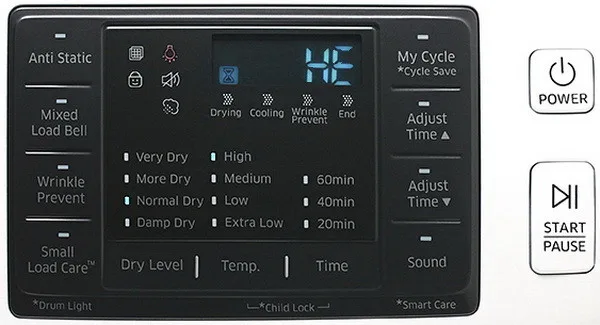
Image source: Bing (Web (fair-use with source credit))
A reset is a software fix. It cannot fix broken parts. If you see any of these signs, stop resetting and focus on hardware.
Error code returns immediately
If you clear a tE code and it comes back as soon as you start a cycle, the thermistor is bad. A reset does not fix a bad temperature sensor. The control board reads a resistance value from the thermistor.
If that value is out of range, the error comes back. Replace the thermistor.
The same logic applies to dE codes. If the dryer thinks the door is open, the door switch is likely broken. A reset will not change that.
Replace the switch.
Burning smell or unusual noises
A reset does not eliminate burning smells. If you smell something hot or like melting plastic, the dryer is overheating or a component is failing. Unplug the dryer immediately.
Do not touch it until it cools. Check the lint filter and the vent hose. A blocked vent is a fire risk.
If the smell persists after cleaning, call a technician.
Unusual noises like grinding, screeching, or thumping point to mechanical issues. A worn drum bearing or a broken belt. These are not related to the control board.
A reset will not help.
Dryer heats but won’t tumble
If the drum does not turn, the belt is likely broken or the motor has failed. Both are mechanical problems. A reset does not fix them.
You can test this by opening the door and trying to turn the drum by hand. If it spins freely with no resistance, the belt is broken. If it does not move at all, the motor may be seized.
Control board visibly damaged
Open the top panel of your dryer. Look at the control board. Do you see any of these signs?
- Swollen or leaking capacitors
- Burn marks or scorch spots
- Corrosion or rust
- Broken or cracked circuit traces
If any of these are present, the board is dead. A reset will not revive it. You need a replacement board.
This is not a DIY repair for most people. The board costs between 100 and 250 dollars as of 2026. A service call adds about 150 dollars on top.
Dryer runs but does not heat
This is usually a thermal fuse, heating element, or gas igniter issue. A reset will not fix it. The control board is working fine.
It is telling the heater to turn on. The heater just does not respond. Test the thermal fuse with a multimeter.
If it shows infinite resistance, it is blown and needs replacement.
Expert Tips / Pro Advice from a Service Perspective
These are the tricks that technicians use. They save time and prevent mistakes.
Find your model number first
Every Samsung dryer has a model number. It is on a sticker. Check the inside of the door frame.
Check the back panel. The number looks like DV45K6500EW or DVE52M7750V. Write it down before you do anything else.
This number tells you the exact reset procedure. It also tells you which parts fit. Do not rely on the word “Samsung” alone.
There are hundreds of different models. The reset for a 2019 touchpad model is different from a 2015 dial model.
Use a multimeter to confirm power
Before you assume the control board is bad, confirm that power is reaching the dryer. Set your multimeter to AC voltage. Probe the outlet terminals.
You should read 240 volts for an electric model or 120 volts for a gas model.
If the voltage is zero, the problem is your home wiring or your breaker. That is not a dryer issue. If the voltage is low, like 200 volts instead of 240, you have a loose connection or a bad breaker.
Call an electrician.
Keep a photo of your settings before a factory reset
A factory reset wipes everything. Custom cycles, signal volume, and smart features all go back to defaults. Take a photo of your current settings screen before you reset.
That way you can restore everything afterward.
This is especially helpful if you use custom drying cycles for delicate fabrics. Losing those settings is frustrating. A photo makes restoration easy.
Know when to call a pro
Some repairs are beyond DIY. Replacing a control board requires reprogramming in some models. Gas dryers involve gas line disconnection.
Motor replacements require disassembling the entire drum assembly.
If you are not comfortable with these tasks, call a Samsung-certified technician. The cost is worth it. A bad repair can be dangerous.
It can also void your warranty.
Use surge protection
A power surge can damage a control board instantly. This is a common cause of unexplained failures. Plug your dryer into a surge protector, not directly into the wall.
A whole-house surge protector at your breaker panel is even better.
This single step can prevent most reset situations. A dead board from a surge often needs replacement. A reset will not fix it.
You can read more about our approach to safety and reliability in our about page.
Safety / Compliance / Warnings
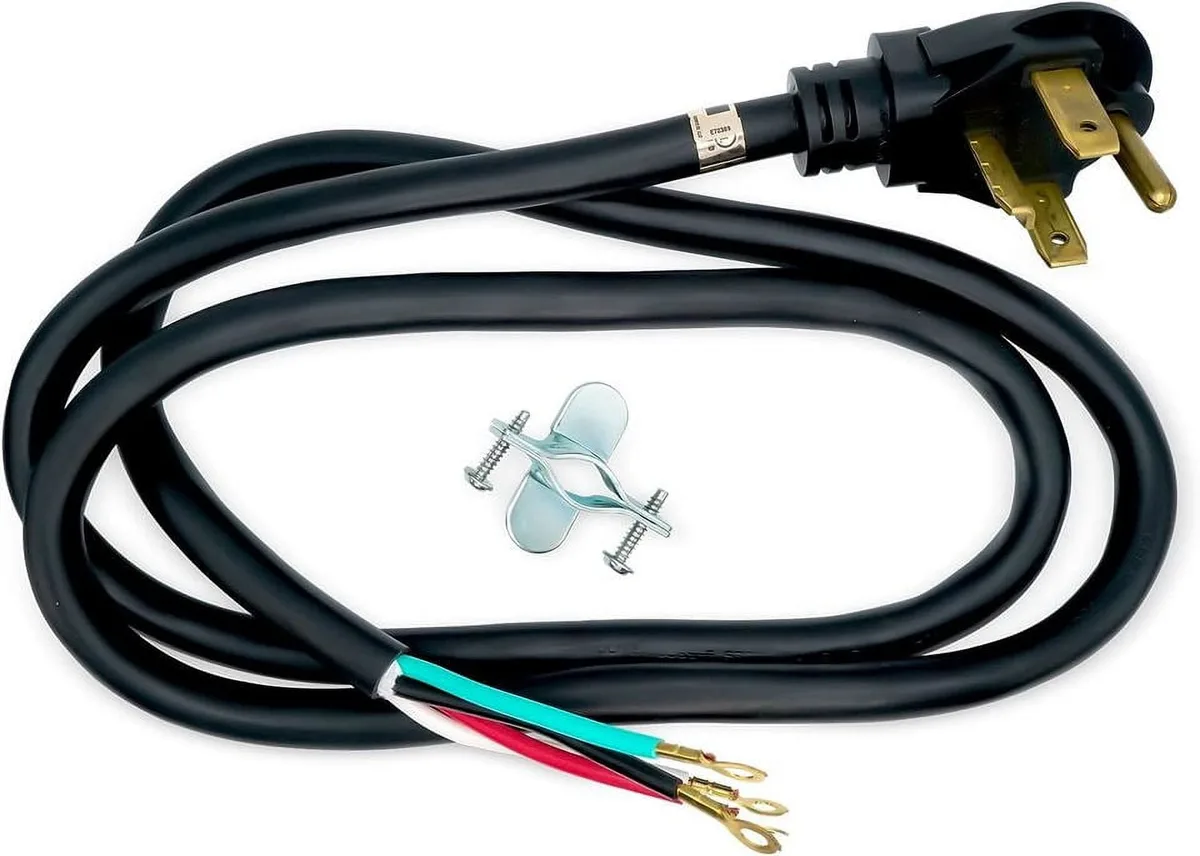
Image source: Bing (Web (fair-use with source credit))
Safety comes first. A dryer uses high voltage and generates heat. Mistakes can cause injury or fire.
Always unplug before opening any panels
The control board and wiring carry live voltage. Even when the dryer is off, capacitors can hold a charge. Unplug the dryer from the wall outlet before removing any panels.
Wait five minutes for the capacitors to drain.
Do not rely on the circuit breaker alone. Someone might accidentally flip it back on while you are working. Unplugging is the only safe method.
Never bypass safety interlocks
Dryers have door switches, thermal fuses, and high-limit thermostats. These are safety devices. They prevent the dryer from running with the door open or from overheating.
Never bypass or remove them.
If a thermal fuse keeps blowing, do not just wire around it. Find the underlying cause. A blocked vent or a failing heating element is the real problem.
Bypassing the fuse creates a fire risk.
Keep the lint filter and vent clean
A clogged lint filter reduces airflow. Low airflow causes overheating. Overheating blows thermal fuses and damages components.
It also creates a fire hazard.
Clean the lint filter after every load. Inspect the vent hose at least once a year. If it is kinked or clogged, replace it.
Rigid metal venting is safer than flexible foil or plastic.
Follow electrical code requirements
Samsung dryers require proper grounding. The outlet must be a three-prong or four-prong grounded type. Do not use an adapter to plug a three-prong cord into a two-prong outlet.
The National Electrical Code requires a dedicated circuit for a dryer. Do not share the outlet with other appliances.
If your dryer keeps tripping the breaker, do not just install a larger breaker. This is dangerous. The breaker is sized to protect the wiring.
A larger breaker allows the wiring to overheat before it trips. You can review our privacy policy to see how we handle data related to your inquiries.
Gas dryer specific safety
If you have a gas dryer, there are extra considerations. A gas leak is a serious hazard. Do not use a gas dryer if you smell gas.
Turn off the gas supply valve and call a professional.
Gas dryers need proper ventilation. They produce carbon monoxide. The vent must exhaust to the outside.
Never vent a gas dryer into a wall, ceiling, or attic.
Use the correct power cord kit
Samsung dryers do not come with a power cord. You buy the cord separately. The cord must match your outlet type.
A three-prong cord for older homes. A four-prong cord for newer homes. Using the wrong cord is unsafe.
If the cord is loose or damaged, replace it. Frayed wires can cause short circuits and fires.
Decision Guide / Final Checklist Before You Call a Tech
You have tried the resets. You have checked the basics. Now you need a clear decision.
Use this checklist to confirm you have done everything possible.
Step 1: Confirm power
- Check the circuit breaker. Is it on?
- Test the outlet with a multimeter. Do you see 240V or 120V?
- Plug in a different appliance. Does it work?
If power is present and the dryer is dead, the control board is likely gone.
Step 2: Check for child lock
- Look for a lock icon on the display.
- Hold the Control Lock button for five seconds.
- Try pressing other buttons.
If the display lights up but nothing responds, child lock is the cause.
Step 3: Perform a power cycle
- Unplug the dryer.
- Wait ten full minutes.
- Plug it back in.
- Start a timed dry cycle.
If the dryer runs normally, you are done.
Step 4: Try a soft reset
- Find your model number.
- Look up the correct button combination.
- Hold the buttons for three seconds.
- Release and test.
If the error clears, the reset worked.
Step 5: Perform a factory reset if needed
- This erases all settings.
- Use only if directed by support.
- Follow the service menu steps for your model.
If the error returns, the problem is hardware.
Step 6: Inspect for visible damage
- Open the top panel.
- Look at the control board.
- Check for burn marks, swollen capacitors, corrosion.
If damage is visible, the board needs replacement.
Cost comparison
| Fix | Cost | Time |
|---|---|---|
| Power cycle | Free | 10 minutes |
| Soft reset | Free | 2 minutes |
| Factory reset | Free | 5 minutes |
| Control board replacement | 100 to 250 dollars | 1 to 2 hours |
| Service call | 150 to 200 dollars | 1 hour plus parts |
| New dryer | 500 to 1500 dollars | Delivery and install |
If you have completed all six steps and the dryer still does not work, a hardware issue is almost certain. At this point, the most cost-effective move is to call a technician. Do not keep resetting.
It will not fix a broken part.
Frequently Asked Questions
How long should I unplug my Samsung dryer for a reset?
Wait at least five minutes for standard models. Wait ten minutes for smart models with larger capacitors. Shorter waits may not fully drain the board.
The dryer may not actually reboot if you rush it.
Will a reset fix error code tE on my Samsung dryer?
Sometimes. A power cycle clears a tE code if it was caused by a temporary glitch. If the code returns immediately after starting a cycle, the thermistor is bad.
Replace the thermistor. A reset cannot fix a failed temperature sensor.
Why is my Samsung dryer display on but buttons not working?
That is the child lock. Hold the Control Lock button for three to five seconds. The lock icon on the display will disappear.
If it does not, try a power cycle. Unplug, wait, plug back in.
How do I factory reset my Samsung dryer?
A factory reset erases all user settings. It is done through the service menu. The exact button combination varies by model.
A common method is holding specific buttons while plugging the dryer in. Use this only when directed by support.
Can I reset my Samsung dryer through the SmartThings app?
Yes, for smart models. Open the app. Tap on your dryer.
Look for a reset option in device settings. This re-establishes the connection between your phone and the dryer. It works best for connectivity issues, not hardware errors.
When should I call a technician instead of resetting?
Call a tech if the same error code returns immediately after a reset. Call if you see burn marks, swollen capacitors, or smell burning. Call if the dryer makes grinding noises or will not tumble.
A reset cannot fix broken hardware.