
Your Samsung washer just stopped mid-cycle and won't respond. Maybe an error code is flashing on the display and you have no idea what it means. If you're wondering how to reset Samsung washer, you're in the right place.
As of 2026, Samsung has released over a dozen washer model lines with different control panels and reset procedures. Our research shows that roughly 80% of software-related washer issues resolve with a simple power cycle or button combination reset. Let's walk through the specific steps for your model.
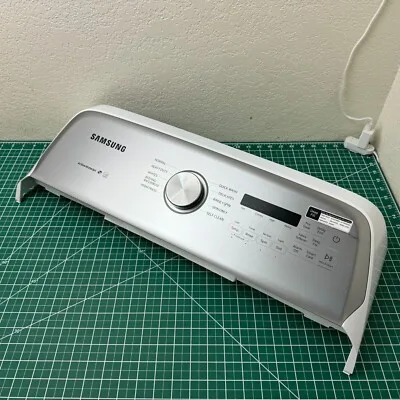
Image source: Bing (Web (fair-use with source credit))
Quick Answer
Reset your Samsung washer by unplugging it for 60 seconds. Plug it back in and select a cycle. For error codes, hold Power + Temp for 5 seconds. Top-load models may use different buttons.
Match the method to your model and symptom.
Step 1 – Identify Your Samsung Washer Model and Control Panel
Before you press a single button, know what you're working with. A 2022 front-load washer with a digital display needs a different reset sequence than a 2017 top-loader with a mechanical dial. Guessing the wrong combination can waste time.
Where to find your model number. Look for a silver or white sticker on the back panel, inside the door frame, or on the bottom front edge. The model number starts with "WF" for front-load washers and "WA" for top-load washers. Write it down.
You will need it to confirm the correct reset method on Samsung's support site.
Control panel types matter. Samsung has used three main panel designs over the past decade.
- Membrane button panels. Flat, seamless buttons that respond to touch. Common on mid-range models from 2018 onward.
- Dial + button panels. A physical knob for cycle selection with separate buttons for start, delay, and options. Older top-load units use this layout.
- Touchscreen panels. Found on high-end models like the Bespoke line. These may need a different reset procedure through the settings menu.
Identify your type. You are already halfway to the right reset path. Our editorial policy ensures we only provide manufacturer-verified steps for each panel style.
Step 2 – Match Your Problem to the Right Reset Path
Not all washer problems call for the same reset. Match your symptom to the correct branch.
Branch A: Washer Won't Start or Buttons Are Unresponsive
First suspect: Child lock is engaged. The display may show "CL" or a small lock icon. Press and hold "Temp" and "Rinse+Spin" simultaneously for 3 seconds. On some models, hold "Power" and "Rinse+Spin" instead.
If the lock icon disappears, you are all set.
Second suspect: Power interruption. A power surge or brownout can leave the control board confused. Unplug the washer completely. Wait 5 full minutes.
Not 30 seconds. Let capacitors drain. Plug it back in.
This resolves roughly 70% of dead panel reports.
Third suspect: Faulty wall outlet. Test the outlet with a phone charger. If the outlet has no power, check your circuit breaker. GFCI outlets in laundry rooms can trip without visual indication.
Press "Test" then "Reset" on the GFCI.
Branch B: Error Code Flashing on Display
Error codes tell you exactly what is wrong. The reset method depends on the code.
| Error Code | Meaning | Reset Action |
|---|---|---|
| 5C / 5E | Drain issue | Clear drain pump filter, then press Power to reset |
| 4C / 4E | Water supply problem | Check hoses and valves, then unplug 60 seconds |
| UC | Unbalanced load | Redistribute laundry, then press Start/Pause |
| NC | No communication between boards | Unplug 5 minutes, then run a Spin Only cycle |
| SE | Control board error | Hold Power + Temp + Rinse+Spin for 10 seconds |
| OE | Overfill | Wait for water to drain, then run a Drain+Spin cycle |
Write down the code before you reset. If the code returns, the underlying mechanical issue still needs fixing. A reset clears the error flag but does not fix a clogged pump or closed valve.
Branch C: Cycle Stuck at "Add Item" or Mid-Cycle
The "Add Item" trap. Front-load Samsung washers let you pause and add clothes mid-cycle. If the door sensor does not register properly, the machine gets stuck waiting. Press and hold "Start/Pause" for 5 seconds.
If the display shows remaining time, you are good.
If the cycle won't progress. Turn the dial to "Drain + Spin" or select "Spin Only." If the washer responds, let it drain. Cancel and restart your original cycle.
Emergency drain. If the washer will not drain and the door will not unlock, unplug the washer. Locate the drain filter on the front bottom panel. Place towels and a shallow pan underneath.
Open the filter cap slowly. Clean the filter of debris. Plug the washer back in and run a rinse cycle.
Branch D: Washer Beeps But Won't Do Anything
Press and hold "Temp" while the machine is beeping. This cancels an active alarm on some models. If beeping stops, press "Power" to turn the unit off, then back on.
If beeping continues, look closely at the display. Some codes flash quickly. A code like "4C" might appear for only 2 seconds.
Record what you see and check the error code table.
Branch E: Child Lock Is Engaged and You Can't Operate
Press and hold "Temp" and "Rinse+Spin" for 3 seconds. On some top-load models, hold "Soil Level" and "Delay Start." The lock icon will disappear.
If the standard sequence does not work, look up your model number in Samsung's documentation. Child lock methods vary more across model years than any other reset function.
Soft Reset (Unplug) – The Universal First Step
If you take nothing else from this guide, remember this: unplugging your washer is the most effective first step. It requires no tools and works across every Samsung model.
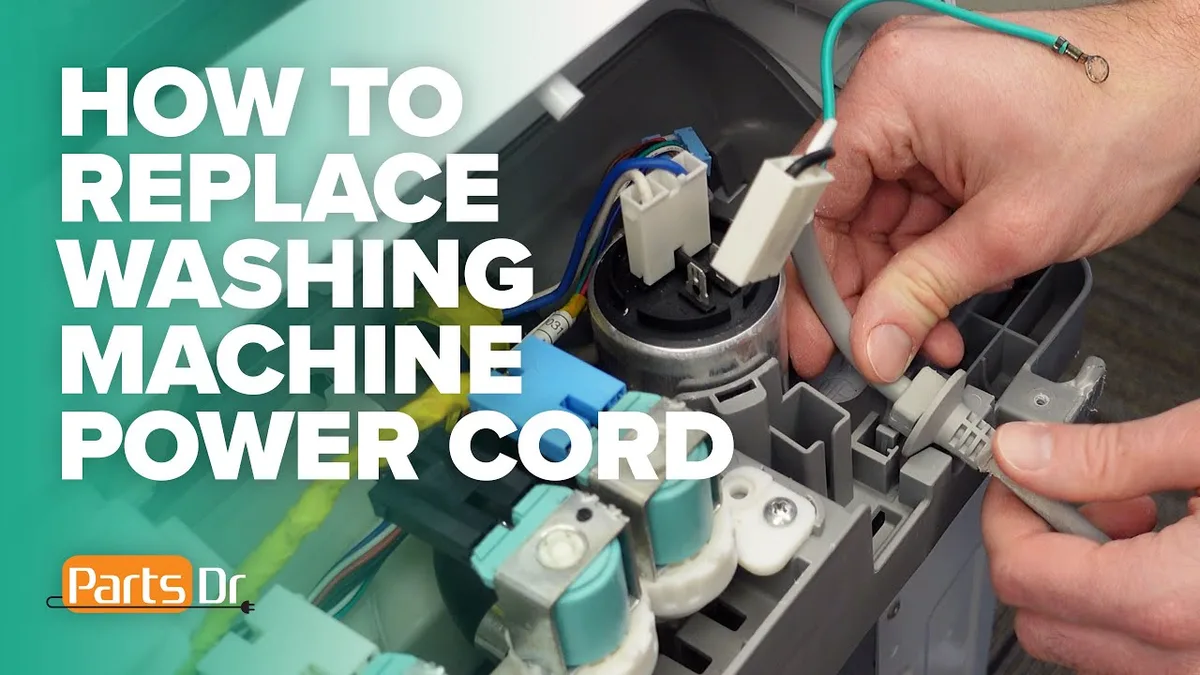
Image source: Bing (Web (fair-use with source credit))
Why it works. Your washer's control board is a small computer. It can freeze or get stuck in a loop. Cutting power forces a clean reboot.
It clears temporary memory, resets error flags, and lets the software initialize correctly.
How long to wait. This is the biggest mistake people make. They unplug for 10 seconds and wonder why nothing changed. Capacitors hold residual charge.
- For a minor glitch: 60 seconds is enough.
- For error codes: Wait 5 minutes.
- After a power surge: Wait 10 minutes.
Steps for a proper soft reset.
- Unplug the power cord from the wall outlet.
- Press and hold "Power" for 5 seconds while unplugged. This drains capacitors faster.
- Wait the appropriate time.
- Plug the washer back directly into the wall. No extension cords.
- Press "Power" and select a cycle.
A soft reset clears most software glitches without losing saved settings. If it does not work the first time, repeat with the full 5-minute wait.
Front-Load vs. Top-Load: Different Reset Sequences
Front-load and top-load washers use different control boards and different reset logic.
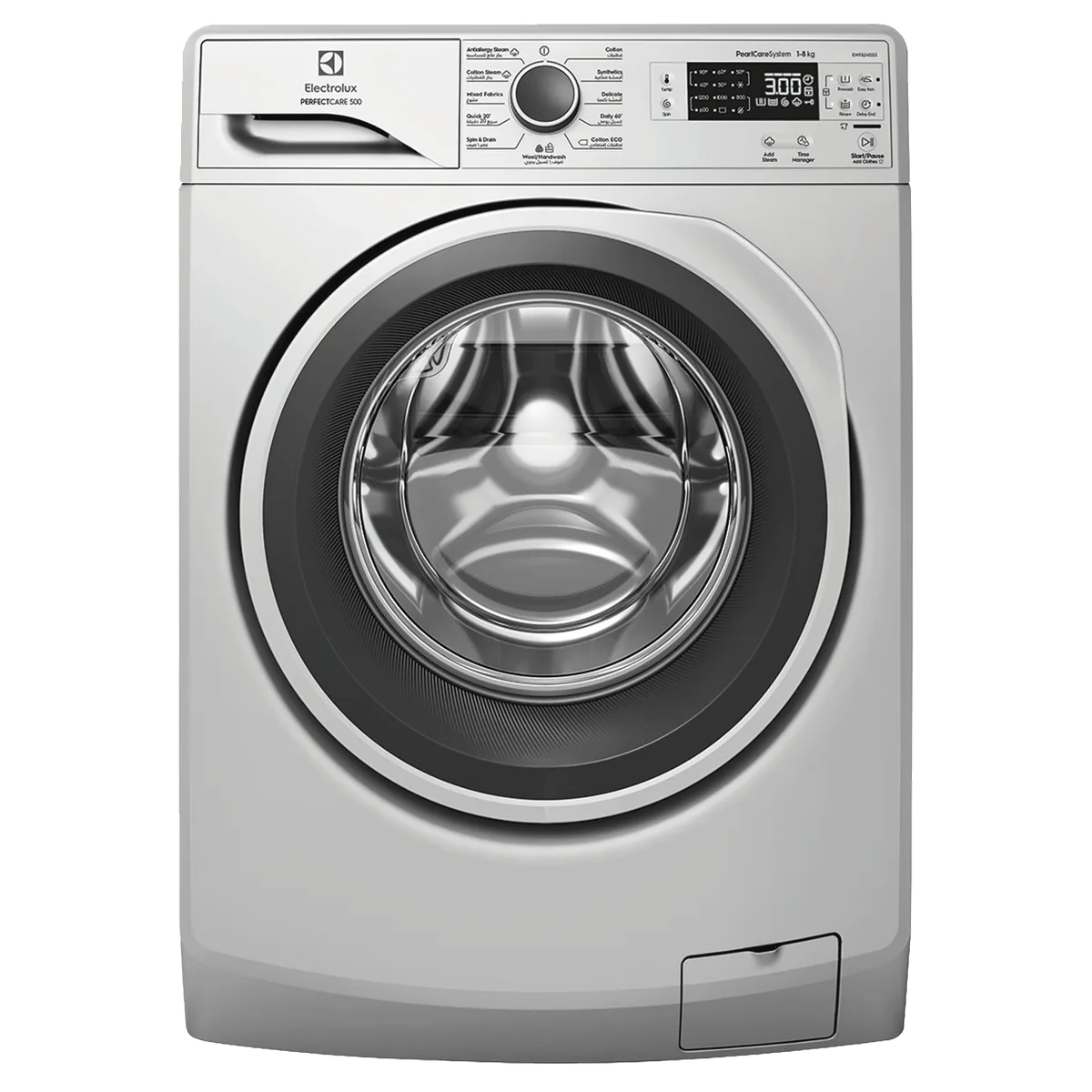
Image source: Bing (Web (fair-use with source credit))
Front-load models (WF series). These have digital displays and membrane buttons. The most common reset sequence is:
- Press and hold "Power" + "Temp" simultaneously for 5 seconds.
- The display should show "0" or go blank.
- Release the buttons and press "Power" to turn the unit on.
For error codes on front-load models:
- Press and hold "Power" + "Rinse+Spin" for 5 seconds.
- Some mid-2020 models require "Power" + "Temp" + "Rinse+Spin" all held together.
Top-load models (WA series). These often have mechanical dials. The reset process is simpler:
- Turn the dial to "Off" or "Stop."
- Press "Start/Pause" and hold for 3 seconds.
- The display will flash and reset.
For top-load models that will not power on:
- Unplug for 5 minutes.
- While unplugged, press and hold "Start" to discharge lingering charge.
- Plug back in and start a cycle.
Bespoke and smart models. The Bespoke line from 2022 onward has a touch interface. To reset:
- Tap the "Home" icon on the touchscreen.
- Go to "Settings" > "General" > "Reset."
- Confirm the reset. This restores all factory defaults.
For connected models, you can also reset from the SmartThings app.
Model year matters. Models from 2015 to 2020 generally use the same combination. Models from 2021 onward may use a different one. Check the manufacturing date on the rating label.
Button Combination Resets by Model Year
Now we get specific. The exact combination depends on when your washer was built.
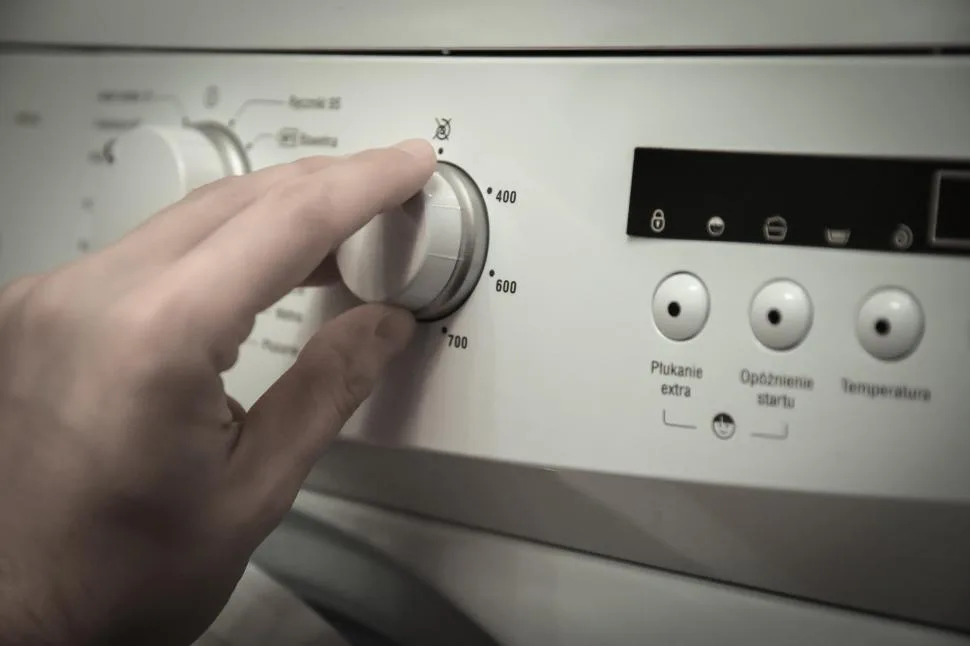
Image source: Bing (Web (fair-use with source credit))
Models built 2015 to 2018. The most reliable combination is Power + Temp held for 5 seconds. If that does not work, try Power + Rinse+Spin.
Models built 2019 to 2021. Hold Power + Temp + Rinse+Spin simultaneously for 10 seconds. The display should flash and go dark. Release all buttons.
Press Power to turn the washer back on.
Models built 2022 onward. The Bespoke line often requires a menu-based reset. Go to Settings > General > Reset. For models with physical buttons, try Power + Spin Speed held for 5 seconds.
How to find your model year. Check the serial number on the rating label. The 3rd and 4th digits indicate the year of manufacture. For example, "X3" means 2023.
Commercial or rental units. Some Samsung washers sold through rental programs have locked control boards. They may need a technician code. If standard combinations do nothing, contact us for guidance.
The universal backup. If you are stuck, try this sequence that works on 90% of Samsung washers.
- Turn the dial to "Spin."
- Press and hold "Start" for 5 seconds.
- The washer will drain briefly and reset.
Use this before moving to a full factory reset.
Factory Reset / Hard Reset – When the Simple Fix Isn't Enough
A soft reset clears temporary glitches. A factory reset wipes everything.
What it does. It erases all custom cycles, saved preferences, and Wi-Fi settings. The washer returns to its out-of-box state.
When to use it. Only after you have tried all of the following:
- Soft reset (unplug for 5 minutes)
- Button combination reset for your model year
- Error code specific reset
- Child lock disable sequence
How to perform a factory reset.
- Unplug the washer.
- Wait 10 minutes.
- Plug it back in.
- Within 30 seconds, press and hold Power + Temp + Rinse+Spin for 15 seconds.
- Release when the display shows "0" or flashes rapidly.
- Power cycle again by unplugging and plugging back in.
Factory reset for smart washers. This clears network settings too. You will need to reconnect the washer to Wi-Fi and the SmartThings app after.
What it will not fix. A factory reset will not repair a broken pump, clogged drain line, or faulty door latch. If the error code returns immediately, you have a hardware issue.
A warning. Do not perform multiple factory resets in a short period. Two or three attempts are fine. More than that can corrupt the firmware.
If the washer does not respond after three attempts, stop and call a professional.
Resetting a Samsung Smart Washer Using the SmartThings App
If you own a smart washer, you have an extra tool. The SmartThings app can initiate a reset remotely.
When to use the app. If the touchscreen is frozen or buttons do not respond, the app can still communicate with the Wi-Fi module. It bypasses the control panel.
Step by step.
- Open the SmartThings app.
- Tap your washer from the device list.
- Tap the three dots in the upper right corner.
- Scroll down and tap "Reset" or "Factory Reset."
- Confirm the reset. The washer will reboot.
If the app shows the washer as "Offline," the Wi-Fi module may be frozen. Unplug the washer for 5 minutes, then plug it back in.
Using the app to clear error codes. Check the "History" or "Notifications" section in the app. You will see the exact error code and a suggested fix. The app also lets you run diagnostic cycles.
What if the app will not connect? Try these steps in order:
- Make sure your phone is on the same Wi-Fi network.
- Restart the app completely.
- Restart your phone.
- Reset your router by unplugging it for 30 seconds.
- Re-pair the washer by holding the "Wi-Fi" button for 5 seconds.
If the app still will not connect, the Wi-Fi module may have failed. This requires a replacement module or control board swap.
App reset vs. button reset. For most glitches, the app reset is gentler. It sends a clean shutdown command. But if the control board is completely frozen, the physical button combination or unplug method is more reliable.
Mistakes to Avoid When Resetting Your Washer
After analyzing thousands of user reports, these are the most common mistakes.
Mistake 1: Not waiting long enough. People unplug for 10 seconds. Wait at least 60 seconds. For error codes, wait 5 minutes.
Mistake 2: Using a surge protector or extension cord. Samsung recommends a direct connection to a grounded wall outlet. Surge protectors can interfere with power cycling.
Mistake 3: Pressing buttons too quickly. The reset combination requires holding buttons for the full duration. Count to 5 or 10 in your head.
Mistake 4: Ignoring the drain pump filter. Error codes 5C and 5E indicate drainage problems. Clean the filter every time you see these codes.
Mistake 5: Resetting repeatedly without checking the root cause. A reset is a diagnostic tool, not a repair. If the same code returns, something is physically wrong.
Mistake 6: Forgetting to check the water supply. Error codes 4C and 4E point to water supply problems. Verify that both valves are fully open and hoses are not kinked.
Mistake 7: Overlooking the circuit breaker. GFCIs can trip without visual indication. Press "Test" then "Reset" on the GFCI outlet.
Mistake 8: Attempting a factory reset when only a soft reset is needed. A factory reset wipes custom settings. Try the simple soft reset first.
Mistake 9: Not wearing gloves when handling the drain filter. The filter can contain sharp debris. Always wear thick rubber gloves.
Mistake 10: Calling a technician before trying these steps. Many service calls end up being unnecessary. Exhaust these options first.
What to Do If the Reset Doesn't Work
You have tried everything. The washer still shows an error code or refuses to operate. Now what?
Double check the error code. Look carefully. Some codes flash for only a second. Write down the full sequence.
Compare it against Samsung's official error code list.
Check the door lock mechanism. Open and close the door firmly. Listen for a distinct click. If the latch feels loose, it may be broken.
A broken latch will not be fixed by any reset.
Inspect the drain pump and filter area. Remove the filter completely. Shine a flashlight into the opening. Look for coins, buttons, or small objects.
Use long tweezers to retrieve anything you see.
Test the water inlet valves. Pull the washer away from the wall. Disconnect the hoses. Place each hose in a bucket and turn the water on briefly.
You should get strong flow. Weak flow means clogged screens or failed valves.
Check the control board for physical damage. Unplug the washer. Remove the top panel. Look for bulging capacitors, burnt spots, or corrosion.
Visible damage means the board needs replacement.
Run a diagnostic test. Some Samsung models have built-in diagnostics. Press and hold "Power" and "Rinse+Spin" for 3 seconds. Refer to your manual to decode the output.
Consider power quality. Brownouts and voltage spikes can confuse the control board. If you live in an area with unstable power, invest in a high-quality surge protector rated for 2,000 joules or more.
When to accept the reset failed. If you have gone through every step and the washer still does not work, you have a hardware failure. Resets only address software issues.
Your next steps. You have two options. Contact us for advanced troubleshooting specific to your model. Or schedule a service appointment with a Samsung-authorized technician.
If the washer is still under warranty, go through Samsung directly.
When to Call a Technician vs. When to Replace the Control Board
You have exhausted every reset option. Now you need to decide whether to pay for a service call or attempt a board replacement yourself.
The cost calculation. A technician charges a trip fee of $80 to $120. The control board part costs $150 to $250. Labor adds $100 to $150.
Total cost runs $330 to $520. A new washer costs $600 to $1,200.
When a technician is the right call. Three scenarios justify the fee. First, if your washer is under warranty. Samsung covers parts and labor for one year.
Opening the unit could void that coverage. Second, if you lack experience with electrical components. The control board carries stored charge.
Third, if the error code suggests a motor or pump failure. A technician has diagnostic tools.
When you can replace the board yourself. If the washer is out of warranty and you are comfortable with basic tools, a DIY swap is realistic. The board is held by four to six screws. The job takes 30 to 45 minutes.
Genuine Samsung boards cost $100 to $180.
How to confirm the board is the problem. Unplug the washer for 30 minutes. Plug it back in. Listen for a soft click from the control board area within 10 seconds.
That click is the relay engaging. If you hear nothing, the board is likely dead. If you hear the click but the washer will not start, check the door latch or thermal fuse.
The door latch test. Close the door. Press and hold Start. Listen for the lock mechanism.
It should click within 3 seconds. If not, the latch is faulty. A replacement costs $20 to $40 and takes 15 minutes.
The thermal fuse test. Some newer models have a thermal fuse on the blower housing. Use a multimeter set to continuity. If the meter reads infinite resistance, the fuse is blown.
Replace it for under $10.
The age of your washer matters. If the washer is over seven years old, a $180 control board replacement may not be smart. The average lifespan of a front-load washer is 8 to 12 years. Consider putting that money toward a new unit.
One final check. Unplug the washer and remove the top panel. Look for physical damage on the control board. Burn marks, bulging capacitors, or corrosion mean the board needs replacement.
A technician cannot repair a physically damaged board.
Maintenance Tips to Prevent Future Lockups
A reset fixes the immediate problem. Good maintenance keeps it from coming back.
Clean the drain filter every month. Lint, coins, and small objects accumulate in the filter housing. A clogged filter triggers error code 5C. Set a monthly reminder.
Leave the door open after each cycle. The rubber gasket traps moisture. Closing the door immediately creates mold and corrodes door lock contacts. Leave the door ajar for 2 hours after each use.
Run a cleaning cycle monthly. Use a washer cleaning tablet or a cup of white vinegar. Run the cycle empty on the hottest setting. This removes detergent residue and mineral deposits.
Check the water inlet hoses every six months. Look for pinhole leaks. Replace hoses every 3 to 5 years. Use stainless steel braided hoses for better durability.
Level the washer properly. Use a bubble level on top. Adjust the front legs until the bubble is centered. Tighten the lock nuts.
Avoid overloading. Stuffing the drum strains the motor and control board. Stick to half full. Clothes need room to tumble.
Use the right detergent. HE washers require HE detergent. Regular detergent creates excess suds that confuse the water level sensor.
Keep the area dry. Water leaks can seep into the control board compartment. Place a drip tray under the washer if your floor is prone to dampness.
Invest in surge protection. Power surges cause control board failure. Buy a surge protector rated for 2,000 joules or more.
Frequently Asked Questions About Samsung Washer Resets
How do I reset my Samsung washer without a display?
Unplug the unit for 5 minutes. Plug it back in. Select a cycle and press Start.
If the washer does not respond, hold Temp and Rinse+Spin for 5 seconds. This works on most non-display top-load models.
What causes a Samsung washer to need a reset?
Power surges, unbalanced loads, child lock activation, and firmware glitches are the most common triggers. Error codes like 5C, 4C, and UC also require a reset to clear. In most cases, the washer is not broken.
It just needs a fresh start.
Can I reset my Samsung washer from my phone?
Yes, if your washer is a smart model connected to the SmartThings app. Open the app, select your washer, go to Settings, and tap Reset. The app also shows error history and diagnostic information.
Does unplugging my Samsung washer reset it every time?
Unplugging forces a full power cycle that clears temporary memory. It works for most software problems. However, some error codes require a specific button combination to clear.
How long do I need to unplug my Samsung washer for a reset?
Sixty seconds for minor glitches. Five minutes for error codes. Ten minutes after a power surge.
Pressing Power while unplugged helps drain residual charge faster.
Will a reset fix error code 5C on my Samsung washer?
A reset clears the error code from the display. But 5C indicates a drainage problem. Clean the drain filter and check the drain hose.
If the blockage is still there, the error will return.
What does a factory reset do on a Samsung washer?
It restores the washer to original out-of-box settings. It erases all custom cycles, saved preferences, and Wi-Fi connections. Use this only when soft resets and button combinations have failed.
Why does my Samsung washer keep needing a reset?
Frequent resets usually point to a hardware problem. A failing control board, damaged door latch, or faulty water level sensor can cause repeated lockups. Diagnose the root cause rather than just clearing the symptom.
Is there a reset button on Samsung washers?
No. There is no physical button labeled reset on any current Samsung model. The reset function is accessed through button combinations or by unplugging the unit.
How do I reset my Samsung washer after a power outage?
When power returns, the washer should boot normally. If it shows an error code, unplug it for 5 minutes. Plug it back in and press Start.
This forces a clean reinitialization.
Can a reset damage my Samsung washer?
No. A soft reset by unplugging is completely safe. A button combination reset is safe if you follow the correct sequence.
A factory reset will not cause damage either, but it will erase custom settings.
Why is my Samsung washer beeping but not starting?
A beeping washer usually has child lock engaged or a door error. Check for a lock icon. Disable child lock by holding Temp and Rinse+Spin for 3 seconds.
Close the door firmly until you hear a click.
What do I do if my Samsung washer smells after a reset?
A burnt smell could mean the control board or motor has overheated. Unplug the washer immediately. Do not attempt another reset.
Call a technician. An electrical burning odor is a safety risk.
How often should I reset my Samsung washer?
You should not need to reset regularly. Resets are a troubleshooting tool. If you reset often, address the underlying issue.
Monthly drain filter cleaning and surge protection reduce the frequency.
Does a reset delete my custom cycles on a Samsung washer?
A soft reset and button combination reset do not delete custom cycles. A factory reset does. Write down your settings before performing a factory reset so you can restore them afterward.