
Image source: Bing (Web (fair-use with source credit))
Quick Answer
Turn the ignition to ON (engine off). Find the SEL/RESET button or trip knob. Navigate to the oil life display.
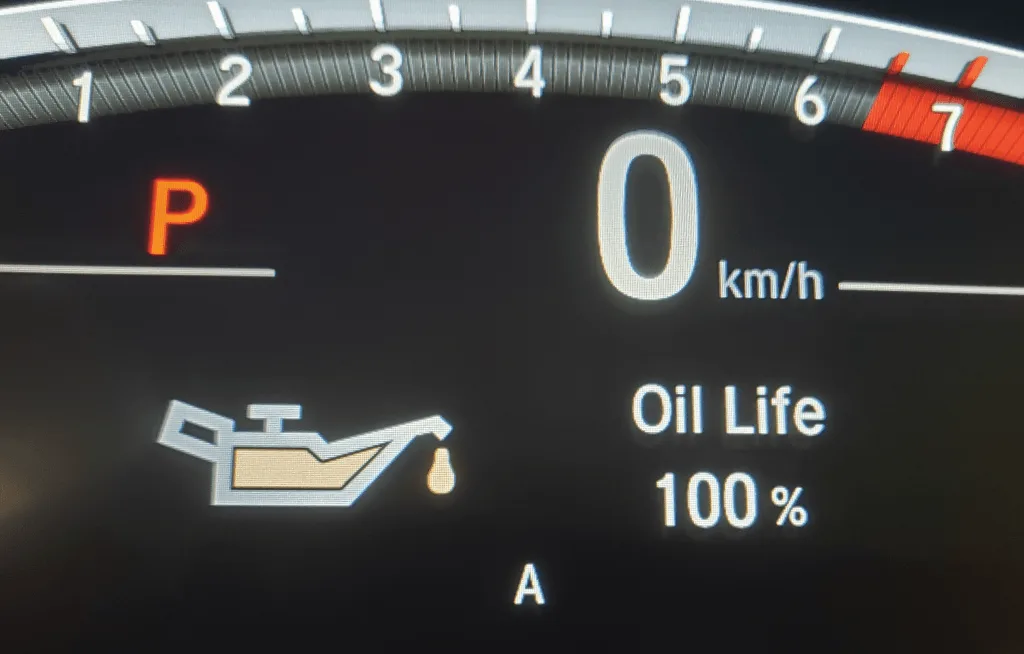
Press and hold until the display blinks. Confirm the reset. The oil life should show 100%.
Why the Reset Looks Different for Every CR-V Generation
Here is the thing: Honda changed the dashboard controls almost every generation. If you look up a generic video and your dash does not match, you will get stuck. The oil life reset procedure changed with the instrument cluster design.
Knowing your model year is the first step.
The Honda CR-V has been through six generations since 2002. Each one uses a slightly different set of buttons, knobs, or steering wheel controls. The underlying logic is the same: you are telling the maintenance minder system that the oil has been changed.
The path to do that varies.
Our research shows that the most common frustration comes from people trying a procedure from a different model year. For example, the 2005 reset uses a trip knob you pull outward. The 2018 reset uses a steering wheel button labeled SEL/RESET.
If you mix them up, nothing happens.
Let us break it down by what you actually see on your dashboard.
The Two Main Control Types You Need to Identify
Before you touch anything, look at your dashboard. There are two basic control layouts. Identifying which one you have saves time and prevents mistakes.
Control Type 1: The Trip Knob
This is a physical knob sticking out from the instrument cluster, usually near the speedometer or odometer display. It often has a stem you can push in, pull out, or rotate. Older CR-Vs (2002, 2011) use this style.
The knob is multi-function: it controls the trip odometer, brightness, and the oil life display.
Control Type 2: The Steering Wheel Button
Newer models (2012 and up) have a set of buttons on the left side of the steering wheel. One of them is labeled SEL/RESET or INFO. You use these to scroll through the instrument panel display and confirm selections.
On push-to-start vehicles, the procedure also involves the ignition sequence (accessory mode vs. engine on).
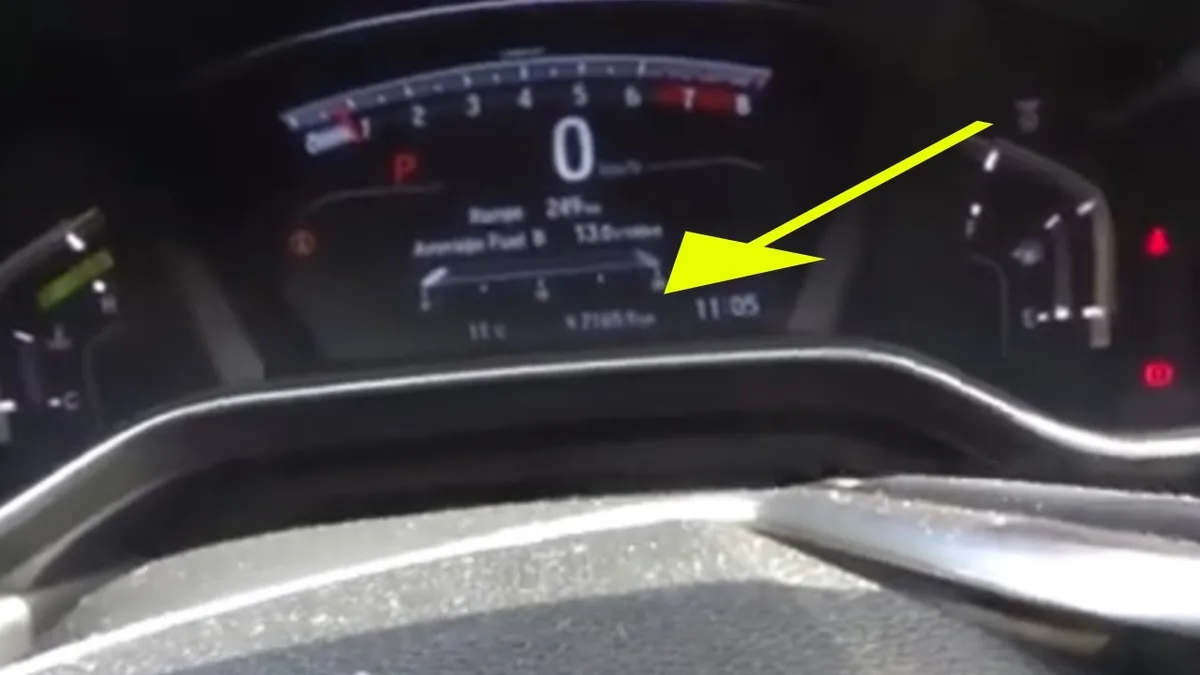
Image source: Bing (Web (fair-use with source credit))
Here is a quick reference table to help you map your year to the control type:
| Model Year Range | Control Type | Key Identifier |
|---|---|---|
| 2002–2006 | Trip knob | Knob on dash, pull to reset |
| 2007–2011 | Trip knob | Knob on dash, push to switch screens |
| 2012–2016 | Trip knob or steering wheel | Some have knob, some have SEL/RESET on wheel |
| 2017–2024 | Steering wheel | SEL/RESET and INFO buttons on left spoke |
| 2025+ | Steering wheel with digital cluster | Similar to 5th gen but with updated display |
If you are unsure, check your owner's manual. Honda also provides free digital manuals on their official owners site. Bookmark that page for any procedure you need.
Step-by-Step: Reset Oil Life on 2002–2006 CR-V (Knob-Based)
This generation is straightforward once you know the trick. The knob is the same one you use to reset the trip odometer.
- Turn the ignition to ON. Do not start the engine. Just turn the key to the position where the dashboard lights come on.
- Locate the trip knob. It sticks out from the instrument cluster on the left side. You will see it just below the speedometer.
- Press the knob repeatedly until the oil life display appears. Keep pressing until you cycle past the trip A and trip B screens. The display will show "OIL LIFE" and a percentage (for example, 15%).
- Press and hold the knob for about 10 seconds. You will see the oil life number start to blink. Keep holding. After a few more seconds, the display will show "OIL LIFE 100%". Release the knob.
- Some models require you to press the knob once more after the blinking stops. If the display shows 100% and stops blinking, the reset is done.
- Turn the ignition off, then restart the engine. Check that the oil life reading is 100%.
Common mistake on this generation: pulling the knob out instead of pushing it. The trip knob on these models also functions as a pull-to-reset for the odometer. Do not pull it while trying to reset the oil life.
Push only.
Step-by-Step: Reset Oil Life on 2007–2011 CR-V (Trip Knob with Push)
The third generation uses the same trip knob, but the menu navigation is slightly different. The knob does not pull outward for reset in this generation. Everything is done by pushing.
- Turn the ignition to ON. Engine off. Key in the ON position.
- Press the trip knob repeatedly. You will cycle through: Trip A, Trip B, OIL LIFE. Stop when you see "OIL LIFE" and a percentage.
- Press and hold the trip knob for about 10 seconds. The oil life display will begin to blink. Continue holding. After about 10 seconds, the display will show dashes (—-) and then "OIL LIFE 100%".
- Release the knob. The display should now show 100%.
- Turn the ignition off, then on again. The oil life should be at 100%.
One extra detail: on some 2010, 2011 models, the procedure also works if you hold the knob while the display shows "OIL LIFE" and then immediately release and press again. If the first attempt does not work, try the alternate: hold until it blinks, release, then press once more.
Step-by-Step: Reset Oil Life on 2012–2016 CR-V (Dash Knob or Steering Wheel)
This generation is where things split. Some 2012, 2016 CR-Vs still have the traditional trip knob on the dash. Others moved to steering wheel controls.
You need to identify yours first.
If you have the trip knob:
Follow the same steps as the 2007, 2011 model. Press the knob to scroll to OIL LIFE. Press and hold until it blinks and resets to 100%.
If you have the steering wheel controls:
Look for a button labeled SEL/RESET on the left side of the steering wheel. There is also an INFO button above it.
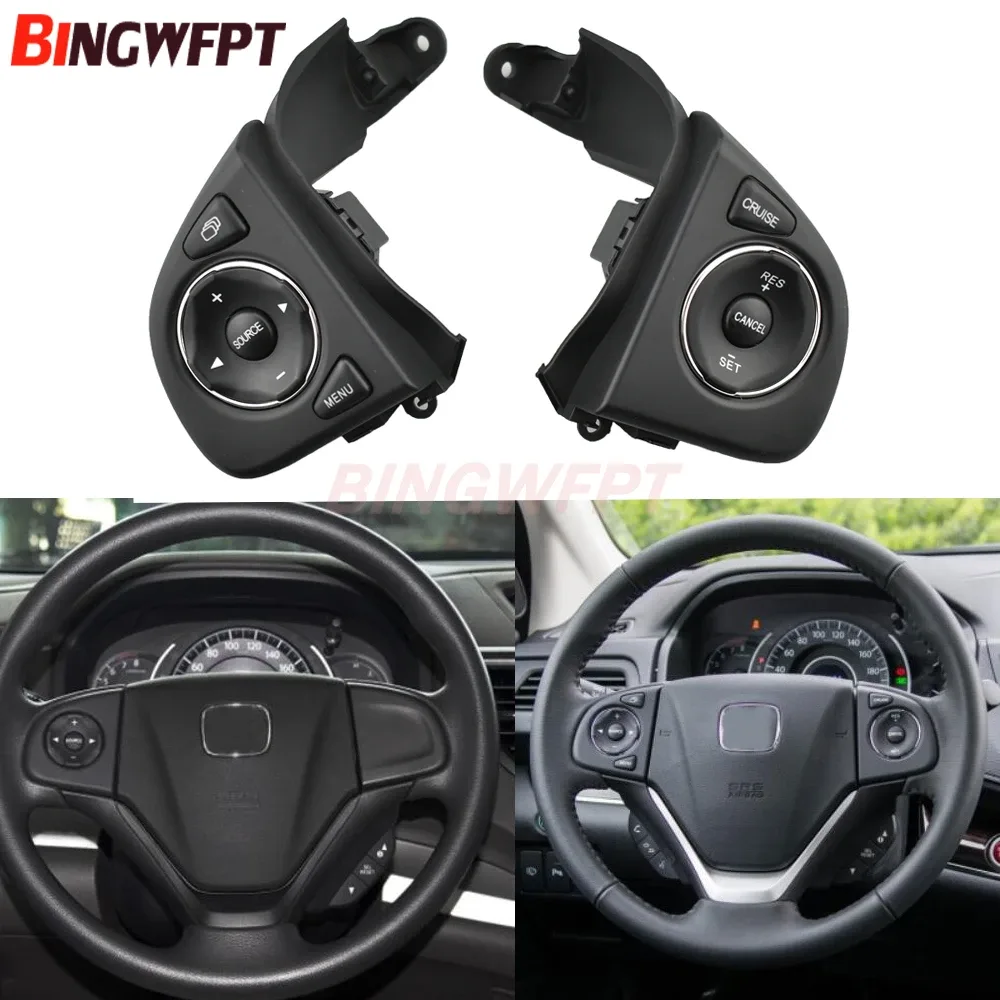
Image source: Bing (Web (fair-use with source credit))
Here is the procedure for steering wheel controls:
- Turn ignition to ON. Engine off.
- Press the INFO button repeatedly until "OIL LIFE" appears on the display.
- Press and hold the SEL/RESET button for about 10 seconds. The display will start blinking.
- Continue holding until the display changes to "OIL LIFE 100%".
- Release. Turn ignition off and restart to confirm.
A known issue on this generation: the INFO button may be labeled differently on some trims. On LX models, it might say "TRIP" instead of "INFO". In that case, use the TRIP button to cycle through the display and the SEL/RESET to confirm.
If you press and hold and nothing happens, check that you are in the correct screen. You must be on the OIL LIFE screen, not the trip odometer.
Step-by-Step: Reset Oil Life on 2017–2024 CR-V (Steering Wheel SEL/RESET)
This generation is the most common on the road today. The controls are entirely on the steering wheel. There is no dashboard knob.
- Get in the driver's seat. Press the start button once without touching the brake. This puts the car in accessory mode. The dashboard lights will come on, but the engine will not run.
- On the left side of the steering wheel, find the INFO button. Press it repeatedly until the display shows "OIL LIFE".
- Press and hold the SEL/RESET button for about 10 seconds. The oil life percentage will start blinking.
- Keep holding until the display reads "OIL LIFE 100%". It may flash dashes first.
- Release the button. Turn the ignition off, then start the engine. The oil life should read 100%.
Important note for push-to-start models: if you press the start button twice (without touching the brake), that is also accessory mode. Either method works. The key is that the engine is not running.
If the reset does not work, make sure you are holding the correct button. The SEL/RESET button is the one on the right side of the left cluster. It is slightly recessed.
Do not press the INFO button by mistake.
Step-by-Step: Reset Oil Life on 2025+ CR-V (Latest Display Changes)
The newest CR-V generation uses a fully digital instrument cluster. The reset procedure is similar to the 2017, 2024 model, but with one change: you access the oil life screen through a main menu.
- Turn the ignition to ON (accessory mode). Engine off.
- Use the steering wheel controls to scroll to the "Maintenance" or "Vehicle Settings" menu. The exact label depends on the trim level.
- Select "Oil Life" from the menu.
- Press and hold the SEL/RESET button until the display confirms the reset.
- The oil life will reset to 100%.
On some trims with the larger display, you may need to use the touchscreen instead. Go to "Settings," then "Vehicle," then "Oil Life Reset." Follow the on-screen prompts.
This generation is still relatively new, and aggregate owner feedback indicates that the procedure is more intuitive than older models. The digital display guides you through the process.
How to Spot the Correct Button – Visual Reference
This section helps you identify the button or knob by sight. Look at the photos in this article for reference.
Trip knob: A small cylindrical stem protruding from the instrument cluster. It is usually black plastic, ribbed for grip. It may have "TRIP" printed on or near it.
SEL/RESET button: A rectangular or oval button on the left steering wheel spoke. It often has a small icon of a wrench or the word "SEL/RESET" printed on it. It is smaller than the INFO button above it.
INFO button: A larger button above the SEL/RESET button. It may have an "i" icon or the word "INFO". Do not hold this button; use it to scroll.
Push-to-start ignition: A round button on the dashboard to the right of the steering wheel. No physical key. The procedure for accessory mode varies by model year, but generally one press without the brake.
If your buttons do not match any of these descriptions, refer to your owner's manual. Honda has used different button layouts on special editions and in different markets.
Common Visual Mistakes That Cause the Reset to Fail
People mess up the reset for three main reasons. Here they are.
Mistake 1: Confusing the trip knob with the brightness knob. Some CR-Vs have a separate knob for dashboard brightness. It is usually to the left of the steering wheel, not on the instrument cluster. Do not touch that knob.
Mistake 2: Pressing the INFO button instead of SEL/RESET. On steering wheel models, the INFO button scrolls through displays. The SEL/RESET button confirms and resets. If you hold INFO, nothing will happen.
Mistake 3: Resetting on the wrong screen. You must be on the OIL LIFE screen. If you are on the trip odometer screen and hold the button, you will reset your trip miles, not your oil life.
Mistake 4: Not holding the button long enough. Some people press and release immediately. You need to hold for a full 10 seconds. Count slowly if you need to.
Mistake 5: Having the engine running. The procedure only works in accessory mode (ignition ON, engine OFF). If the engine is running, the system will not enter reset mode.
What the Display Should Show After a Successful Reset
After a successful reset, the display will show "OIL LIFE 100%". The percentage may be accompanied by a small wrench icon or the word "MAINTENANCE". The display should stop blinking.
On older models, the display may show dashes (—-) for a second before showing 100%. That is normal.
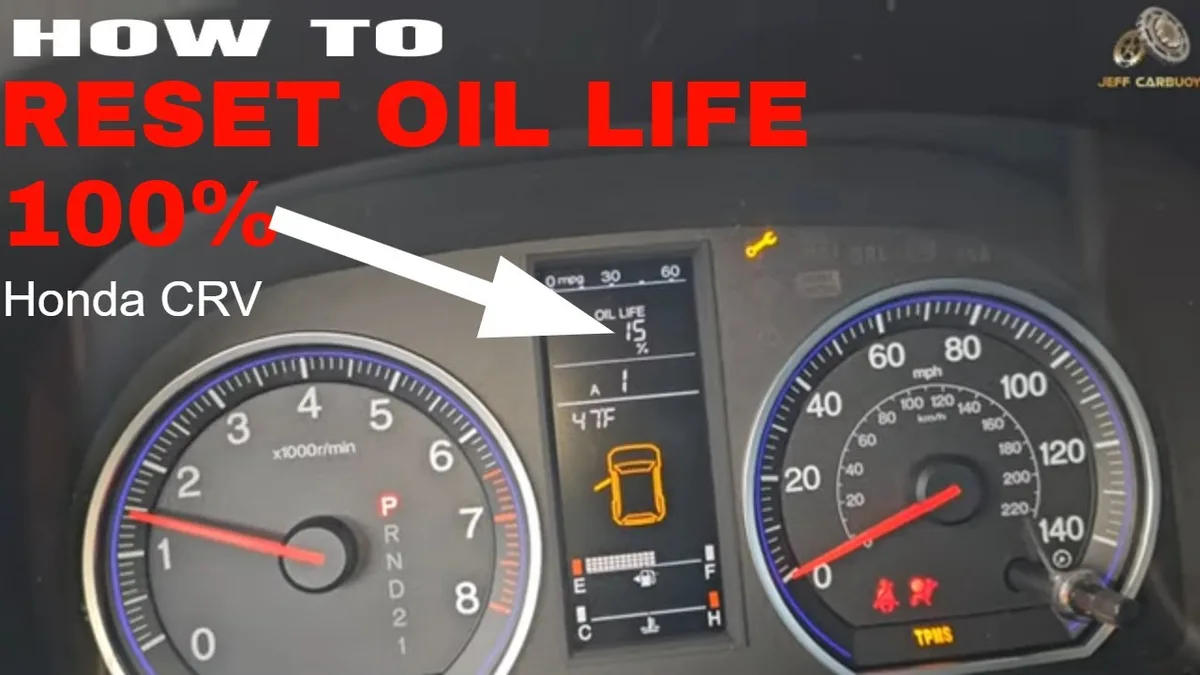
Image source: Bing (Web (fair-use with source credit))
If the display still shows a low percentage (like 15%), the reset did not work. Repeat the procedure from the beginning.
If the display shows "OIL LIFE —-" and never changes to a number, the system may have detected a problem. This is rare but can happen after battery disconnection or a system fault. In that case, consult a mechanic.
When the Reset Doesn't Work – Troubleshooting by Sight
The reset did not work. Now what? Look at your dashboard and match the symptom.
| Symptom | Likely Cause | Fix |
|---|---|---|
| Display shows "OIL LIFE" but no blinking when holding the button | You are on the wrong screen or the button is not the correct one | Double check that you are on the oil life screen. Try the other button. |
| Display blinks but returns to previous percentage | You released too early | Hold for a full 10 seconds. Continue holding even after blinking starts. |
| No response at all | Ignition not in correct mode | Turn the ignition to ON (accessory mode). Engine must be off. |
| Engine starts when you press the start button | You touched the brake pedal | Keep your foot off the brake when pressing the start button. |
| Oil life resets but shows a random number | System glitch | Turn ignition off, wait 30 seconds, then repeat the procedure. |
| Oil life percentage does not change after multiple attempts | Faulty button or cluster | Try using the other control method (if your car has both). If still fails, visit a dealer. |
If you have tried everything and the oil life still will not reset, there may be a deeper issue. The maintenance minder system is governed by a small computer. A low battery or a recent jump-start can sometimes cause the system to lose its memory.
In such cases, driving the car for a few miles may allow it to recalibrate. If not, a dealership can perform a full reset using their diagnostic tool.
Quick Reference Table: Model Year vs. Button Type vs. Steps
This table summarizes the complete procedure for every generation. Use it as a cheat sheet.
| Model Year | Control Type | Steps Summary | Special Note |
|---|---|---|---|
| 2002–2006 | Trip knob | Press knob to OIL LIFE. Hold until 100%. | Do not pull knob. |
| 2007–2011 | Trip knob | Press knob to OIL LIFE. Hold until 100%. | No pull function. |
| 2012–2016 (knob) | Trip knob | Press knob to OIL LIFE. Hold until 100%. | Same as 2007–2011. |
| 2012–2016 (wheel) | Steering wheel buttons | Press INFO to OIL LIFE. Hold SEL/RESET. | INFO may be TRIP on LX models. |
| 2017–2024 | Steering wheel buttons | Press INFO to OIL LIFE. Hold SEL/RESET. | Use accessory mode. No brake pedal. |
| 2025+ | Steering wheel or touchscreen | Navigate to Maintenance menu. Select Oil Life. Hold SEL/RESET or tap reset. | Touchscreen may work as alternative. |
Frequently Asked Questions
Can I reset the oil life without starting the engine?
Yes. That is the correct way. Turn the ignition to the ON position without starting the engine.
On push-to-start models, press the button once without touching the brake.
Do I have to reset the oil life right after an oil change?
Yes, you should. If you do not, the system will continue to count down from the old oil change. It will show a low percentage even though the oil is fresh.
This can cause confusion later.
What happens if I reset the oil life but did not actually change the oil?
That is a bad idea. The maintenance minder system tracks oil life based on driving conditions and engine revolutions. If you reset it without changing the oil, you lose the accuracy of the system.
Your engine could run with degraded oil.
My oil life display shows "—-" after I changed the oil. What does that mean?
That usually means the battery was disconnected or the system lost power. The dashes indicate that the maintenance minder needs to recalibrate. Drive the car for about 30 miles.
The system will recalculate and show a percentage.
Can I use an OBD2 scanner to reset the oil life?
Yes, but it is not necessary. The manual method works on every CR-V. An OBD2 scanner with advanced functions can reset the maintenance minder, but it is an extra expense.
Stick with the button method.
Why does my 2015 CR-V have a trip knob but my friend's 2015 has steering wheel buttons?
Honda sometimes changed the instrument cluster mid-generation. Base models often kept the trip knob longer than higher trims. Check your specific VIN or build date if you are unsure.
Final Verdict: Know Your Year, Find Your Button, Follow the Screen
Resetting the oil life on a Honda CR-V is a simple task once you know which controls your model has. The whole procedure takes less than 30 seconds. The key is to identify whether you have a trip knob or steering wheel buttons.
If you follow the steps for your specific generation, you will not get stuck. If something goes wrong, refer to the troubleshooting table above. And if all else fails, Honda's official owner's manual or a quick visit to a certified mechanic will solve it.
Remember: always change the oil before resetting the system. Your engine will thank you.