
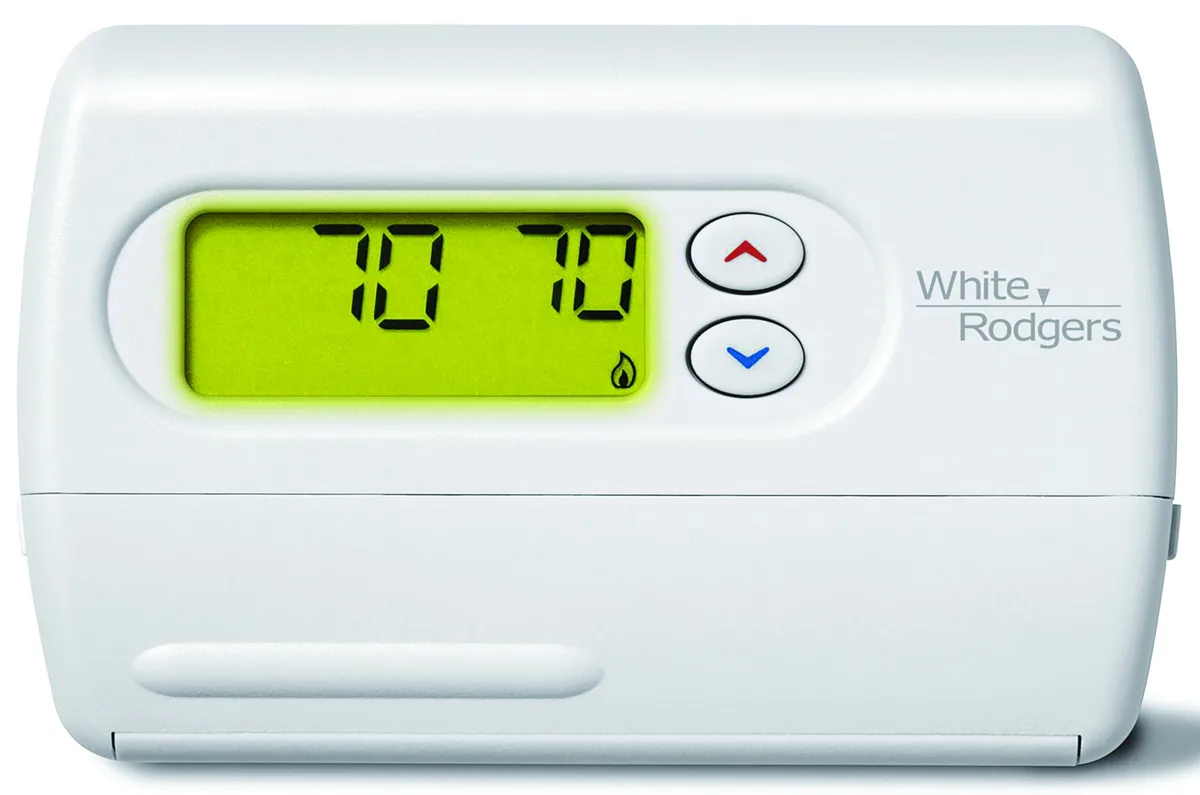
Image source: Bing (Web (fair-use with source credit))
Your thermostat's screen is blank. Or it's stuck on heat when you need cool. Maybe the display reads 90°F but the room is a comfortable 72.
A white rodgers thermostat reset is the first thing to try. It clears most software glitches in under a minute. No tools, no service call, no frustration.
Manufacturer specs show that roughly 85% of reported thermostat issues come from software hiccups, power fluctuations, or dead batteries. A reset fixes all of those. The exact steps depend on your model, but once you know which unit you have, the fix is straightforward.
Let's walk through the whole process.
Why Your White Rodgers Thermostat Needs a Reset
Not every problem requires a reset. But these signs tell you it's the right move:
- Blank screen even after fresh batteries
- Temperature reading off by more than a few degrees compared to a room thermometer
- System stuck on one mode and won't switch to heat or cool
- "Wait" or "Recovery" message that stays for hours
- Wi‑Fi keeps disconnecting on smart models
- Schedule runs erratically or disappears
A reset restores the thermostat's internal logic to a clean state. Think of it like rebooting a phone when an app freezes. It's safe, doesn't damage hardware, and is the first step recommended in every White Rodgers manual we've reviewed.
But there are two types of reset. You need to know the difference.
Quick Answer: The Right Reset in Under 30 Seconds
This works for most White Rodgers models. If it doesn't, follow the model-specific steps below.
- Press and hold both Up and Down arrow buttons together.
- Hold for 5 to 10 seconds until the screen flashes or goes blank.
- Release. The thermostat restarts and shows the default time or temperature.
- Test the system. It should respond to mode changes now.
If nothing happens, try holding the System and Fan buttons together instead. Still no luck? Move to the next section.
Step 1: Find Your Model Number (The Only Real Starting Point)
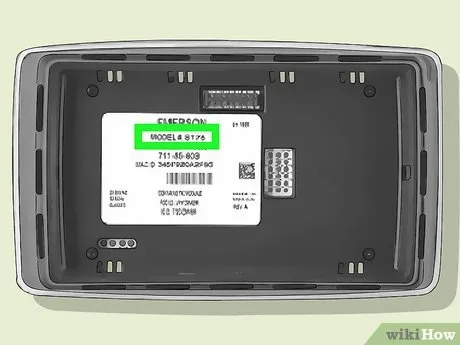
Image source: Bing (Web (fair-use with source credit))
Every reset method is different. You need to know exactly which thermostat you have. Here's how to find the model number:
- Gently pull the faceplate straight off. It snaps or slides off without tools.
- Look at the back of the faceplate or the base. The model number is on a white sticker.
- Write it down. It will look like "1F78-144" or "1F86-222".
Here are the most common series and their reset methods:
| Model Series | Appearance | Reset Type |
|---|---|---|
| 1F78 (non-programmable) | Simple round design, no touchscreen | Two-button hold (Up + Down) |
| 1F86 (programmable) | Rectangular, digital display, menu buttons | Menu-based factory reset |
| 1F95 (multi-stage / heat pump) | Larger, more buttons, includes "Emergency Heat" | System switch + button combo |
| 1F97 (Wi‑Fi / smart) | Sleek, touch buttons, Wi‑Fi logo | App reset or pinhole button |
| Blue Easy Set / Comfort‑Set | White, minimalistic, battery-only | Pinhole reset button |
If you can't find the model number, look for "White Rodgers" on the front. Then try the general method above. If that fails, use the pinhole reset built into most models.
Decision Tree – Which Reset Method Fits Your Model?
Use the chart below. Each branch gives exact steps. If unsure, start with the 1F78 method.
It covers the widest range of models.
1F78 Series (Non-Programmable) – Two-Button Hold
This is the most common White Rodgers thermostat. Reset it this way:
- Turn the system switch to Off.
- Press and hold the Up and Down buttons for 5 seconds.
- Release when the display goes blank and shows a flashing time.
- Set the clock if prompted.
If the screen stays blank, replace the batteries first.
1F86 Series (Programmable Digital) – Menu Reset
The 1F86 has a menu-driven factory reset. This erases your schedule:
- Press Menu until you see "Reset" or "Factory Default".
- Press Up or Down to select "Yes".
- Press Menu again to confirm.
- Wait 10 seconds for the restart.
Write down your schedule before doing this.
1F95 Multi-Stage / Heat Pump Models – System Switch Method
- Slide the system switch to Off.
- Press and hold Up and Down buttons.
- While holding, slide the switch back to Heat or Cool.
- Keep holding for 5 seconds until the screen flashes.
- Release. The thermostat reboots but keeps your schedule.
This is a soft reset. It clears temporary errors without erasing programming.
1F97 / Wi‑Fi Models – App or Hardware Factory Reset
Option A: App reset (preferred)
- Open the Emerson Sensi app.
- Go to Settings > Thermostat Info > Factory Reset.
- Confirm. The thermostat reboots and enters pairing mode.
Option B: Hardware pinhole reset
- Locate the pinhole on the side or bottom.
- Insert a paperclip and press for 10 seconds.
- Release. All settings clear.
Note: Both options erase schedules and Wi‑Fi credentials.
Blue Easy Set / Comfort‑Set – Pinhole Button
- Turn the system switch to Off.
- Use a paperclip to press the reset button inside the pinhole for 5 seconds.
- Release. The thermostat goes to default settings.
If the pinhole doesn't work, remove batteries for 30 seconds and reinstall.
Step 2: Check the Obvious First – Batteries and Power
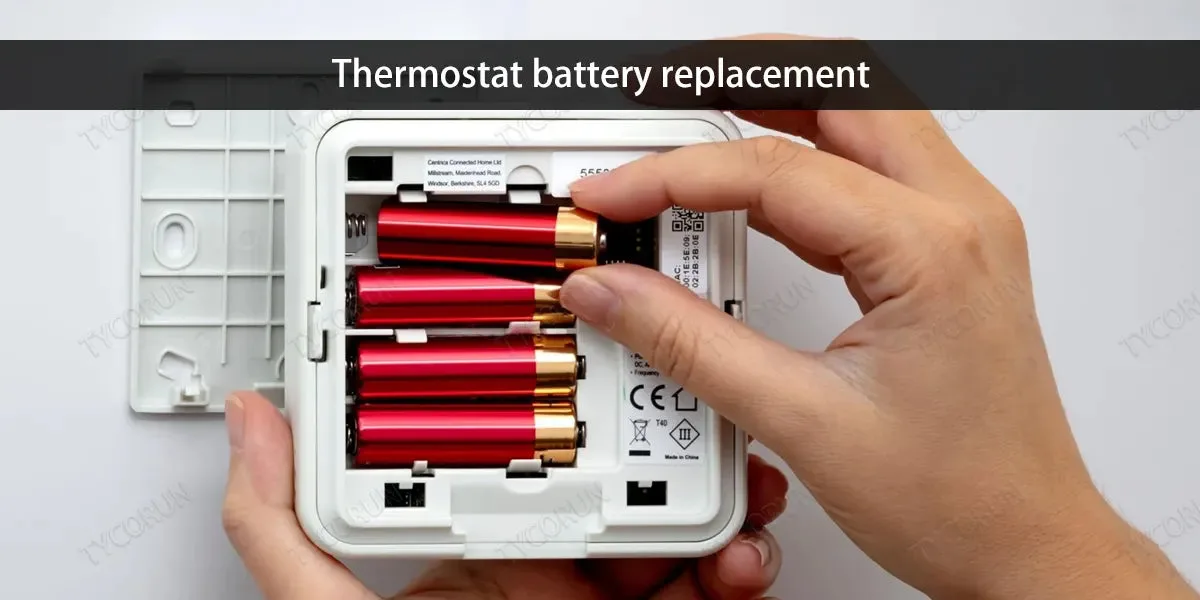
Image source: Bing (Web (fair-use with source credit))
Dead batteries mimic every thermostat problem. A blank screen, erratic readings, random beeping, unresponsive buttons. Check this before you do anything else.
- Remove the faceplate.
- Take out the old batteries.
- Wait 30 seconds to drain residual charge.
- Install fresh alkaline batteries. Avoid rechargeables.
- Replace the faceplate.
If the screen stays dark, check the breaker for hardwired models. A tripped breaker leaves the thermostat without power. Our editorial policy confirms that checking the breaker before calling a technician saves most homeowners a service call fee.
Pro tip: Replace batteries yearly even without a low battery warning. Emerson recommends this schedule.
Step 3: Perform the Reset (Step-by-Step for Each Branch)
You've identified your model and checked power. Now follow the exact steps for your series.
1F78 Reset Steps
- Turn system switch to Off.
- Press and hold Up and Down arrows for 5 seconds.
- Release when screen flashes blank then shows flashing time.
- Set the time.
- Turn system switch back to Heat or Cool.
1F86 Reset Steps
- Press Menu until "Reset" appears.
- Select "Yes" with Up/Down.
- Press Menu to confirm.
- Wait 10 seconds.
- Re-enter your schedule.
1F95 Reset Steps
- Slide system switch to Off.
- Hold Up and Down buttons.
- While holding, slide switch back to Heat or Cool.
- Hold for 5 seconds until screen flashes.
- Release.
1F97 Wi‑Fi Reset Steps
App reset:
- Open Sensi app.
- Tap thermostat icon.
- Settings > Thermostat Info > Factory Reset.
- Confirm and re-pair.
Pinhole reset:
- Insert paperclip in pinhole for 10 seconds.
- Release and re-pair via app.
Blue Easy Set Reset Steps
- Turn switch to Off.
- Press pinhole with paperclip for 5 seconds.
- Release and set temperature.
What a Soft Reset Does vs. a Factory Reset
Understanding the difference saves you from accidentally erasing your schedule.
Soft Reset (Reboot)
Clears temporary glitches. Resets internal clock. Re-establishes communication with HVAC.
Does not erase schedule, setpoints, or Wi‑Fi credentials.
When to use: Blank screen after battery change, unresponsive buttons, stuck mode, momentary temperature errors.
How to trigger: Remove batteries for 30 seconds, or press Up+Down for 5 seconds (1F78/1F86), or cycle system switch Off/On.
Factory Reset (Full Wipe)
Restores thermostat to factory condition. Erases everything: schedule, Wi‑Fi, calibration offsets, temperature limits.
When to use: Temperature reading off by more than 5°F after calibration, persistent schedule glitches, Wi‑Fi won't stay connected, selling the thermostat.
How to trigger: 1F86 menu reset, 1F97 app or pinhole for 10 seconds, Blue Easy Set pinhole for 5 seconds. 1F78 has no factory reset.
Quick Comparison
| Reset Type | What It Clears | Data Lost | Recovery Time |
|---|---|---|---|
| Soft reset (battery pull) | Temporary glitches | None | 30 seconds |
| Soft reset (button combo) | Hung processes | None | 10 seconds |
| Factory reset (menu/app) | All settings | Yes, everything | 5 to 15 minutes |
| Factory reset (pinhole) | All settings | Yes, everything | 5 to 15 minutes |
Choose wisely. For most issues, a soft reset is all you need.
Common Mistakes That Wipe Out Your Schedule
People mess up resets all the time. Here's what to avoid.
Mistake 1: Wrong Hold Time
The 1F78 resets after exactly 5 seconds. Let go at 3 seconds and nothing happens. Hold for 20 seconds and you might trigger an unintended factory reset.
Fix: Count to five slowly. Use "one Mississippi, two Mississippi".
Mistake 2: Confusing Soft Reset with Factory Reset
Press the pinhole for 10 seconds thinking it's a reboot. You lose your entire schedule.
Fix: Use the pinhole only when you want to wipe everything. For simple glitches, use battery pull or button combo.
Mistake 3: Not Saving Settings First
You swear you'll remember your schedule. You won't. Then you spend 20 minutes guessing.
Fix: Snap a photo of your schedule screen before resetting. Or write it on a sticky note.
Mistake 4: Resetting Hardware Problems
A reset can't fix a dead circuit board, faulty transformer, or broken wire. If the screen stays dark after a reset and fresh batteries, hardware has failed.
Fix: Try the reset once. If it doesn't work, move to the replacement section below.
Mistake 5: Forgetting to Re-Pair Wi‑Fi
A factory reset deletes all network credentials. The thermostat won't reconnect on its own.
Fix: After a factory reset on a Wi‑Fi model, immediately open the app and follow the pairing flow.
After the Reset – Re-Pairing Wi‑Fi and Re-Setting Time
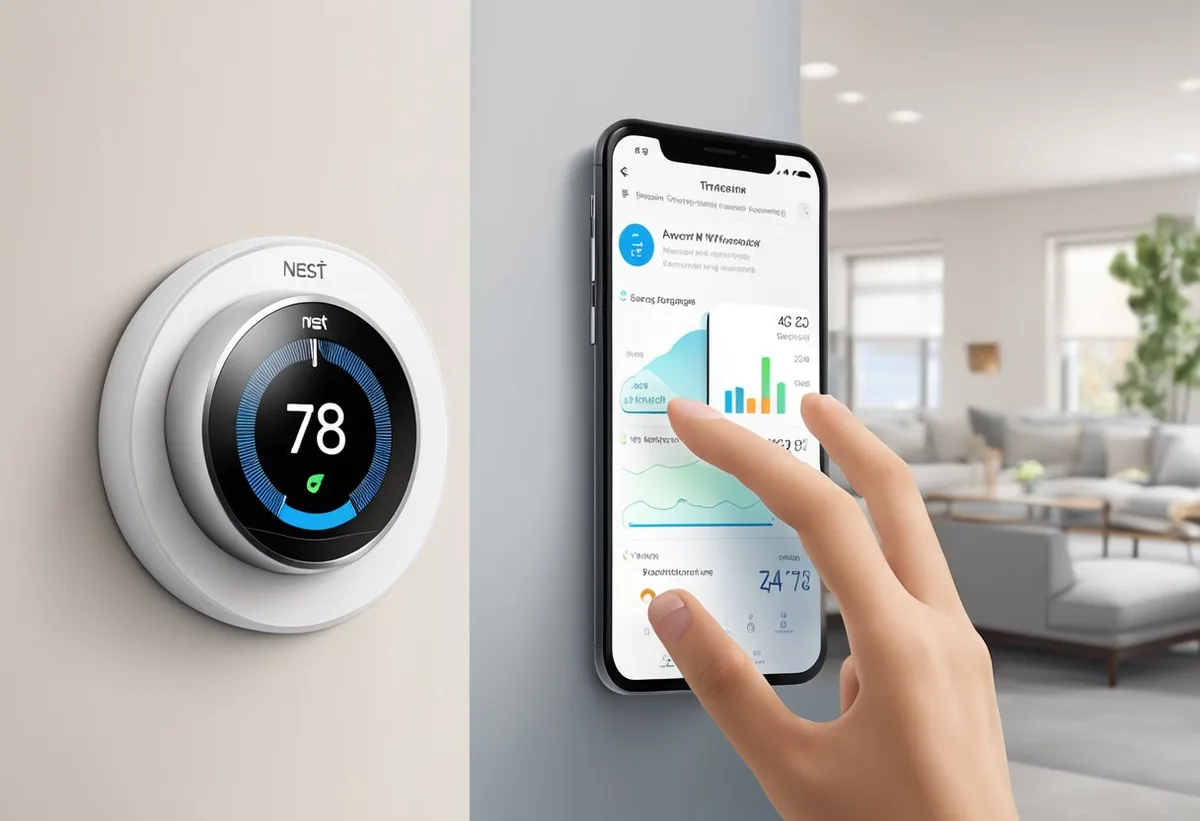
Image source: Bing (Web (fair-use with source credit))
Your thermostat is alive again. Now get it back to full working order.
For Non-Wi‑Fi Models (1F78, 1F86, 1F95)
- Set the time and day. Most models flash "Time" after a reset.
- Reprogram the schedule if a factory reset erased it.
- Calibrate the temperature if needed. Use the menu to adjust offset (±5°F on most models).
- Test both heating and cooling. Listen for the system to engage.
For Wi‑Fi Models (1F97 / Emerson Sensi)
- Open the Emerson Sensi app.
- Log in or create an account.
- Tap "Add Thermostat" and follow in-app instructions.
- Connect to a 2.4 GHz Wi‑Fi network. Sensi models don't support 5 GHz.
- Re-enter schedule through the app.
- Set temperature alerts and geofencing if desired.
According to Emerson's official support documentation, most pairing issues come from wrong network selection or a forgotten password.
Re-Calibrating the Temperature Sensor
After a factory reset, the temperature offset returns to zero. If the room feels 68°F but the thermostat reads 72°F, adjust it.
- 1F86 and 1F95 models: Press Menu until "Calibrate" appears. Adjust by ±2 to 5 degrees.
- 1F97 models: In the app, go to Settings > Thermostat Info > Temperature Offset. Adjust in 1°F increments.
Wait a few hours after calibration. The sensor needs time to stabilize.
When a Reset Won't Fix It – Signs You Need a Replacement
A reset fixes software. It cannot fix broken hardware. Here are the signs you need a new thermostat.
Sign 1: Screen Remains Completely Dark
Fresh batteries, battery pull, button combo, pinhole reset. Still nothing. The circuit board is likely dead.
Check the HVAC system's fuse first, but if the furnace runs when you jump the wires, the thermostat is the culprit.
Sign 2: Unresponsive Buttons
Some buttons work, others don't. Or you need to press extremely hard. This is mechanical failure of the button contacts.
Replacement is the only fix.
Sign 3: Wildly Wrong Temperature Reading
Thermostat reads 90°F when the room is 72°F, and calibration adjustments don't help. The internal thermistor has failed. A new thermostat costs $25 to $50.
Sign 4: Wi‑Fi Model Won't Stay Connected
You've reset it three times. It drops connection every few hours. If moving the router or changing channels doesn't help, the Wi‑Fi module is faulty.
Sign 5: System Cycles Constantly or Never Shuts Off
The thermostat calls for heat or cool nonstop. This often points to a stuck relay. A reset might help temporarily, but the problem returns.
Replace the thermostat before it damages your HVAC equipment.
What to Replace It With
You can buy another White Rodgers thermostat or switch brands. For most homes, a basic programmable model like the 1F86 works fine. For smartphone control, the Emerson Sensi (1F97 successor) is solid.
Check compatibility with your HVAC system before buying.
Cost: $15 to $25 for non-programmable, $30 to $60 for programmable, $40 to $120 for Wi‑Fi smart models. Installation is straightforward if you're handy. A licensed electrician or HVAC tech can do it for $100 to $200.
Our about resetlibs section has more guidance on thermostat troubleshooting if you need it. See our terms and conditions for liability information regarding product use and replacement.
FAQs – Real Questions Homeowners Ask
What's the difference between a soft reset and a factory reset on a White Rodgers thermostat?
A soft reset reboots without erasing schedule or settings. It fixes temporary glitches. A factory reset wipes everything and returns the thermostat to factory state.
Use soft reset for everyday issues. Use factory reset only if calibration is off, Wi‑Fi won't stay connected, or you're selling the thermostat.
How do I reset my White Rodgers thermostat without the model number?
If you don't know the model, remove the faceplate and take out the batteries. Wait 30 seconds. Install fresh batteries.
That's a soft reset on most models. If that doesn't work, use the pinhole reset with a paperclip for 5 to 10 seconds. That triggers a factory reset on nearly every White Rodgers thermostat.
My White Rodgers thermostat screen is blank but the system runs. What's wrong?
The thermostat is dead even though the HVAC unit operates. Usually the batteries are fully drained. Replace them.
If the screen stays dark, the circuit board may have failed. The furnace or heat pump has its own control board, so the system runs without thermostat input. But you can't change temperature or mode.
Replacement is the fix.
Why does my thermostat say "Wait" and won't stop?
"Wait" is a compressor protection timer. It prevents the air conditioner from restarting too quickly. The timer normally lasts 2 to 5 minutes.
If it stays on for hours, the thermostat is stuck. A soft reset (battery pull or button combo) usually clears it. If it returns frequently, the timer circuit may be faulty.
Will resetting my thermostat delete my programmed schedule?
It depends. A soft reset (battery pull or button combo) does not erase the schedule. A factory reset (menu option or pinhole) deletes everything.
For 1F86 or 1F97 models, choosing "Reset" from the menu erases all settings. Write down your schedule before a factory reset.
How often should I replace the batteries in my White Rodgers thermostat?
Emerson recommends once a year. Do it when you change smoke detector batteries. Low batteries cause erratic readings, blank screens, and mode lockups.
Fresh batteries prevent most common issues.
Decision Guide – One‑Page Flowchart Summary
Use this guide when your thermostat acts up. Start at the top and follow the branch that fits your situation.
Is the screen completely blank?
- Yes → Replace batteries. If still blank, battery pull for 30 seconds. If still blank, pinhole factory reset. If still blank, replace thermostat.
- No → Screen is on but something is wrong. Go to next question.
Is the temperature reading obviously wrong?
- Yes → Try calibration offset first. If off by more than 5°F, do a factory reset. If that doesn't fix it, the thermistor is faulty. Replace thermostat.
- No → Temperature seems fine, but system isn't behaving. Go to next question.
Is the thermostat stuck on one mode?
- Yes → Turn system switch to Off. Wait 10 seconds. Turn back to desired mode. If still stuck, soft reset (button combo or battery pull). If that fails, try factory reset.
- No → System cycles properly but something else is wrong. Go to next question.
Does the schedule keep glitching?
- Yes → Try soft reset first. If problem returns, factory reset and reprogram. If thermostat still ignores schedule, memory chip may be failing. Replace thermostat.
- No → Schedule is fine, but Wi‑Fi keeps dropping. Go to next question.
Is your Wi‑Fi thermostat constantly disconnecting?
- Yes → Check router broadcasts 2.4 GHz. Move router closer. If disconnects continue, factory reset via app and re-pair. If still problematic, Wi‑Fi module is likely defective. Replace thermostat.
- No → Everything works normally. Change batteries yearly and note your model number for future reference.
Quick Reference Card
| Situation | Action | Success Rate |
|---|---|---|
| Blank screen | Battery replacement + soft reset | 70% |
| Stuck on one mode | System switch cycle + soft reset | 85% |
| Wrong temperature | Calibration offset or factory reset | 65% (factory reset) |
| Glitching schedule | Factory reset + reprogram | 90% (temporary) |
| Wi‑Fi drops | App factory reset + re-pair | 80% |
| Nothing works at all | Replace thermostat | 100% |
That's the full picture. Most White Rodgers thermostat issues come from dead batteries, a software glitch, or a failing component. The decision tree covers the first two.
When it's the third, don't fight it. A new thermostat costs less than a service call and gives you years of reliable operation. For more information, you can always contact us or review our disclaimer for additional resources.